EasyManua.ls Logo

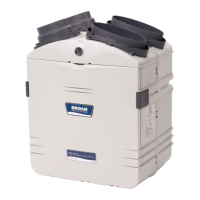
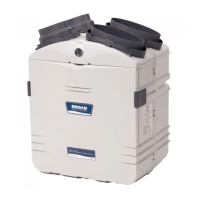
Broan GSHH3K - User Manual

Broan GSHH3K
36 pages
Print Icon
To Next Page IconTo Next Page
Loading...
VB0061
HEPA Filtration
and Fresh Air
Ventilation*
GSVH1K
INSTALLATION INSTRUCTIONS MANUAL
RESIDENTIAL USE ONLY.
INSTALLER: LEAVE THIS MANUAL WITH CONSUMER.
*Patents pending
HEPA Filtration,
Fresh Air and
Heat Recovery
Ventilation*
GSHH3K
HEPA Filtration,
Fresh Air and
Energy Recovery
Ventilation*
GSEH3K
HEPA
Filtration*
GSFH1K
READ AND SAVE THESE INSTRUCTIONS
Broan-NuTone LLC; Hartford, Wisconsin www.broan.com 800-558-1711
REGISTER YOUR PRODUCT ON LINE AT: www.broan.com/register
For additional information - visit www.Broan.com
04326 rev. 7
99043105

Other manuals for Broan GSHH3K

Questions and Answers

  • K
    Kristen HillAug 9, 2025
    Why is my Broan GSHH3K Fan not operating as per the selected mode?
    • J
      Joseph RobinsonAug 9, 2025
      If your Broan Fan unit isn't operating as expected, ensure the main switch is set to the “Normal/Remote” position. Also, verify the wall control wiring is correctly connected.
  • R
    robert15Aug 15, 2025
    What to do if Broan GSHH3K does not start at Low or High position?
    • M
      Mr. Michael FlemingAug 15, 2025
      If your Broan Fan isn't starting at either the Low or High position, take these steps: * Check the breaker or fuse in the main distribution panel or GFI outlet. * Confirm there is 120V at the electrical outlet. * Ensure the unit's main switch is correctly set to the Normal or Boost position. * If a wall control (ACCGSC1 or 40425) is connected, disconnect the control wire from the unit, then ensure the unit's main switch is properly set to the Normal/Remote or Boost position. * Inspect the fuse on the electronic board; if it's blown, replace it with the same type.
  • L
    Laura FoxAug 21, 2025
    Why Broan GSHH3K does not run at Low speed, but runs at High?
    • W
      William GrayAug 21, 2025
      If your Broan Fan only runs at High speed and not Low speed, and if you're using a wall control (ACCGSC1 or 40425), disconnect the control wire from the unit. If the unit then runs at Normal speed, inspect the control wiring and wall control connections.
  • T
    timothyhowardAug 27, 2025
    Why are 1 or 2 light indicators flashing on Broan GSHH3K 40425 wall controller?
    • M
      Monica FloresAug 27, 2025
      If you observe 1 or 2 light indicators flashing every second on your Broan Fan's 40425 wall controller, ensure the unit's main switch is in the “Normal/Remote” position and check the wall control wiring.
  • C
    Cassidy LevySep 3, 2025
    What does E2 mean on Broan GSHH3K Fan 40425 wall controller?
    • B
      bfrancoSep 3, 2025
      If the screen on your Broan Fan's 40425 wall controller displays 'E2', it indicates that the temperature sensor is defective. The unit will automatically switch to OFF mode.

Summary

Manual and Unit Information

Manual Warnings and Cautions

Identifies instructions that might cause serious personal injuries or damage the unit.

Unit Safety Warnings

To reduce the risk of fire, electric shock, or injury to person(s).

Installation Planning

Furnace Ductwork Placement Caution

Do not install duct connector directly above or too close to the furnace.

Exhaust Air Hazard Warning

Avoid recovering exhaust air from dryers or range hoods to prevent fire hazard.

Typical Installations

Cold Temperature Operation Caution

Unit must run continuously below freezing.

Install the Unit

Hook Screw Installation Caution

Proper screw insertion for hooks.

Exhaust Register Safety Warning

Avoid installing exhaust registers near combustion devices.

Duct Connection Safety Warning

Duct connection safety and code compliance.

Return-to-Return Duct Connection Warning

Duct connection safety and code compliance.

Tandem Transition Ductwork Caution

Ensure ductwork vapor barrier is not torn.

AirDuo Hood Placement Warning

Hood placement relative to contamination sources.

Tandem Transition & Backplate Caution

Tandem® transition orientation and backplate installation.

Dual Hood Usage Caution

Specific use of AirDuo™™ hood for exhaust.

Dual Hood Placement Warning

Hood placement relative to contamination sources.

Exterior Hood Ductwork Caution

Ductwork vapor barrier integrity.

Exterior Hood Backplate Caution

Backplate orientation.

Oval Port Connection Caution

Avoid compressing insulation.

Low Temperature Operation Precautions

Precautions for cold weather operation.

Low Temp Continuous Operation Caution

Continuous operation below freezing.

Freezing Protection Caution

Protecting unit and drain line from freezing.

Low Temperature Operation Precautions (Contd)

Instructions for fabricating blanket insulation.

Controls

ACCGSC1 Wall Controller Installation

Steps for installing the ACCGSC1 controller.

ACCGSC1 Wiring Safety Warning

Disconnect power before wiring.

ACCGSC1 Wiring Caution

Wiring distance and interference avoidance.

40425 Wall Controller Installation

Steps for installing the 40425 controller.

40425 Wiring Safety Warning

Disconnect power before wiring.

40425 Wiring Caution

Wiring distance and interference avoidance.

Connecting Wall Controllers to Unit

Wiring the wall controllers to the unit.

Unit Wiring Connection Caution

Avoid damaging internal components with tools.

Airflow Balancing Procedure

Maintenance

Troubleshooting

Problem Identification and Solutions

Common issues and their resolutions.

Warranty

Broan GSHH3K Specifications

General IconGeneral
BrandBroan
ModelGSHH3K
CategoryFan
LanguageEnglish

Related product manuals