Need help?
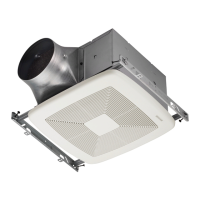
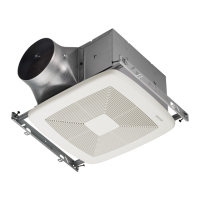
Do you have a question about the Broan ZB80 and is the answer not in the manual?
Critical instructions to reduce risk of fire, electric shock, or injury to persons.
Precautions for proper installation and usage to avoid damage to the unit or motor.
Explains compatibility with joists, I-joists, trusses, and 2"x8" ceiling construction.
Lists necessary tools and materials for new construction installation.
Unboxing and preparing components for installation.
Securing the mounting frame within the ceiling structure.
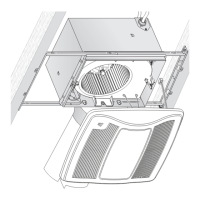
Attaching and locking the fan housing into the mounting frame.
Connecting the ductwork and duct connector to the fan housing.
Electrical wiring connections and installing the knockout plate.
Installing ceiling material and cutting around the housing.
Attaching the grille to the installed fan unit.
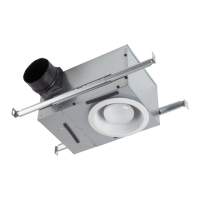
Lists necessary tools and materials for retrofitting an existing fan.
Unboxing and preparing the unit for retrofit installation.
Crucial safety step to disconnect power before installation.
Modifying the ceiling opening and removing the old fan unit.
Inspecting existing wiring for damage before continuing.
Detaching the existing blower assembly from the old unit.
Procedure for removing the wiring panel of the existing fan.
Installing the new mounting frame into the ceiling opening.
Firmly securing the new mounting frame in place.
Inserting and securing the new fan housing into the mounting frame.
Connecting the ductwork and duct connector to the new fan housing.
Wiring the unit and installing the knockout plate and wiring panel.
Installing and securing the new blower assembly into the housing.
Attaching the grille to the fan unit.
Instructions for operating the fan using the master switch.
Using the time delay feature to change airflow rates.
Guide on adjusting the fan's airflow speed using the control.
Guide on setting the fan's time delay for operation.
Instructions for cleaning the fan unit to ensure optimal performance.
Common causes and solutions when the fan fails to operate.
Diagnosing and fixing issues with inconsistent fan operation.
Identifying and resolving causes of unusual noise from the fan.
Troubleshooting steps for inadequate room ventilation performance.
Information on how to order replacement parts using part numbers.
Details of the limited warranty terms, coverage, and exclusions.
Steps to follow to request warranty service and support.
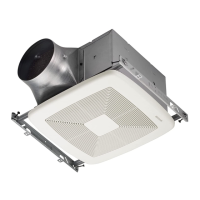
 General
| Model | ZB80 |
|---|---|
| Category | Fan |
| Airflow | 80 CFM |
| Energy Star | Yes |
| Duct Diameter | 4 inches |
| Housing Dimensions | 9-1/4" x 10" x 5-3/4" |
| Voltage | 120V |
| Mounting | Ceiling |
| Housing Material | Galvanized Steel |
| Blade Material | Plastic |
| Hertz | 60 Hz |

 To Next Page