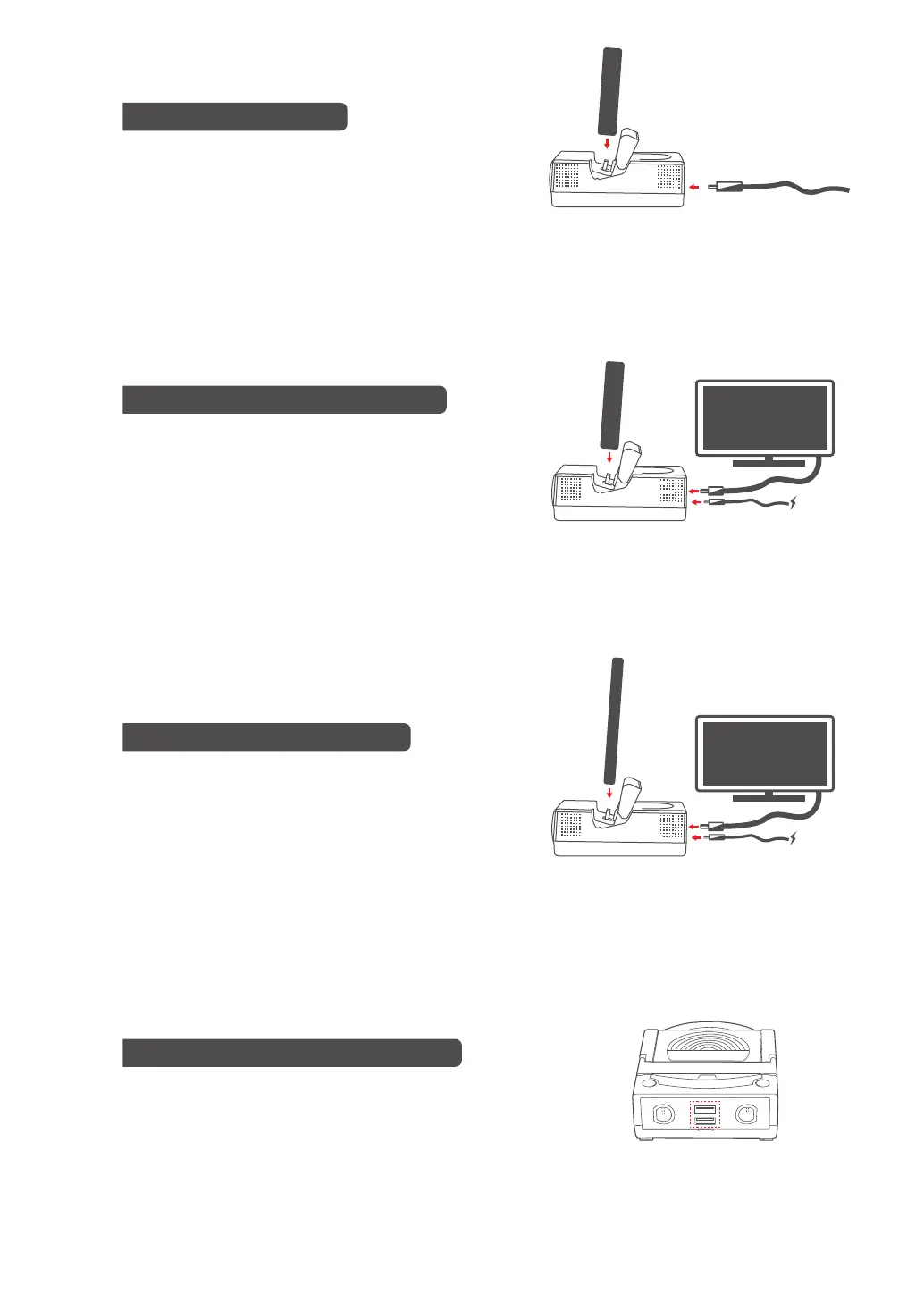
Make sure Power-Bay is plugged in and dock
Nintendo Switch console in the charging dock.
Connect Power-Bay with HD TV via HDMI.
When the connection is successful, it will
automatically switch to video output via HDMI.
Nintendo Switch Charging
Output via HDMI connector in TV mode
Support device charging in DisplayPort Alt
Mode (DP Alt Mode). Dock your device for
charging and video output to HD TV via HDMI.
Device charging and video output
Two USB ports on Power-Bay are compatible with
Nintendo Switch controller, racing wheel and accessories.
Connect to Nintendo Switch accessories
TV
HDMI
TV
HDMI
Device
USB
02


 To Next Page