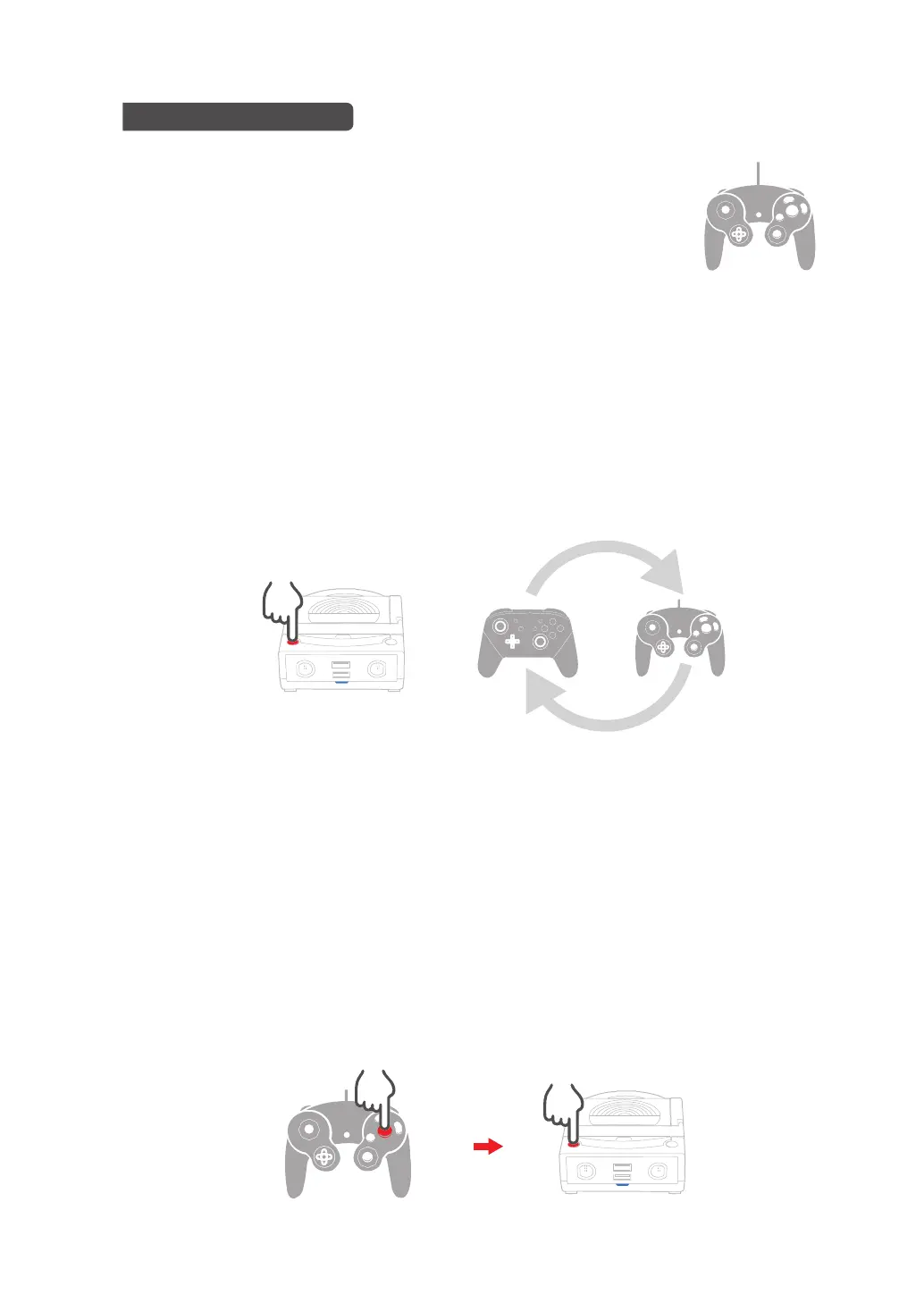
The default controller input setting of Power-Bay is "Switch Pro Input Mode". When
using the GameCube controller, you can switch to "GameCube Input Mode" manually.
Make sure that you have not pressed any button on the GameCube controller, then
press the "Turbo Function Button" on Power-Bay for 5 seconds to switch input mode
setting. You could press and hold the "Turbo Function Button" again for 5 seconds to
switch to "Switch Pro Input Mode" again.
Game Cube controllers have 10 buttons (X、Y、A、B、L、ZL、Left Thumb Stick
Button、R、ZR、Right Thumb Stick Button) can be set with turbo. Please follow below
instruction to set or cancel:
●Switch the input mode of Game Cube controller
●Switch the input mode of Game Cube controller
1. Press the button on controllers for setting turbo (e.g. A)
2. Press the turbo setting button on Power-Bay
Use Game Cube controllers
Connect Game Cube controllers to the ports on Power-Bay to use it.
5s
04


 To Next Page