The following instructions are based on the Xbox One controller.
For those using other controllers, please refer to the Corresponding
Buttons List.
Buttons that can be Remap include: A, B, X, Y, LB, RB, LT, RT, LSB, RSB
10 (hereinafter referred to as FK)
Step 1. Enter setting mode:
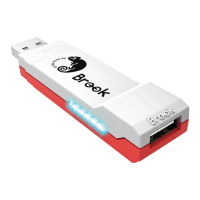
Press MENU + Xbox Guide, the RED LED of the Wingman XE 2
will be permanently on.
Step 2. Choosing a FK button: (e.g. Setting X as A+B)
Press X
Step 3. Choosing button to be set:
Hold VIEW, then press A + B.
Step 4. Completing setting mode:
Release all buttons, then press MENU to save settings.
Step 5. Exit setting mode:
Press Xbox Guide, the BLUE LED of the Wingman XE 2 will be
permanently on.
Step 1. Enter setting mode:
Press MENU + Xbox Guide, the RED LED of the Wingman XE 2
will be permanently on.
Step 2. Erasing all settings for Button Remap Settings.
Press VIEW + MENU.
Step 3. Exit setting mode:
Press Xbox Guide, the BLUE LED of the Wingman XE 2 will be
permanently on.
Button Remap Settings
Cancelling Button Remap Settings
Button Remap Settings
12


 To Next Page