B
A
C
K ST
A
R
T
=
PS4
SHARE OPTIONS
=
Xbox 360
SHARE OPTIONS
PS4
Xbox 360
B
A
C
K ST
A
R
T
2
2
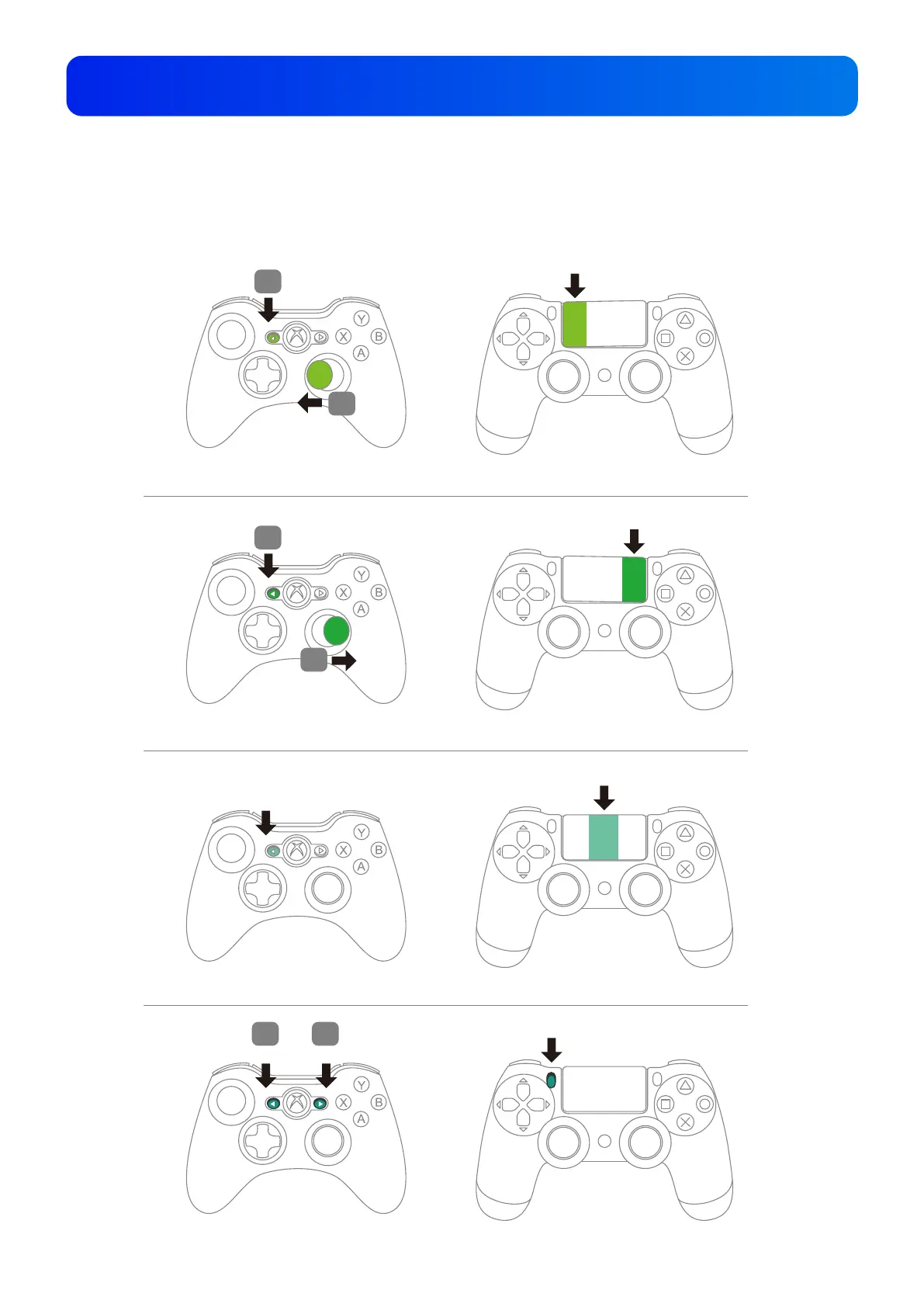
Hold the R Stick to the left, then press BACK.
Hold the R Stick to the right, then press BACK.
PS4
SHARE OPTIONS
=
Xbox 360
B
A
C
K ST
A
R
T
Press BACK.
1
1
B
A
C
K ST
A
R
T
=
Xbox 360
SHARE OPTIONS
PS4
Hold the BACK, then press START.
1 2
Touch Pad Simulation Function
Using the Xbox 360 controller:
BACK + R Stick can simulate the PS4’s Touchpad button.
BACK + START can simulate the PS4’s SHARE button.
8


 To Next Page