OWS Standalone Manual
MA380 - Rev. 2.4
2 OPERATIONS
2.1 Display Layouts
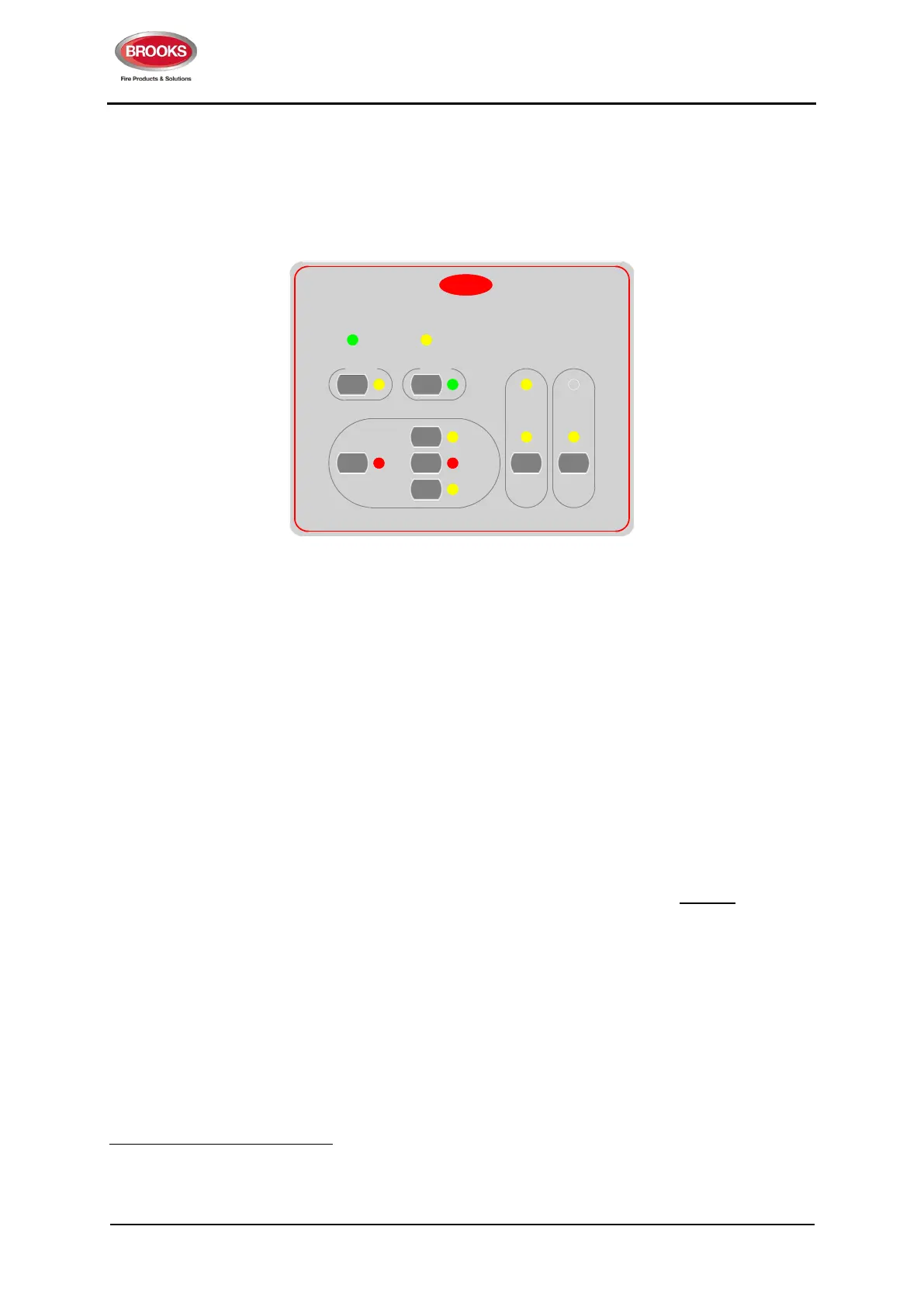
The OWS main display layout is shown in Figure 2.
PAPA
AutoAuto
FaultFault
ManMan
PA MicPA Mic
IsolateIsolate
Power ONPower ON
SilencedSilenced
BROOKS
Silence
Buzzer
Silence
Buzzer
Press
To Talk
Press
To Talk
EvacEvac
OCCUPANT WARNING SYSTEM
AlertAlert
Figure 2 Main Display Layouts of Brooks Standalone OWS
2.2 Mode of Operation
The OWS has 3 modes of operation as shown in Figure 2: isolate, automatic and manual mode. Only
one of these modes can be selected at any one time. A mode is selected by pressing the mode selection
button on the display and is indicated by a LED next to the button. Pressing the mode selection button
again will de-select the mode and return to the default automatic mode.
2.2.1 Isolate mode
5
The OWS operates in the isolate mode as follow:
All the outputs are deactivated.
All the alert, evacuation, PA and background music functions are disabled.
When the trigger input becomes active e.g. alarm signal, either the Alert or Evac LED will flash
based on settings i.e. no tone or voice broadcasted to the speakers.
When a wiring fault is detected, the Fault LED illuminates and the fault relay remains in its active
(normal) state
2.2.2 Automatic mode
In auto mode, when the trigger input is activated, the following will occur:
Audio warning signals (tone and voice) will be broadcasted to all the speakers.
Bi-polarity strobe output will be activated.
Either the Alert or the Evac LED will flash based on the setting.
The buzzer will sound.
5
In software version ≥ V1.5, when the system is left in the isolate or manual mode for more than 5 minutes, the OWS generates fault. This
fault remains active until the system manually exits the isolate or manual mode and default back to auto mode. This feature is added to
avoid leaving the system in non-auto mode.



 To Next Page