
 Need help?
Do you have a question about the Brookstone BIG BLUE GO and is the answer not in the manual?
Details the primary device included in the package.
Specifies the charging and data cable provided with the speaker.
Describes the accessory for attaching the speaker to bags or belts.
Refers to the accompanying manual for instructions.
Identifies controls and features on the top surface of the speaker.
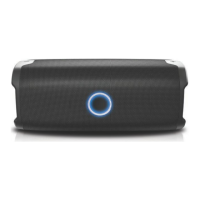
Details the front panel elements including the LED indicator and power button.
Shows the audio and charging ports located on the side.
Indicates the passive radiator on the rear of the speaker.
Explains how to connect the speaker for charging using a USB Type-C cable.
Describes the LED behavior during charging and low battery states.
Demonstrates the correct touch method for the power button, avoiding pressing.
Illustrates the incorrect method of pressing the power button.
Instructions for turning the speaker on by holding the power button.
Instructions for turning the speaker off by holding the power button.
Notes the automatic power-off feature after a period of inactivity.
Explains how the speaker enters pairing mode automatically upon first use or disconnection.
Guides users to find 'BKS350' in their device's Bluetooth menu to pair.
Informs about the audio prompt and LED status upon successful pairing.
Details how to disconnect the speaker from a paired device by holding buttons.
Highlights the utility of disconnecting for pairing to new devices.
Advises placing the speaker on a flat, stable surface for optimal performance.
Shows improper placement that might affect sound quality or cause vibration.
Explains potential vibration from the passive radiator and suggests surface adjustments.
How to pause/resume audio using the power button.
How to increase/decrease volume using the '+' and '-' buttons.
How to skip to next/previous tracks by holding the '+' or '-' buttons.
Instructions for managing phone calls using the power button.
Explains the speaker's submersion capability and depth rating.
Emphasizes the importance of the rubber seal for water protection.
Lists essential steps before exposing the speaker to water, like sealing ports.
Outlines FCC rules and conditions for device operation and interference.
Warns against unauthorized modifications that could void user authority.
Details equipment testing, limits, and user actions to correct interference.
Directs users to FCC resources for RF energy exposure information.
Provides information on the non-removable Lithium-Polymer battery and recycling.
Explains the symbol for direct current.
Describes the symbol indicating product should not be discarded as household waste.
Explains the symbol for California CEC battery charging compliance.
Defines the symbol for Bluetooth technology and trademarks.
Defines the warranty coverage for defects in materials and workmanship.
Provides instructions on how to get warranty service via website or phone.
Lists conditions and damages not covered by the warranty.
States that no other express or implied warranties apply.
Limits consumer remedies and distributor liability for damages.
Notes that regional laws may affect warranty exclusions or limitations.
States ownership of product names, trademarks, and logos.
Lists manufacturer details, model number, and production location.
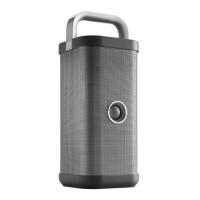
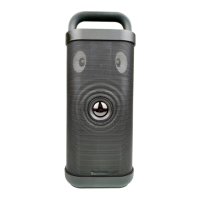
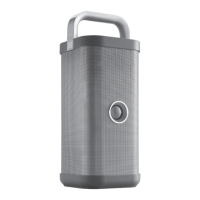
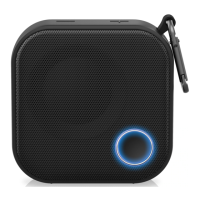
The Brookstone BIG BLUE GO is a compact wireless speaker designed for portable audio playback and hands-free calling. It features a durable, square-shaped design with a built-in carabiner for easy attachment and transport. The speaker is waterproof with an IPX7 rating, meaning it can be submerged in water up to 1 meter deep for 30 minutes, making it suitable for outdoor and wet environments.
The speaker is powered on or off using a touch-controlled Power button located on the front. To power on, touch and hold the Power button for 2 seconds until the speaker activates. To power off, touch and hold the Power button until the blue LED light turns off. The speaker will automatically power off after 30 minutes of inactivity to conserve battery.
To charge the speaker, insert the included USB Type-C cable into the speaker's USB port and connect the other end to a USB adaptor (not included) or a charging device. The LED indicator will light up red while charging and turn off when fully charged. When the battery is low, a "Battery Low" prompt will be heard, and the blue LED will flash once every 10 seconds.
When the speaker is powered on for the first time or not connected to a device, it will enter pairing mode, and the LED will flash blue. To connect, open your device's Bluetooth menu, find "BKS350," and select it to pair. Once successfully paired, "Connected" will be heard, and the LED will turn solid blue.
To disconnect the speaker from a device and enter pairing mode, press and hold both the "+" and "-" buttons for 3 seconds. You will hear "Disconnected" once the speaker disconnects. This feature allows for quick pairing to a new device.
To answer or end an incoming phone call, touch the Power button.
For optimal sound and to prevent vibration, place the speaker on a flat and stable surface. The speaker features a passive radiator that produces powerful bass. If excessive vibration occurs at high volume levels, especially with bass-heavy songs, try repositioning the speaker or placing it on a different type of surface.
The speaker is designed to be waterproof, but certain precautions must be taken:
The device contains a non-removable Lithium-Polymer battery. It must be recycled or disposed of properly. Contact your local waste management office for information on battery recycling or disposal.
Avoid pressing down hard on the touch-controlled Power button; gently touch it instead. Ensure the protective rubber seal completely covers the speaker's input panel to prevent water damage.
The Brookstone BIG BLUE GO comes with a 1-Year Limited Warranty in the United States and Canada, covering defects in materials and workmanship. Warranty service can be obtained by visiting the Southern Telecom website, clicking on Product Support, selecting the brand and device, and filling out a Service Request form, or by calling customer support at 1-877-668-4839 (Monday - Friday: 8 AM - 10 PM EST). The warranty does not cover damage from accidents, misuse, abuse, improper installation, unauthorized modification, or repairs by unauthorized persons.
 General
| Brand | Brookstone |
|---|---|
| Model | BIG BLUE GO |
| Category | Speakers |
| Type | Portable Bluetooth Speaker |
| Power Source | Rechargeable Battery |
| Weight | 1.5 lbs |
| Bluetooth Range | Up to 33 feet |
| Connectivity | Bluetooth |


 To Next Page