TURNING THE UNIT ON
1. Press on top of the unit or on remote to turn the unit on.
The POWER LED INDICATOR will illuminate.
2. Press
again to turn unit off.
Note: Your iPod will charge while it is docked in the unit only if the
AC power is being used. Charging will not occur if the unit is being
operated in battery mode.
CONNECTING YOUR iPod TO THE UNIT
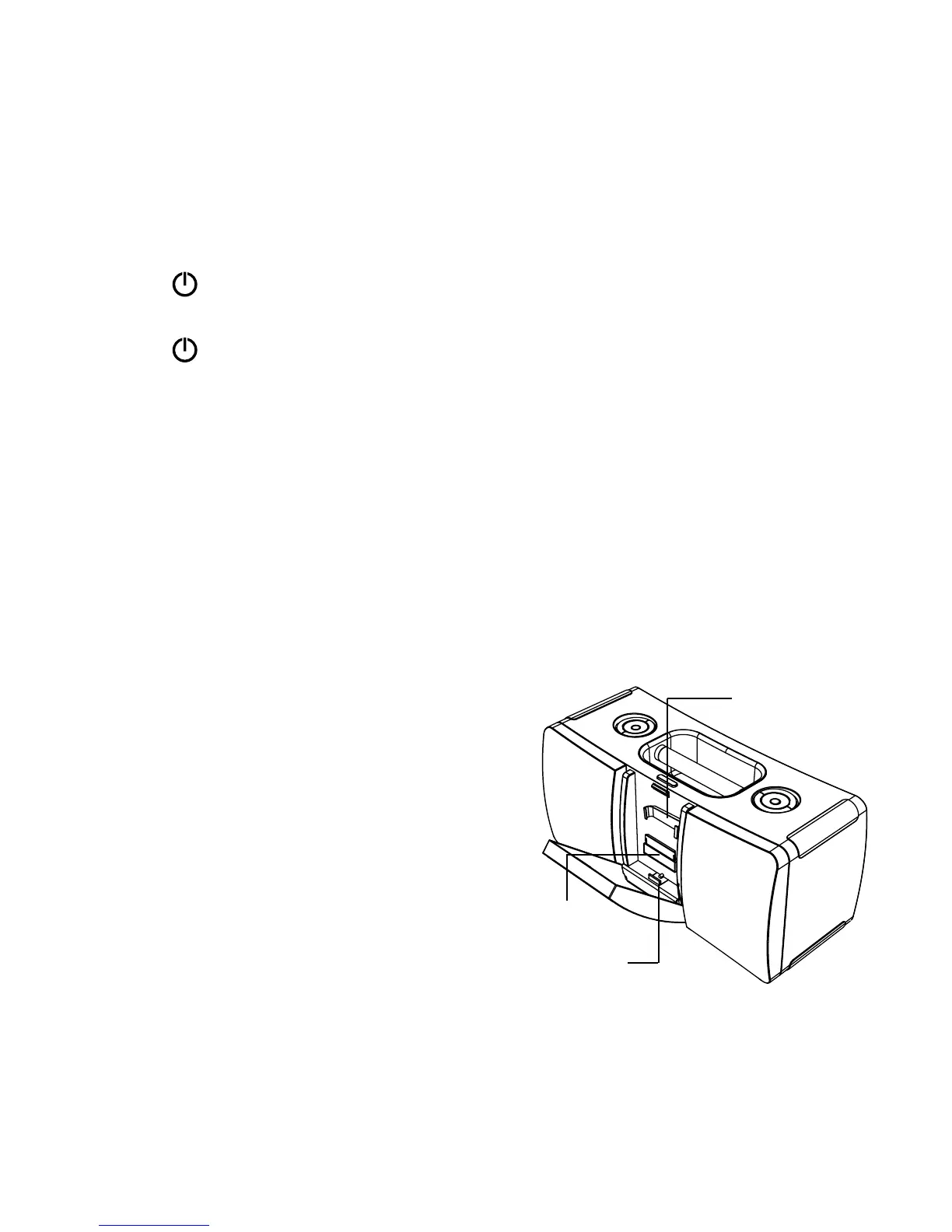
1. Press the iPod DOCK DOOR RELEASE button to access
the iPod Dock.
2. Select the correct iPod CLIP for your iPod from the list on
page 14 and slide it securely into the docking area on the
front of the unit. See example below.
3. Slide CLIP down onto the CLIP DOCK.
4. Then slide your iPod down through
the clip and securely onto the iPod
DOCK connection.
Note: When removing your iPod
from the dock, only lift up —
DO NOT pull out towards you,
as this may damage the iPod
or the iPod DOCK.
Clip Dock
iPod Dock
17
Clip


 To Next Page