2
714733_INS_Bluetooth Connect
Size:5”Wx4.75”H_Output:100%_Prints:1/1,Blk
IF YOU READ NOTHING ELSE, READ THIS:
Connect the included 3.5mm audio cable to the Bluetooth
®
Connect and then to the AUX In of your home stereo system.
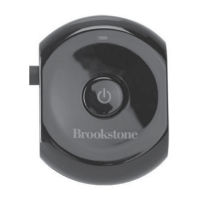
Press and hold the Power Button on the Bluetooth
®
Connect
until the LED light starts to blink between red and blue.
On your device, select “Connect to Brookstone.” You are
now ready to rock to your device’s tunes through your
own stereo speakers!
1
2
3
blueTooTh
®
connecT Quick sTarT Guide
For more detailed instruction, check out the steps starting on page 5.


 To Next Page