9
USING SPEED
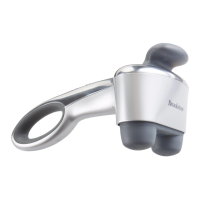
Because the massager runs at Speed 5 when it is first powered on, SPEED must
be pressed to change speeds.
• Press SPEED once and the motor turns to the minimum, Speed 1. One green
speed-indicating LED lamp lights up.
• Press SPEED again and the motor turns to Speed 2. Speed 1 and Speed 2
green LED lamps light up.
• Press SPEED again and the motor turns to Speed 3. Speed 1, Speed 2 and
Speed 3 green LED lamps light up.
• Press SPEED again and the motor turns to Speed 4. Speed 1, Speed 2,
Speed 3 and Speed 4 green LED lamps light up.
• Press SPEED again and the motor turns to Speed 5. Speed 1, Speed 2,
Speed 3, Speed 4 and Speed 5 green LED lamps light up.
• Press SPEED again and the motor turns back to Speed 1.
Note: Pressing SPEED thereafter will continuously change the speed
sequentially, as described above.








 To Next Page