10
324640_INS_Max2 Dual-Node Massager
Size:5”Wx4.75”H_Output:100%_Prints:1/1,Blk
USING PROGRAMS
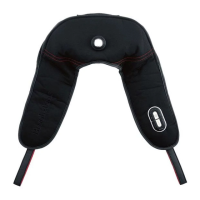
There are two PROGRAMS keys - one on the top panel and the other on the
bottom near the handle’s inner rim.
• Press PROGRAMS once and PULSING is activated. The corresponding blue
LED lamp lights up. The motor continuously runs in sequence of Speed 5 and
a brief stop. The corresponding Speed 5 green lamp lights up.
• Press PROGRAMS again and ENERGIZING is activated. The corresponding
blue LED lamp lights up. The motor continuously runs in sequence of Speed 1,
Speed 2, Speed 3, Speed 4; Speed 1, Speed 2, Speed 3, Speed 4 and so on.
The corresponding green Speed lamps light up.
• Press PROGRAMS again and SOOTHING is activated. The corresponding blue
LED lamp lights up. The motor continuously runs in sequence of Speed 1, Speed
2, Speed 3, Speed 2, Speed 1 and so on. The corresponding green Speed lamps
light up.
Note:
• Pressing PROGRAMS thereafter will continuously change the programs
sequentially, as described above.
• Whenever PROGRAMS is exited by pressing SPEED, the massager
returns to Speed 5 as the default.







 To Next Page