10
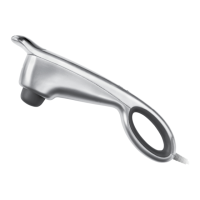
MASSAGER OPERATION
1. Plug in product.
2. Press ON/OFF. The massager automatically defaults to High Speed.
Three LEDs will light to indicate massager is in High Speed.
3. Press SPEED once and the massager motor will go to Low Speed.
One LED will light, indicating massager is in Low Speed.
4. Press SPEED again and the massager motor will go to Medium Speed.
Two LEDs will light, indicating the massager is in Medium Speed.
5. To turn off the massager, press ON/OFF.
6. Unplug product.
NOTE: The massager will automatically shut off after 20 minutes of use.









 To Next Page