EasyManua.ls Logo

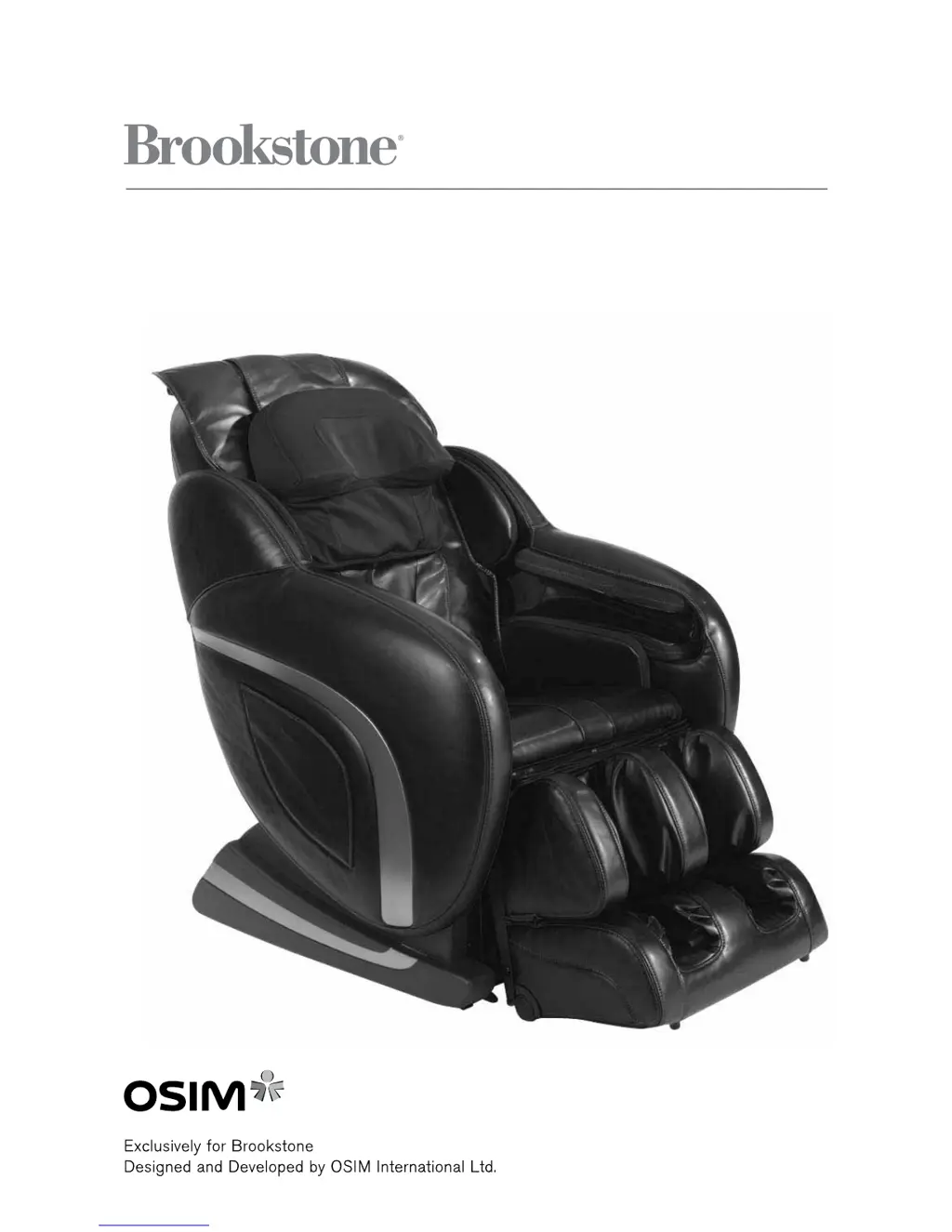
Brookstone OSIM uAstro2 - User Manual

Brookstone OSIM uAstro2
28 pages
Print Icon
To Next Page IconTo Next Page
Loading...
OSIM
®
uAstro2
792590_INS_uAstro2 Massage Chair
Instructions Doc. Size: 5.5W x 8.5H Output at 100% Prints 1/0 Black

Questions and Answers

  • J
    Joseph SandersAug 15, 2025
    What to do if my Brookstone OSIM uAstro2 stops and won't restart?
    • M
      Mary WallerAug 16, 2025
      The uAstro2 Massager is equipped with a thermal resetting protection device, which is a safety feature to prevent overheating. If the uAstro2 stops and fails to restart due to overheating, turn off the main power switch and do not operate it for at least 30 minutes. Failure to do so may result in the chair resuming operation unexpectedly when the device is cooled down. Also, the auto-timer of 15 minutes may have lapsed. Press any program button to restart the massage.
  • C
    Christopher LarsonAug 18, 2025
    Why Brookstone Massager controller does not work correctly?
    • V
      villarrealmatthewAug 19, 2025
      If the controller isn't working, check the following: * Ensure the power plug is securely connected to the electrical outlet. * Check the connection at the back of the uAstro2. * Make sure the main power switch is turned on.
  • M
    Melissa GarciaAug 21, 2025
    What to do if my Brookstone uAstro2 Massager does not start?
    • Y
      ywallAug 21, 2025
      If your uAstro2 Massager isn't starting, make sure of the following: * The main power switch is turned on, and the switch on the electrical outlet is in the 'on' position. * The power plug is firmly connected to the electrical outlet. * The voltage of the electrical outlet is adequate.
  • J
    Julie WeeksAug 25, 2025
    Why does my Brookstone OSIM uAstro2 make friction noise?
    • L
      Larry HunterAug 26, 2025
      The friction noise of rollers against the seat cover, motor sound during operation, and loud sounds during the Tapping and Kneading program are the result of mechanical structure and not a malfunction. This may occur during normal usage.
  • P
    Phillip HunterAug 27, 2025
    Why Brookstone OSIM uAstro2 rollers stop during massage?
    • J
      jennifer79Aug 27, 2025
      The roller mechanisms may be strained when subjected to excessive force. Try to reduce pressure added on the rollers.
  • K
    kurtmartinezAug 30, 2025
    Why Brookstone OSIM uAstro2 Massager rollers are in the upper position?
    • D
      Dr. Jose Simpson Jr.Aug 30, 2025
      When the massage program finishes, the rollers will automatically return to the storage position (upper position of the backrest). To continue with the massage, press the power button on the controller again.
  • C
    Crystal TaylorSep 3, 2025
    Why Brookstone OSIM uAstro2 right and left rollers are not positioned horizontally?
    • T
      taylor71Sep 3, 2025
      This is the result of alternate tapping by right and left rollers, and this is normal.
  • M
    Martha TaylorSep 6, 2025
    What to do if Brookstone OSIM uAstro2 Massager backrest and leg rest can not be reclined/raised and retracted/extended?
    • L
      Luis MuellerSep 6, 2025
      Ensure that no objects are caught behind the backrest or leg rest that can cause the safety reclining sensors to be activated.
  • J
    johnsextonSep 9, 2025
    What does it mean when Brookstone Massager beeps and LED indicators are blinking?
    • M
      mccanndaleSep 9, 2025
      Remove and reconnect the AC plug to the electrical outlet.
  • D
    dakota83Sep 12, 2025
    Why air massage stops when Brookstone Massager chair is reclined?
    • Y
      Yvette TorresSep 12, 2025
      For safety reasons, the air massage will stop when adjustments are made to the backrest recline angle. This is not a defect.

Summary

Important Safety Instructions

Save These Instructions

Usage Environment Guidelines

Details regarding the proper environment for using the massage chair.

Safety Precautions

People with Medical Conditions

Lists individuals who should consult a doctor before using the massage chair.

Instances When the uAstro2 Should Not Be Used

Assembly and Repair Guidelines

Guidelines regarding the assembly and repair of the massage chair.

Power Plug and Cord Safety

Grounding Instructions

Instructions on how to properly ground the massage chair for safety.

Names of Parts and Functions

Chair Component Identification

Labels and identification of the main parts of the massage chair.

Controller Interface and Functions

Key Controller Buttons and Displays

Explains Power, Pause, Stop buttons, LCD display, and safety stop function.

Controller Program Selection and Adjustment

Localized and Manual Program Buttons

How to select localized area and manual massage programs.

Fine Adjustment and Handling Precautions

Details focus, roller width adjustments, and controller handling safety.

Features and Effectiveness

Key Massage Features

Lists the various massage programs and intensity adjustments available.

Health Benefits Provided

Describes the health benefits derived from using the massage chair.

Preparation Before Use: Setup

Setting Up the uAstro2

Instructions on unpacking and setting up the massage chair.

Cushion Pad Adjustment

Guide on how to attach or remove the cushion pad for massage adjustment.

Chair Positioning and Power Management

Positioning and Clearance Requirements

Advice on where and how to position the massage chair for optimal use.

Powering On;Off and Pad Check

Steps for connecting power and inspecting the backrest pad.

Moving and Handling the Massage Chair

Methods for Moving the uAstro2

Provides two methods for safely moving the massage chair.

Safety Cautions During Movement

Important warnings to prevent accidents when moving the chair.

Chair Usage and Function Adjustment

Sitting Position and Roller Storage

Guidance on how to properly sit on the chair, including roller storage.

Backrest and Leg Rest Adjustment

Instructions on adjusting the backrest and leg rest to desired angles.

Heat Function Operation

How to turn on and off the heat function at the lumbar area.

Operational Safety and Cautions

Safety Features and Warnings

Safety features like obstruction detection and general warnings during operation.

Automatic Massage Program Guide

Selecting and Using Automatic Programs

How to select from the 8 available automatic massage programs.

Localized and Manual Massage Programs

Localized Area Program Selection

How to select and combine 4 localized area massage programs.

Manual Massage Program Selection

How to select and combine 4 manual massage programs.

Massage Program Settings and Adjustments

Timer, Heat, and Air Intensity Control

How to adjust timer, heat, and air intensity settings.

Strength, Vibration, and Roller Width Control

How to adjust massage strength, vibration, and roller width.

Managing Massage Sessions

Changing and Pausing Massage Sessions

How to switch between programs, pause, or stop a massage session.

Post-Session Power Management

Warnings about switching off and disconnecting power after use.

Product Care and Storage Instructions

Storing the uAstro2

Guidelines on how to store the massage chair when not in use.

Cleaning the uAstro2 and Controller

How to clean the upholstery and the controller unit safely.

Troubleshooting Common Issues

Operational Problems and Solutions

Lists common operational problems and their possible causes or solutions.

Troubleshooting Advanced Issues

Roller and Leg Rest Problems

Addresses issues like roller stopping, positioning, and leg rest movement.

Technical Specifications

uAstro2 Technical Data

Provides technical specifications like model, voltage, power, and massage parameters.

Dimensions and Weight Information

Physical Dimensions and Net Weight

Lists the physical dimensions and weight of the massage chair and its parts.

One (1) Year Limited Warranty

Warranty Service and Claims Procedure

Information on how to contact Brookstone for warranty service and claims.

Warranty Limitations and Exclusions

Details the limitations, exclusions, and disclaimers of the warranty.

Brookstone OSIM uAstro2 Specifications

General IconGeneral
BrandBrookstone
CategoryMassager
Heat FunctionYes
ModelOSIM uAstro2
Massage Modes3

Related product manuals