8
Names of parts and functions
Caution for damage prevention
• Do not sit, step or place heavy objects on the controller.
• Do not drop the controller. It is recommended that the
controller unit be placed in the controller side pocket
when not in use.
• Do not exert excessive force on the controller.
• Do not handle the controller with wet hands.
• Do not operate the controller using sharp-edged
or hard objects. It may result in damage.
Caution
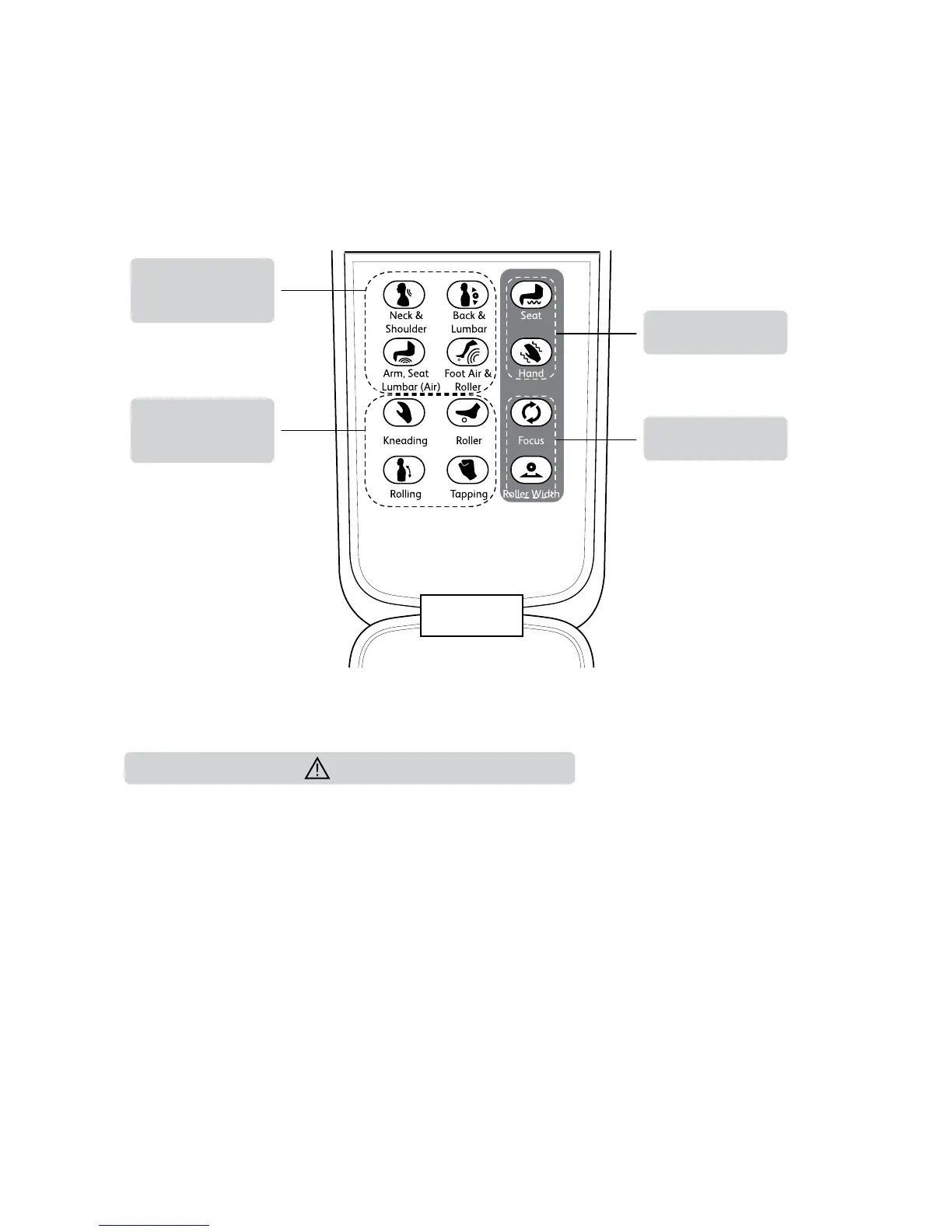
Controller (Inner Panel)
Refer to page 16 for details.
Localized area
massage program
buttons
Refer to page 16 for details.
Manual selection
massage program
buttons
Massage fine
adjustment button
Seat/Hand vibration
button
Focus
To focus massage
at desired position.
Roller width
To adjust the width of the
rollers. By default, the roller
width is set at ‘Mid’.
Refer to page 17 for details.
Refer to page 17 for details.






 To Next Page