EasyManua.ls Logo

Brookstone energize 3D - User Manual

Brookstone energize 3D
11 pages
Print Icon
To Next Page IconTo Next Page
Loading...
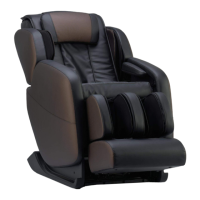
Energize™ 3D
Massage Chair
321631_Energize 3D Massage_Chair
Instructions Doc. Size: 5.5”W x 8.5”H
Output at 100% Prints 1/0 Black

Questions and Answers

  • A
    ashley96Aug 2, 2025
    What to do if my Brookstone energize 3D has stopped?
    • W
      wjonesAug 2, 2025
      Your Brookstone Massager might have stopped for a couple of reasons. Automatic and manual programs run for a set time (20 minutes, or 6 minutes for the Quick program), after which the chair turns off automatically. Also, the massage chair may have automatically shut down due to overheating protection. If this is the case, turn off the power and allow the chair to cool down for 30 to 50 minutes.
  • P
    Patricia BakerAug 12, 2025
    Why Brookstone Massager is not functioning even when connected to power?
    • J
      Jessica HallAug 12, 2025
      If your Brookstone Massager isn't working despite being connected to power, try these steps: * Ensure the main power switch at the back of the chair is turned ON. * Verify the power plug is correctly inserted and the outlet is working. * Press the Power button on the controller. * Check the fuse located next to the main switch at the back of the chair.
  • W
    Wesley HardyAug 22, 2025
    What to do if Brookstone energize 3D Massager controller is responding but the chair is not?
    • J
      jolsonAug 22, 2025
      If the controller of your Brookstone Massager responds but the chair doesn't function, it might be due to the overheating protection feature. If the massage chair has automatically shut down because of this, turn off the power and let it cool down for 30 to 50 minutes. Also, check that the main power switch on the back of the chair is in the ON position.

Summary

Safety Precautions

Important Safety Instructions

Basic precautions for electrical appliance use.

DANGER Warnings

Critical warnings about electric shock hazards.

General Warnings

Safety advice to prevent fire, burns, and injury.

Grounding Instructions

Proper grounding procedures for electrical safety.

FCC Information

Radio frequency compliance information.

Chair Handling and Placement

Location of Parts

Identification of major chair components.

Moving the Chair

Safe methods for relocating the chair.

Positioning the Chair

Guidelines for optimal chair placement.

Operating the Massage Chair

Controller Overview

Explanation of the massage chair controller functions.

LCD Display Guide

Understanding the information shown on the chair's display.

General Settings

Adjusting basic operational settings of the chair.

Automatic Programs

Details on pre-set massage programs.

Custom Settings and Massages

Creating personalized massage experiences.

Features and Maintenance

Quick Access Panel

Overview of the quick access control panel.

Pairing with a Device

Connecting Bluetooth devices to the chair.

Product Care and Storage

Guidelines for maintaining and storing the chair.

Support and Warranty

Troubleshooting

Solutions for common operational issues.

Specifications

Technical details of the massage chair.

Two-Year Limited Warranty

Terms and conditions of the product warranty.

Brookstone energize 3D Specifications

General IconGeneral
BrandBrookstone
Modelenergize 3D
CategoryMassager
LanguageEnglish

Related product manuals