10
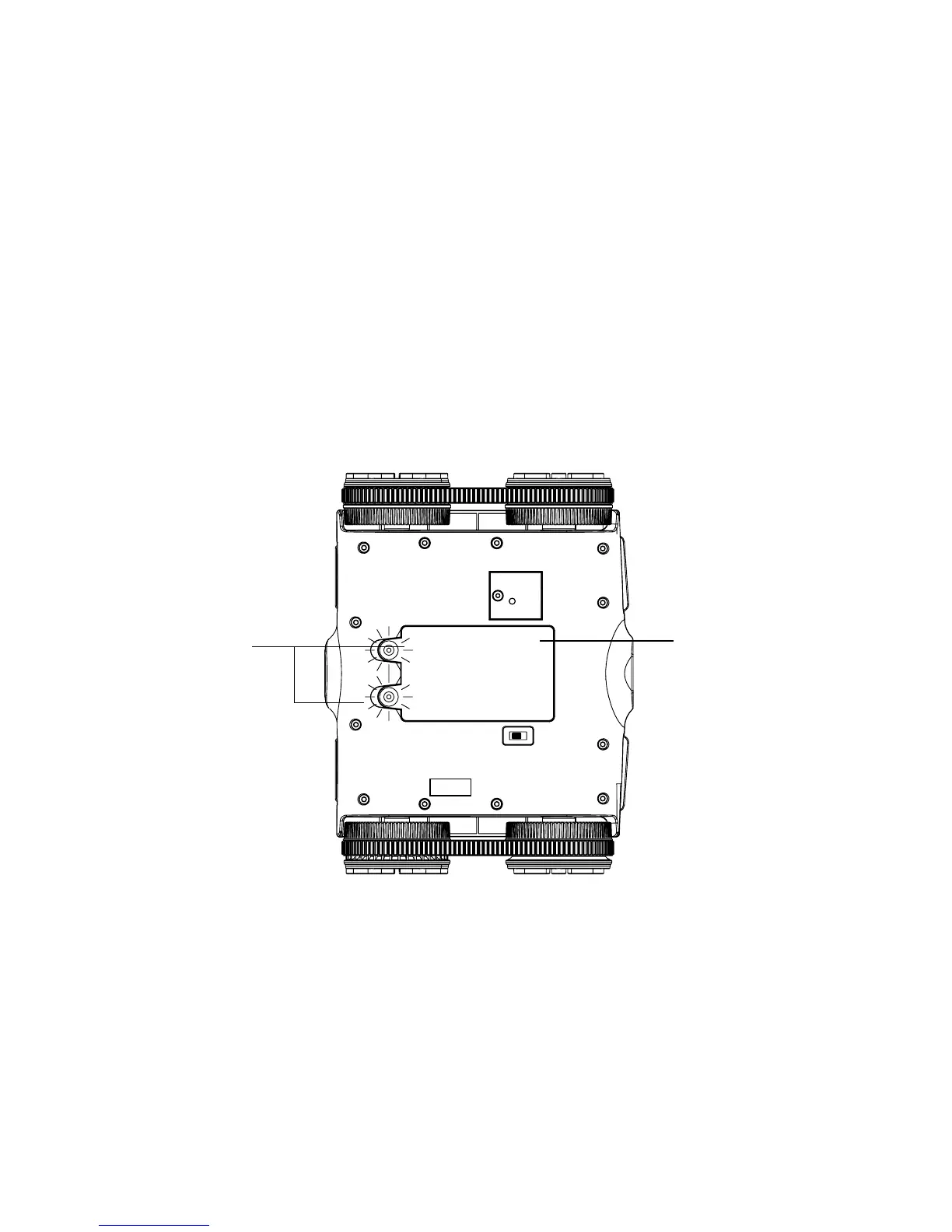
INSERTING THE BATTERIES
1. Remove the BATTERY COMPARTMENT COVER by unscrewing the two access
screws on the cover with a small screwdriver.
2. Remove the cover and insert 6 AA batteries (included) according to the polarity
indicators inside the compartment.
3. Replace the BATTERY COMPARTMENT COVER and tighten the two screws
to secure.
Access
Screws
Battery
Compartment
Cover
CAMERA POSITIONING
Manually move the camera lens up and down to capture different angles of video.
719302_INS1211_Rover_Size:5”Wx4.75”H_Output:100%_Prints:1/1,Blk


 To Next Page