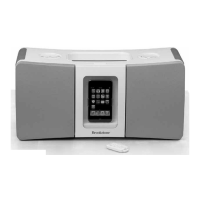
TRansMITTeR dock oPeRaTIon
INSTALLING THE TRANSMITTER DOCK BATTERIES
You may insert batteries into the transmitter as backup or if you prefer not to use
the TRANSMITTER DOCK POWER ADAPTER.
1. Open the BATTERY COMPARTMENT DOOR
on the bottom of the transmitter by sliding
the down (see compartment at right).
2. Insert 6 AA batteries (not included)
according to the polarity indicators inside
the compartment.
3. Close the BATTERY COMPARTMENT
COVER securely.
Note: The LOW BATTERY LED illuminates when the battery level is low.
CONNECTING THE TRANSMITTER DOCK TO AN AUDIO SOURCE
The TRANSMITTER DOCK may be connected two ways depending on your
audio source.
• If your audio source has left and right RCA output jacks, you will only use the
DUAL RCA CABLE.
• If your audio source does not have left and right RCA output jacks, but rather
a stereo headphone jack, you will use the 3.5MM RIGHT ANGLE CABLE.
9


 To Next Page