English
01
Method 1: Extend Your WiFi Network via Web UI
1
. Plug the extender into an electrical outlet in the same room as your existing WiFi router.
Wait until the PWR LED is solid blue.
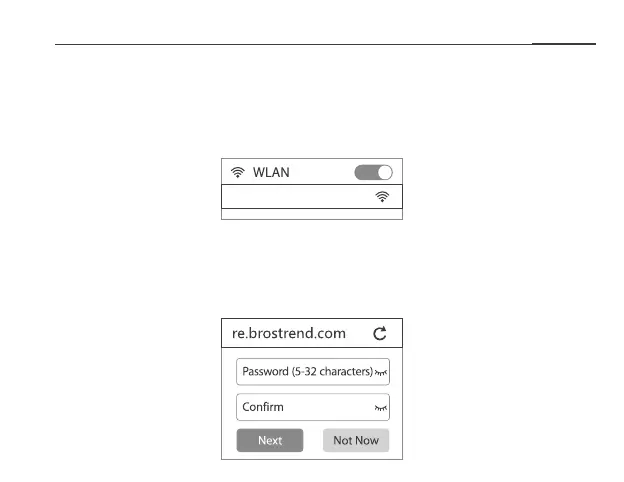
2. Connect your WiFi device to the extender’s WiFi network BrosTrend_EXT.
Ensure that the mobile data (if any) function of your WiFi device is disabled.
BrosTrend_EXT
3. After connecting to BrosTrend_EXT, you will be directed to the quick setup page. If not, start
a web browser and enter re.brostrend.com or 192.168.0.254 in the address bar. Create a login
password for future logins (recommended).
Note:
Please do NOT enter
re.brostrend.com
in the search bar of
your browser.


 To Next Page