EasyManua.ls Logo

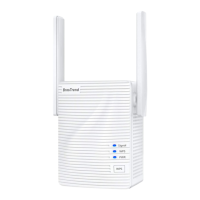
BROSTREND E1 - User Manual

BROSTREND E1
36 pages
Print Icon
To Next Page IconTo Next Page
Loading...
Quick Installation Guide
Dual Band WiFi Extender
Model: E1
Technical Support Email:
support@brostrend.com
English Čeština Deutsch
Español
Français
Italiano
Svenska
Nederlands Polski
Português
Video Installation Guide and Setup Manual are available via this link:
https://brostrend.me/install
Question and Answer IconNeed help?

Do you have a question about the BROSTREND E1 and is the answer not in the manual?

Summary

Method 1: Extend Your WiFi Network via Web UI

Method 2: Extend Your WiFi Network via WPS Button

LED Descriptions

Technical Support

BROSTREND E1 Specifications

General IconGeneral
CategoryExtender
ModelE1
Frequency Band2.4GHz
Wireless Speed300Mbps
Ports1
Ethernet Ports1 x 10/100Mbps
AntennaExternal
SecurityWPA/WPA2
Antennas2
Button FeaturesWPS
LED IndicatorsPower, Ethernet

Related product manuals