www.brothermax.com
12
Battery Power and Replacement
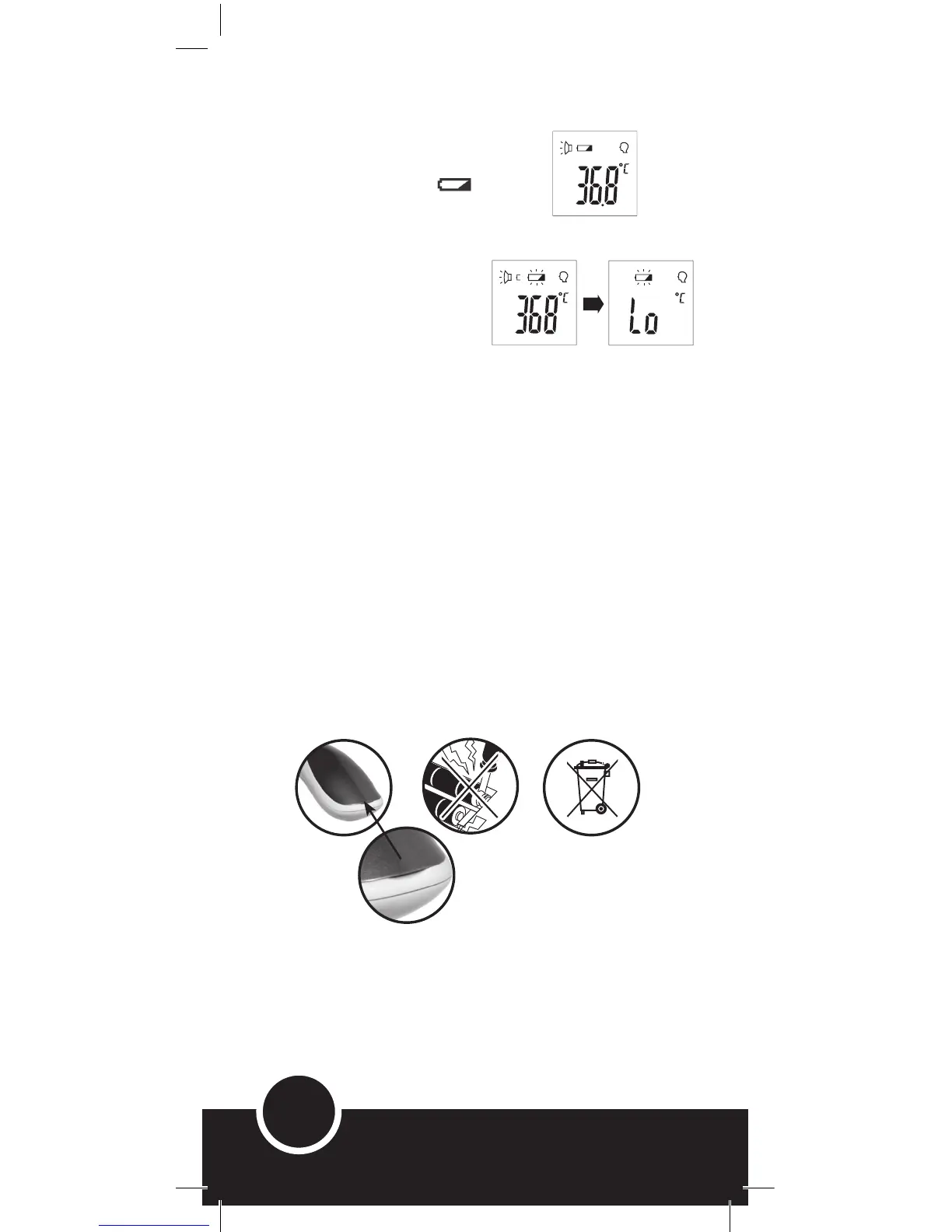
• Every time the thermometer is turned on
it will detect the battery life.(Fig. 2)
• Replace both batteries when the screen
shows the low battery icon.
• It is not recommended to let the batteries get
VERY LOW to ensure there is always sufficient
power available to take temperature.
• When the batteries get VERY LOW,
‘Lo’ will appear on the screen (Fig. 3)
and the battery icon will flash 3
times before the thermometer turns
itself off.
• To change the batteries, open the
battery compartment by carefully
lifting up Battery Cover where indicated
(Fig. 4) so as not to scratch or damage
cover, remove old batteries and replace
with 2 new AAA batteries.
Battery Safety Guidelines
• If the batteries have been inserted the wrong way, the thermometer
will not work and the handle may warm up, in which case immediately
remove the batteries (to prevent damaging the thermometer) and
re-insert correctly.
• The supply terminals are not to be short circuited, so do not
interfere with the metal contacts in the battery compartment
(Fig. 5).
• Help the environment by disposing of all products responsibly.
Th
e wheelie bin symbol (Fig. 6) indicates the product and
batteries must not be disposed of in the domestic waste as they
contain substances which can be damaging to the environment
and people’s health. Please use designated collection points or
recycling facilities when disposing of the device or batteries.
Note: Please comply with local guidelines or regulations if discarding the
batteries or any part of the thermometer and its packaging.
Remove empty batteries from product to prevent corrosion.
The enclosed batteries are non-rechargeable although rechargeable batteries can
be used.
Batteries should be inserted with correct polarity.
Do not mix old and new batteries.
Fig. 4 Fig. 5 Fig. 6
Fig. 3
Fig. 2



 To Next Page