EasyManua.ls Logo

Brother ADS-1000W - User Manual

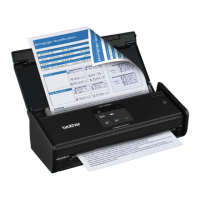
Brother ADS-1000W
246 pages
Print Icon
To Next Page IconTo Next Page
Loading...
ADS-1000W
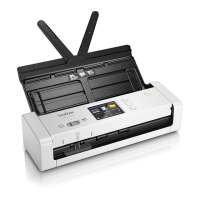
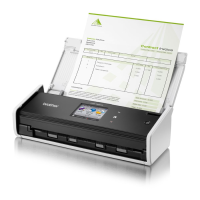
ADS-1500W
Version B
USA
User’s Guide ADS-1000W/ADS-1500W

Table of Contents

Other manuals for Brother ADS-1000W

Questions and Answers

  • M
    Michael MooreSep 8, 2025
    What does 'Sending Error (Scan to FTP)' mean on my Brother ADS-1000W?
    • K
      Karen MuellerSep 8, 2025
      If your Brother Scanner displays 'Sending Error (Scan to FTP)', check that you have writing permission for the destination folder and that the hard disk containing the destination folder is not full. If the hard disk is full, free up some space and try again.
  • J
    Jesse NewmanAug 25, 2025
    What to do if I have a 'Document Jam' on my Brother ADS-1000W?
    • L
      Lacey RodriguezAug 25, 2025
      If your Brother Scanner shows 'Document Jam', it could be due to several reasons: the document guides aren't set correctly, the settings aren't suitable for your document, paper dust has accumulated, the document is unacceptable, or it's not loaded properly. Clear the jam and then: * Adjust the document guides. * Confirm the settings. * Clean the pick-up roller and separation pad. * Load an acceptable document properly.
  • J
    John MitchellAug 25, 2025
    Why is the document jammed in my Brother ADS-1000W Scanner?
    • J
      John RojasAug 26, 2025
      If your Brother Scanner is jamming documents, it might be caused by paper dust on the pick-up roller or separation pad, foreign objects in the document feeder, an unacceptable document, or scanning a receipt without a carrier sheet. Try these solutions: * Clean the separation pad and pick-up roller. * Remove any foreign objects from the document feeder. * Ensure your document is acceptable. * Use a receipt carrier sheet when scanning receipts.
  • K
    Kendra CampbellSep 18, 2025
    Why can't I start ControlCenter4 on my Brother ADS-1000W Scanner?
    • D
      Diane WeaverSep 18, 2025
      To start ControlCenter4, restart your computer and log in as the administrator.
  • L
    Laura JacksonSep 9, 2025
    What does 'Address Book Full' mean on my Brother ADS-1000W?
    • A
      Alicia Cook MDSep 9, 2025
      If your Brother Scanner displays 'Address Book Full', delete unnecessary email addresses and try again.
  • G
    garnerloriSep 13, 2025
    Why doesn't OCR work on my Brother ADS-1000W Scanner?
    • T
      Teresa CraigSep 13, 2025
      If OCR (Optical Character Recognition) does not work with your Brother Scanner, increase the scanner resolution. If you are a Macintosh user, ensure that Presto! PageManager is installed on your computer.
  • S
    Samuel PhamSep 3, 2025
    What to do if my Brother Scanner shows 'Card Jam'?
    • T
      Tracy WolfeSep 3, 2025
      If your Brother Scanner displays 'Card Jam', first clear the card jam. To prevent future jams, ensure that no plastic card is left in the card slot when turning the machine on.
  • V
    vterrySep 4, 2025
    What does 'Do not insert card' mean on my Brother ADS-1000W?
    • D
      Dakota HowardSep 4, 2025
      If there is a card jammed in your Brother Scanner, and the scanner displays 'Do not insert card', clear the card jam. Avoid inserting a plastic card while the top cover is open to prevent this issue.
  • V
    Victoria DavisSep 23, 2025
    Why won't my Brother ADS-1000W Scanner enter Sleep Mode?
    • N
      nataliedixonSep 23, 2025
      If your Brother Scanner will not enter Sleep Mode (power save mode), it may be because a plastic card is in the card slot. Remove the card.
  • D
    Diana WilliamsAug 29, 2025
    What does 'Unable to Scan XX' mean on my Brother ADS-1000W?
    • L
      Lauren NicholsAug 29, 2025
      If your Brother Scanner displays 'Unable to Scan XX', where XX is an error code, it indicates a machine error. Turn the scanner off and then on again. If the error persists, note the error message and report it to your dealer or Brother Customer Service.

Brother ADS-1000W Specifications

General IconGeneral
Film scanningNo
Color scanningYes
Grayscale levels256
Input color depth24 bit
Maximum scan size215.9 x 863.6 mm
Output color depth8 bit
ADF scan speed (b/w, A4)16 ppm
Enhanced scan resolution1200 x 1200 DPI
Optical scanning resolution600 x 600 DPI
Duplex ADF scan speed (b/w, A4)16 ipm
Black/white scanning color modesMonochrome
DisplayLCD
Scanner typeADF scanner
Product colorBlack
Scan toE-mail, File, FTP, Image, OCR, USB
Sensor typeDual CIS
Scan driversSANE, ICA, ISIS, TWAIN, WIA
Daily duty cycle (max)500 pages
Wi-Fi standards802.11b, 802.11g, Wi-Fi 4 (802.11n)
Supported network protocolsARP, RARP, BOOTP, DHCP, APIPA(Auto IP), WINS/NetBIOS, DNS Resolver, mDNS, LLMNR, Custom Raw Port/Port9100, FTP Client/Server, SNMPv1/v2c, HTTP/HTTPS server, TFTP Client/Server, ICMP, SNTP Client
Mobile printing technologiesBrother iPrint & Scan
Auto document feeder (ADF) input capacity20 sheets
Minimum scan area (ADF)50.8 x 70.1 mm
Scanning media types supportedBusiness Card, Photo paper, Plain paper, Plastic Card
USB version2.0
Standard interfacesUSB 1.1, USB 2.0, Wireless LAN
Input voltage110-220 V
Power supply typeAC
Power consumption (standby)4 W
Power consumption (typical)14 W
Power consumption (PowerSave)1.5 W
Mac operating systems supportedMac OS X 10.6 Snow Leopard, Mac OS X 10.7 Lion, Mac OS X 10.8 Mountain Lion
Windows operating systems supportedWindows 7 Home Basic, Windows 7 Home Basic x64, Windows 7 Home Premium, Windows 7 Home Premium x64, Windows 7 Professional, Windows 7 Professional x64, Windows 7 Starter, Windows 7 Starter x64, Windows 7 Ultimate, Windows 7 Ultimate x64, Windows 8, Windows 8 Enterprise, Windows 8 Enterprise x64, Windows 8 Pro, Windows 8 Pro x64, Windows 8 x64, Windows Vista Business, Windows Vista Business x64, Windows Vista Enterprise, Windows Vista Enterprise x64, Windows Vista Home Basic, Windows Vista Home Basic x64, Windows Vista Home Premium, Windows Vista Home Premium x64, Windows Vista Ultimate, Windows Vista Ultimate x64, Windows XP Home, Windows XP Home x64, Windows XP Professional, Windows XP Professional x64
Operating temperature (T-T)5 - 35 °C
Operating relative humidity (H-H)15 - 85 %
Sustainability certificatesENERGY STAR
Package depth170.1 mm
Package width381 mm
Package height205.7 mm
Package weight2494 g
Bundled softwareNuance PaperPort 12SE\\r Presto! PageManager 9\\r Presto! BizCard 6\\r Control Center 4\\r Control Center 2\\r BR-Receipts
Weight and Dimensions IconWeight and Dimensions
Depth104.1 mm
Width284.4 mm
Height83.8 mm
Weight1497 g

Related product manuals