EasyManua.ls Logo

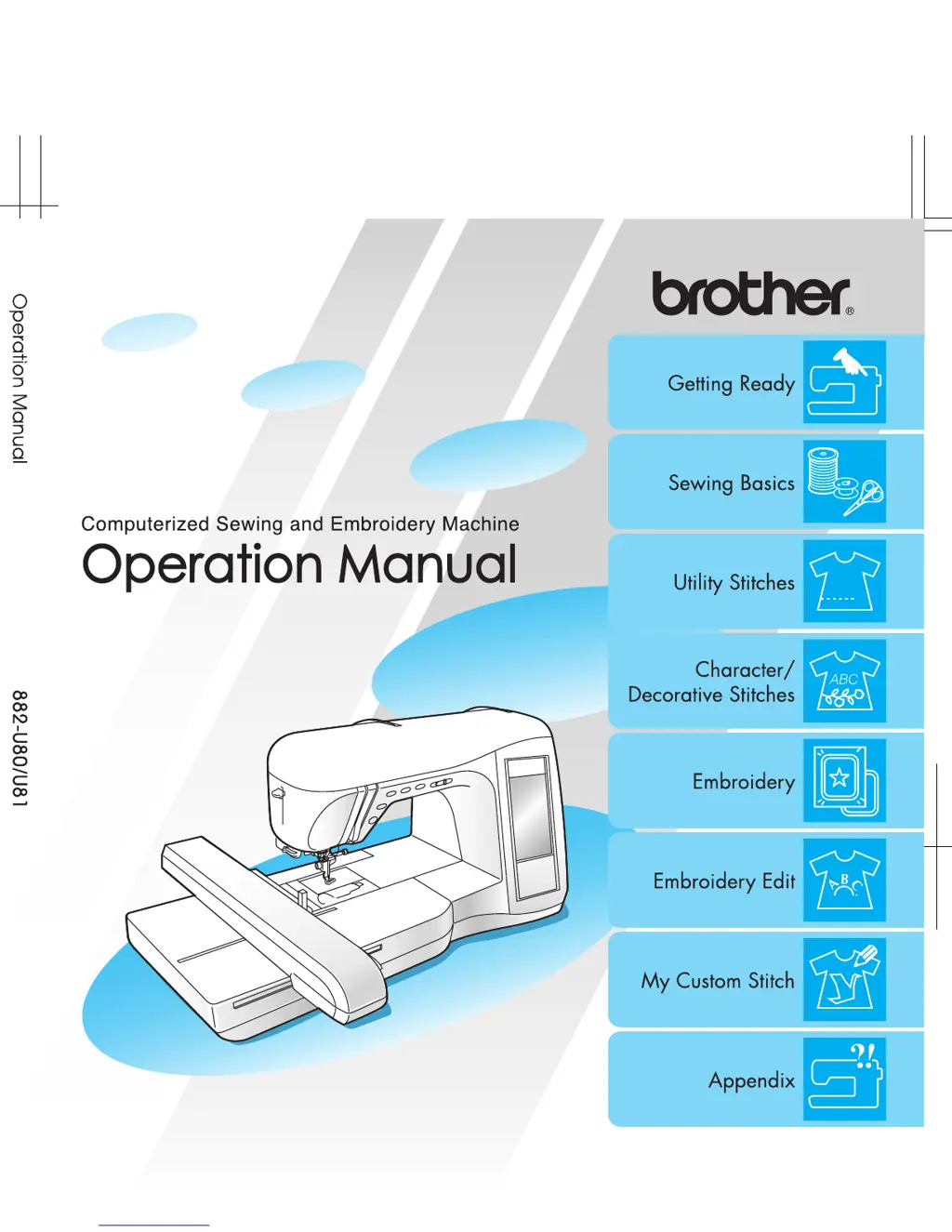
Brother Innov-is 2500D - User Manual

Brother Innov-is 2500D
221 pages
Print Icon
To Next Page IconTo Next Page
Loading...

Table of Contents

Other manuals for Brother Innov-is 2500D

Questions and Answers

  • J
    Jason RiddleAug 19, 2025
    What to do if my Brother Innov-is 2500D Sewing Machine is skipping stitches?
    • S
      Sabrina HatfieldAug 19, 2025
      If your Brother Sewing Machine is skipping stitches, it could be due to several reasons. First, ensure the machine is threaded correctly by checking the threading procedure and rethreading it. The issue may also be that the thread or needle isn't suitable for the fabric you're using, so check the fabric, thread, and needle combinations table and select the appropriate combination. A bent, blunt, or defective needle can also cause skipped stitches, so replace the needle with a new one. Make sure the needle is installed correctly. Finally, dust or lint collected under the needle plate can interfere with stitch formation; remove any dust or lint with the brush.
  • L
    Leslie VazquezAug 22, 2025
    Why is the needle breaking on my Brother Innov-is 2500D Sewing Machine?
    • M
      Marissa WhiteAug 22, 2025
      If the needle on your Brother Sewing Machine is breaking, several factors could be responsible. Ensure the needle is installed correctly and that the needle clamp screw is tightened. A bent, blunt, or defective needle should be replaced with a new one. The thread or needle may not be suitable for the fabric, so check the fabric, thread, and needle combinations table and select the appropriate combination. The wrong presser foot could also cause the needle to break, so attach the correct presser foot. If the upper thread tension is too strong, adjust it. Finally, check that the spool is installed correctly.
  • T
    Tyler HudsonAug 25, 2025
    Why does the bobbin thread break on my Brother Innov-is 2500D?
    • C
      Chelsey LongAug 26, 2025
      If the bobbin thread is breaking on your Brother Sewing Machine, there are a few possible reasons. First, ensure the bobbin is set correctly by resetting it. If the bobbin has scratches or doesn't rotate properly, replace it. Also, tangled thread can cause the bobbin thread to break. Use scissors to carefully cut and remove any tangled thread from the race (bobbin case).
  • C
    Catherine WrightAug 27, 2025
    What to do if the fabric won't feed through my Brother Innov-is 2500D Sewing Machine?
    • C
      Charles NelsonAug 27, 2025
      If your Brother Sewing Machine isn't feeding fabric through, several factors could be at play. Check if the feed dogs are lowered and use the feed dog position switch to raise them. If the stitches are too close together, lengthen the stitch length. The wrong presser foot could also be the problem; attach the correct presser foot. Finally, a bent or blunt needle might hinder fabric feeding, so replace it with a new one.
  • D
    David EstradaAug 30, 2025
    Why is my Brother Innov-is 2500D not working?
    • J
      Jessica LevyAug 30, 2025
      If your Brother Sewing Machine is not operating, consider these possible causes. Ensure that a pattern is selected. Press the “Start/Stop” button. Check that the main power switch is turned on. Make sure the presser foot is lowered. If the foot controller is connected, either remove it or use it to operate the machine, instead of the “Start/Stop” button.
  • B
    Bethany BoyerSep 2, 2025
    How to prevent fabric puckering with my Brother Innov-is 2500D?
    • D
      Dale HarrisSep 2, 2025
      If the fabric puckers while using your Brother Sewing Machine, several issues could be the cause. Check that both the upper and bobbin threads are threaded correctly, and rethread the machine if necessary. Ensure the spool is installed correctly. The thread or needle may not be suitable for the fabric type, so check the fabric, thread, and needle combinations table and select the appropriate combination. Replace the needle if it is bent or blunt. If you're sewing lightweight fabrics, shorten the stitch length. Make sure the thread tension is set correctly, and adjust if needed. Lastly, ensure you're using the correct presser foot.
  • J
    josephmartinSep 4, 2025
    Why is my Brother Innov-is 2500D making a high-pitched sound?
    • C
      Cristian GomezSep 4, 2025
      If your Brother Sewing Machine is making a high-pitched sound while sewing, it could be due to a few reasons. Dust or lint might be caught in the feed dogs; remove any dust or lint. Pieces of thread could also be caught in the race (bobbin case); clean the race. Additionally, incorrect upper threading could be the cause, so check the procedure for threading the machine and rethread it correctly.
  • B
    Brian PerezSep 7, 2025
    Why is my Brother Innov-is 2500D Sewing Machine's character pattern not sewing correctly?
    • E
      Erica MarksSep 7, 2025
      If your Brother Sewing Machine's character pattern doesn't sew out correctly, several factors could be the cause. Ensure you are using the correct presser foot. If pattern adjustment settings were set incorrectly, correct them. When sewing lightweight or stretch fabrics, attach a stabilizer material. Also, the thread tension may be set incorrectly, so adjust it.
  • T
    Tammy WrightSep 13, 2025
    Why is the embroidery unit not working on my Brother Innov-is 2500D Sewing Machine?
    • M
      Monica MillerSep 13, 2025
      If the embroidery unit on your Brother Sewing Machine is not operating, there are a few potential causes. Ensure that a pattern is selected. Check that the main power switch is turned on. Make sure the embroidery unit is attached correctly by reattaching it. If the embroidery frame was attached before the unit was initialized, perform the initialization process correctly.
  • C
    Carl FigueroaNov 15, 2025
    Why does the upper thread keep breaking on my Brother Innov-is 2500D?
    • J
      Jacob ChristensenNov 15, 2025
      If the upper thread of your Brother Sewing Machine is breaking, there are several potential causes. It might be threaded incorrectly, with issues like incorrect spool installation or failure to catch the thread with the needle bar thread guide. In this case, rethread the machine correctly. The thread may also be knotted or tangled; remove any knots or tangles. Ensure the thread isn't too thick for the needle by checking the fabric, thread, and needle combination table. Adjust the thread tension if it's too strong. A bent or blunt needle should be replaced. If the needle is installed incorrectly, reinstall it correctly. Finally, scratches around the hole in the needle plate, presser foot, or race (bobbin case) may be the cause and require replacing the respective part or consulting an autho...

Summary

PLEASE READ BEFORE USING THIS MACHINE

For safe operation

Essential safety precautions to follow while operating the machine.

For a longer service life

Guidelines for maintaining the machine's longevity.

For repair or adjustment

Instructions for addressing malfunctions or required adjustments.

NAMES OF MACHINE PARTS AND THEIR FUNCTIONS

Machine

Identifies all main components of the sewing machine.

Needle and Presser Foot Section

Details components related to the needle and presser foot system.

Embroidery Unit

Identifies parts of the embroidery unit.

Operation Buttons

Explains the function of each control button on the machine.

Included Accessories

Lists all the accessories provided with the machine.

Options

Chapter 1 Getting Ready

TURNING THE MACHINE ON;OFF

Instructions for powering the sewing machine on and off.

LCD SCREEN

Details about the machine's display and its functions.

LOWER;UPPER THREADING

Steps for threading the upper and lower thread mechanisms.

CHANGING THE PRESSER FOOT

Procedures for attaching and removing presser feet.

CHANGING THE NEEDLE

Instructions for replacing the sewing machine needle.

Chapter 2 Sewing Basics

SEWING

General procedures and techniques for sewing.

ADJUSTING STITCH SETTINGS

How to modify stitch width, length, and tension.

USEFUL FUNCTIONS

Explains additional features like automatic stitching and thread cutting.

Adjusting the Stitch Width

Adjusting the Stitch Length

Adjusting the Thread Tension

Automatic Reinforcement Stitching

Automatic Thread Cutting

Locking the Screen

Chapter 3 Utility Stitches

SELECTING A UTILITY STITCH

Guidance on choosing the correct utility stitch for various applications.

SEWING THE STITCHES

Step-by-step instructions for sewing various utility stitches.

Zigzag Stitches

Overcasting

How to use zigzag stitches for overcasting fabric edges.

Appliqués

Using zigzag stitches for appliqué work.

Quilting

Piecing

Joining two pieces of fabric together for quilting.

Quilting

Techniques for sewing quilt layers together.

Appliqués

How to create appliqué designs.

Satin Stitching

Techniques for sewing satin stitches.

Free-motion Quilting

How to sew quilts without following a specific pattern.

Blind Hem Stitches

If the Needle Does Not Catch the Fold

Troubleshooting tips for blind hem stitches regarding needle catch.

If the Needle Catches Too Much of the Fold

Troubleshooting tips for blind hem stitches regarding excessive needle catch.

Appliqués

Shell Tuck Stitching

Scalloping

Top Stitching

Smocking

Fagoting

Tape or Elastic Attaching

Heirloom Stitching

Heirloom stitching;Hemstitching (1) (Daisy Stitch)

Instructions for Daisy Stitch heirloom/hemstitching.

Heirloom stitching;Hemstitching (2) (Drawn Work (1))

Instructions for Drawn Work (1) heirloom/hemstitching.

Buttonhole Stitches

Darning

Bar Tacks

Bar Tacks on Thick Fabrics

Special instructions for bar tacks on thick materials.

Button Sewing

Attaching a 4-Hole Button

Attaching a Button with a Shank

Eyelets

Multi-Directional Sewing (Straight Stitch and Zigzag Stitch)

Zipper Insertion

Centered Zipper

Instructions for sewing centered zippers.

Side Zipper

Instructions for sewing side zippers.

Chapter 4 Character;Decorative Stitches

SELECTING STITCH PATTERNS

How to choose character and decorative stitch designs.

SEWING STITCH PATTERNS

Procedures for sewing decorative and character stitches.

EDITING STITCH PATTERNS

Functions for modifying selected stitch patterns.

COMBINING STITCH PATTERNS

How to merge multiple stitch patterns.

USING THE MEMORY FUNCTION

Managing saved stitch data.

Stitch Selection Screens

Alphabet Patterns

How to select and use alphabet stitches.

Sewing Attractive Finishes

Basic Sewing

EDITING STITCH PATTERNS

Key Functions

Explains the purpose of each editing key.

Changing the Pattern Size

How to adjust the dimensions of a stitch pattern.

Changing the Pattern Length (7 mm Satin Stitch Patterns Only)

Adjusting pattern length for specific satin stitches.

Creating a Vertical Mirror Image

How to flip a pattern vertically.

Creating a Horizontal Mirror Image

How to flip a pattern horizontally.

Selecting a Single;Repeating Pattern

How to choose between single or repeating pattern stitches.

Changing the Thread Density (Satin Stitch Patterns Only)

Adjusting stitch density for satin stitches.

Checking the Image

Previewing and adjusting stitch pattern appearance.

COMBINING STITCH PATTERNS

Before Combining Patterns

Important considerations before combining patterns.

Combining Patterns From Different Categories

How to merge patterns from various categories.

Combining Stitch Patterns of Different Sizes

How to merge patterns of varying dimensions.

Combining Stitch Patterns of Different Orientations

How to merge patterns with different rotations.

Combining Stitch Patterns of Different Lengths

How to merge patterns of varying lengths.

USING THE MEMORY FUNCTION

Stitch Data Precautions

Important warnings for using stitch data.

Types of Stitch Data that can be Used

Supported stitch data file formats.

Types of USB Devices;Media that can be Used

Compatible media for data transfer.

Precautions on Using the Computer to Create and Save Data

Warnings for computer-based data management.

Tajima (.dst) Embroidery Data

Specific information about Tajima embroidery data.

Trademarks

Legal information regarding trademarks.

Saving Stitch Patterns in the Machine’s Memory

How to store patterns in the machine's memory.

If the Memory Is Full

What to do when the machine's memory is full.

Saving Stitch Patterns to the Computer

Steps to save patterns to a computer.

Retrieving Stitch Patterns from the Machine’s Memory

How to load patterns from machine memory.

Retrieving stitch patterns from USB Media

How to load patterns from USB media.

Retrieving Stitch Patterns from the Computer

How to load patterns from a computer.

Chapter 5 Embroidery

BEFORE EMBROIDERING

Preliminary steps and checks before starting embroidery.

SELECTING EMBROIDERY PATTERNS

How to choose embroidery designs.

VIEWING THE SEWING SCREEN

Understanding the embroidery sewing interface.

PREPARING THE FABRIC

Steps for preparing fabric for embroidery.

ATTACHING THE EMBROIDERY FRAME

How to attach and remove the embroidery frame.

EDITING THE PATTERN

Functions for modifying embroidery patterns.

CHECKING THE PATTERN

Verifying embroidery position and previewing.

SEWING AN EMBROIDERING PATTERN

Procedures for sewing embroidery designs.

ADJUSTMENTS DURING THE EMBROIDERY PROCESS

How to handle issues during embroidery.

USING THE MEMORY FUNCTION

Managing saved embroidery data.

EMBROIDERY APPLICATIONS

Examples of using embroidery for specific projects.

Attaching Embroidery Foot “U”

Attaching the Embroidery Unit

SELECTING EMBROIDERY PATTERNS

Copyright Information

Legal notice regarding pattern usage.

Pattern Selection Screens

Overview of embroidery pattern selection displays.

One-point patterns;Floral Patterns

How to select single and floral embroidery designs.

Alphabet Patterns

How to select alphabet designs for embroidery.

Frame Patterns

How to select frame patterns for embroidery.

Embroidery Cards

Information about using embroidery cards.

VIEWING THE SEWING SCREEN

Key Functions

Explanation of the editing keys on the embroidery screen.

PREPARING THE FABRIC

Attaching Stabilizer to Fabric

How to properly use stabilizer material with fabric.

Hooping Fabric in the Embroidery Frame

Steps for hooping fabric into the embroidery frame.

Inserting the Fabric

Steps for correctly placing fabric in the embroidery frame.

Using the Embroidery Sheet

Using an embroidery sheet for precise pattern placement.

Embroidering Small Fabrics and Fabric Edges

Techniques for embroidering small fabric pieces or edges.

ATTACHING THE EMBROIDERY FRAME

Removing the Embroidery Frame

Steps to detach the embroidery frame.

EDITING THE PATTERN

Changing the Embroidery Frame Display

Adjusting how the embroidery frame is shown on screen.

Changing the Pattern Position

How to move the embroidery pattern.

Rotating the Pattern

How to rotate embroidery patterns.

Changing the Pattern Size

How to enlarge or reduce embroidery patterns.

Creating a Horizontal Mirror Image

How to create a horizontal mirror of a pattern.

Changing the Stitching Density (Alphabet and Frame Patterns Only)

Adjusting stitch density for specific patterns.

Changing the Color of Single Characters

How to change thread color for individual characters.

CHECKING THE PATTERN

Checking the Embroidering Position

Verifying the embroidery placement on fabric.

Previewing the Pattern

Viewing a visual representation of the embroidery design.

SEWING AN EMBROIDERING PATTERN

Sewing Attractive Finishes

Tips for achieving beautiful embroidery results.

Sewing Embroidery Patterns

Step-by-step guide to sewing embroidery designs.

Embroidering Appliqué Patterns

Techniques for creating appliqué designs using embroidery.

ADJUSTMENTS DURING THE EMBROIDERY PROCESS

If the Bobbin Runs Out of Thread

Procedure for handling a low bobbin during embroidery.

If the Thread Breaks During Sewing

Steps to take if the embroidery thread breaks.

Restarting from the Beginning

How to restart an embroidery design from the start.

Automatically Resuming Embroidery When the Power Goes Off

How the machine resumes embroidery after power interruption.

Manually Resuming Embroidery After Turning Off the Power

Steps to resume embroidery after manual power-off.

Adjusting the Thread Tension

How to adjust thread tension for optimal embroidery.

Automatic Thread Cutting (End Color Trim)

Setting up automatic thread trimming.

Changing the Embroidering Speed

Adjusting the speed of the embroidery process.

Changing the Thread Color Display

Customizing how thread colors are shown.

USING THE MEMORY FUNCTION

Embroidery Data Precautions

Important warnings regarding embroidery data.

Types of Embroidery Data that can be Used

Supported embroidery data formats.

Types of USB Devices;Media that can be Used

Compatible USB media for embroidery data.

Precautions on Using the Computer to Create and Save Data

Warnings for computer-based embroidery data management.

Tajima (.dst) Embroidery Data

Specific information about Tajima embroidery data.

Trademarks

Legal information regarding trademarks.

Saving Embroidery Patterns in the Machine’s Memory

How to save embroidery designs to machine memory.

If the Memory Is Full

What to do when embroidery memory is full.

Saving Embroidery Patterns to the Computer

Steps to save embroidery patterns to a computer.

Retrieving Embroidery Patterns from the Machine’s Memory

How to load embroidery patterns from machine memory.

Retrieving embroidery Patterns from USB Media

How to load embroidery patterns from USB media.

Retrieving Embroidery Patterns from the Computer

How to load embroidery patterns from a computer.

EMBROIDERY APPLICATIONS

Using a Frame Pattern to Make an Appliqué (1)

Method for creating an appliqué using frame patterns.

Using a Frame Pattern to Make an Appliqué (2)

An alternative method for creating appliqué designs.

Chapter 6 Embroidery Edit

AVAILABLE EDITING FUNCTIONS

Overview of the embroidery editing capabilities.

SELECTING PATTERNS TO EDIT

How to choose patterns for editing.

EDITING PATTERNS

Detailed functions for modifying embroidery patterns.

COMBINING PATTERNS

How to merge and edit multiple embroidery patterns.

USING THE MEMORY FUNCTION

Managing saved edited embroidery data.

Selecting One-point Patterns;Floral Patterns;Frame Patterns

Alphabet Patterns

How to select alphabet patterns for editing.

EDITING PATTERNS

Key Functions

Explanation of the editing keys used for patterns.

Moving the Pattern

How to reposition embroidery patterns.

Rotating the Pattern

How to rotate embroidery patterns.

Changing the Size of the Pattern

How to resize embroidery patterns.

Deleting the Pattern

How to remove a selected pattern.

Changing the Configuration of Character Patterns

Adjusting character layout and appearance.

Changing the Character Spacing

Modifying the space between characters.

Changing the Color of Each Character in a Pattern

How to change thread color for individual characters.

Changing the Thread Color

How to select and change thread colors.

Creating a Custom Thread Table

How to create a personalized thread color list.

Adding a Color to the Custom Thread Table from the List

Adding colors from a list to a custom table.

Choosing a Color from the Custom Thread Table

Selecting colors from a custom thread table.

After Editing

Final steps after completing pattern edits.

COMBINING PATTERNS

Editing Combined Patterns

Modifying patterns that have been merged together.

Sewing Combined Patterns

How to sew combined embroidery patterns.

Chapter 7 MY CUSTOM STITCH

DESIGNING A STITCH

Guidance on creating custom stitch designs.

ENTERING STITCH DATA

How to input data for custom stitches.

USING STORED CUSTOM STITCHES

How to use and manage saved custom stitches.

Examples of Custom Stitches

ENTERING STITCH DATA

Key Functions

Explanation of the controls for entering stitch data.

Moving a Point

How to reposition individual points in a stitch design.

Moving Part or All of the Design

How to move sections or the entire stitch design.

Inserting New Points

Adding new points to a stitch design.

USING STORED CUSTOM STITCHES

Storing Custom Stitches in Your List

How to save created stitches to the machine's memory.

If the Memory Is Full

What to do when memory for custom stitches is full.

Retrieving Stored Custom Stitches

How to load saved custom stitches.

Chapter 8 Appendix

CARE AND MAINTENANCE

Instructions for cleaning and maintaining the machine.

ADJUSTING THE SCREEN

How to adjust display visibility and touch panel sensitivity.

TROUBLESHOOTING

Solutions for common problems encountered with the machine.

ERROR MESSAGES

Explanations and solutions for machine error messages.

SPECIFICATIONS

Technical details and dimensions of the machine.

UPGRADING YOUR MACHINE’S SOFTWARE

How to update the machine's software.

Cleaning the LCD

Cleaning the Machine Casing

Cleaning the Race

Screen Visibility Is Low

Touch Panel Is Malfunctioning

TROUBLESHOOTING

Upper thread breaks

Solutions for issues with the upper thread breaking.

Bobbin thread breaks

Solutions for issues with the bobbin thread breaking.

Skipped stitches

Solutions for skipped stitches during sewing.

Fabric puckers

Solutions for fabric puckering problems.

Needle breaks

Solutions for issues causing the needle to break.

The fabric does not feed

Troubleshooting steps when fabric is not feeding.

The machine does not operate

Solutions for when the machine fails to start.

The embroidery unit does not operate

Troubleshooting steps for the embroidery unit.

The LCD display is difficult to see

Solutions for poor screen visibility.

ERROR MESSAGES

SPECIFICATIONS

UPGRADING YOUR MACHINE’S SOFTWARE

Upgrade Procedure Using USB Media

Steps to update software via USB media.

Upgrade Procedure Using Computer

Steps to update software via a computer.

STITCH SETTING CHART

Brother Innov-is 2500D Specifications

General IconGeneral
Built-in Embroidery Designs136
Automatic Needle ThreaderYes
Thread CutterAutomatic
USB PortYes
Maximum Sewing Speed850 stitches per minute
TypeSewing and Embroidery
LCD ScreenYes
Bobbin Winding SystemAutomatic

Related product manuals