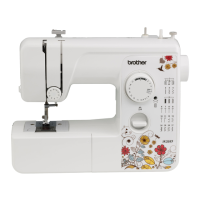
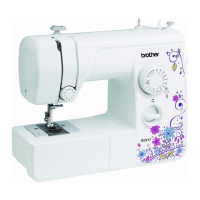
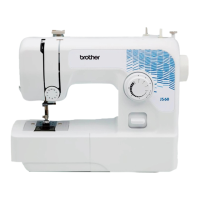
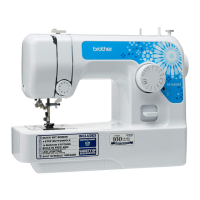
EasyManua.ls Logo

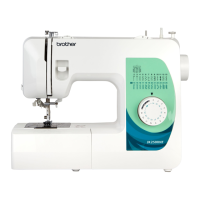
Brother JX3135F - User Manual

Brother JX3135F
94 pages
Print Icon
To Next Page IconTo Next Page
Loading...
Operation Manual
Product Code: 888-X64/X74/X77/X87
Sewing Machine
English
Spanish
888-X64/X74/X77/X87
Printed in Vietnam
XG3639-101
Be sure to read this document before using the machine.
We recommend that you keep this document nearby for future reference.
Please visit us at http://support.brother.com where you can get product
support and answers to frequently asked questions (FAQs).
ENGLISH
ESPAÑOL
Lea este documento antes de utilizar la máquina.
Recomendamos que tenga este documento a mano por si necesita
consultarlo más adelante.
Visítenos en http://support.brother.com donde hallará consejos para la solución
de problemas así como la lista de preguntas y respuestas más frecuentes.
Manual de instrucciones
Product Code (Código de producto): 888-X64/X74/X77/X87
Máquina de coser
Black

Table of Contents

Questions and Answers

  • B
    burgesslauraAug 20, 2025
    Why are stitches skipped on my Brother Sewing Machine?
    • L
      Lisa LongAug 20, 2025
      If stitches are skipped on your Brother Sewing Machine, correct the upper threading and choose the right combination of fabric, thread, and needle. Replace the needle if it is bent or blunt, and ensure the needle is correctly installed. Remove the needle plate and clean both the plate and the bobbin case to eliminate any accumulated dust.
  • S
    Stephanie FuentesAug 22, 2025
    Why is the fabric not feeding through my Brother JX3135F?
    • G
      Gregory GreenAug 22, 2025
      If the fabric does not feed through your Brother Sewing Machine, remove the darning plate from the needle plate. Ensure you are using the right combination of fabric, thread, and needle. Remove any tangled thread, cleaning the race if necessary. Attach the presser foot that is correct for the type of stitch you want to sew.
  • P
    Patricia ParkerAug 25, 2025
    How to troubleshoot a Brother Sewing Machine that does not work?
    • M
      murphymichaelAug 25, 2025
      If your Brother Sewing Machine isn't working, make sure the main power switch is turned on. Also, check that the bobbin-winder shaft is moved to the left, and ensure you are using the foot controller correctly.
  • A
    ajuarezAug 26, 2025
    How to resolve skipped stitches on a Brother JX3135F Sewing Machine?
    • V
      valeriecostaAug 26, 2025
      If your Brother Sewing Machine is skipping stitches, make sure the upper thread is correctly threaded and you are using the right combination of fabric, thread, and needle. Replace the needle if it is bent or blunt, and ensure the needle is correctly installed. Clean any accumulated dust under the needle plate or in the bobbin case.
  • K
    Kristie AlvaradoAug 28, 2025
    Why is my Brother JX3135F Sewing Machine fabric not feeding properly?
    • J
      Jason AustinAug 28, 2025
      If the fabric does not feed through your Brother Sewing Machine, remove the darning plate from the needle plate. Ensure you are using the right combination of fabric, thread, and needle. Remove any tangled thread, cleaning the race if necessary. Attach the correct presser foot for the type of stitch you want to sew.
  • B
    Brian CampbellAug 30, 2025
    Why does the upper thread keep breaking on my Brother JX3135F?
    • J
      Janet TaylorAug 30, 2025
      If the upper thread of your Brother Sewing Machine breaks, ensure that you have threaded the upper thread correctly, paying attention to spool fitting and thread guides. Remove any knots or tangles in the thread. Choose a needle appropriate for the thread you are using and check that the upper thread tension is not too tight; if it is, loosen it.
  • S
    Scott LeeSep 1, 2025
    How to fix incorrect thread tension on a Brother JX3135F?
    • J
      Jacob WelchSep 1, 2025
      If the thread tension is incorrect on your Brother Sewing Machine, correct the upper threading and wind the bobbin thread properly. Choose a thread and needle appropriate for the fabric, and attach the presser foot holder correctly. Adjust the upper thread tension, use a bobbin designed for the machine, and reset the bobbin thread correctly.
  • K
    Kathryn FranklinSep 3, 2025
    Why does the needle keep breaking on my Brother Sewing Machine?
    • M
      Michael DickersonSep 3, 2025
      If the needle of your Brother Sewing Machine breaks, make sure the needle is correctly installed and the needle clamp screw is firmly tightened with a screwdriver. Replace the needle if it is bent or blunt. Correct the upper threading and choose a thread and needle appropriate for the fabric. Attach the correct presser foot for the stitch you are using and loosen the upper thread tension if it's too tight. Lightly guide the fabric instead of pulling it. Fit the spool properly and use a bobbin designed for the machine.
  • A
    Alison MillerSep 5, 2025
    What to do if the lower thread is tangled on my Brother Sewing Machine?
    • Z
      Zachary MorrisSep 5, 2025
      If the lower thread is tangled or breaks in your Brother Sewing Machine, wind the bobbin thread properly and replace the bobbin if it's scratched or doesn't turn smoothly. Remove any tangled thread and clean the race. Use a bobbin designed for the machine and reset the bobbin thread correctly.
  • F
    fullercrystalSep 7, 2025
    Why is the fabric wrinkled when using my Brother JX3135F?
    • L
      Latasha SmithSep 7, 2025
      If the fabric is wrinkled when using your Brother Sewing Machine, thread the upper thread and wind the bobbin thread properly. Ensure the spool is fitted correctly and use the right combination of fabric, thread, and needle. Replace the needle if it's bent or blunt. If sewing thin fabrics, use stabilizer material under the fabric. Attach the correct presser foot for the stitch you want to sew and adjust the upper thread tension if it is incorrect.

Summary

Essential Safety Information

General Safety Precautions

Critical safety guidelines to prevent electric shock, fire, burns, and injuries during machine use.

Safe Operation and Storage

Precautions for safe sewing practices, child safety, and proper storage to maintain machine integrity.

Regional Safety Guidelines

Safety instructions tailored to different regions, including electrical standards and user supervision.

Machine Familiarization

Included and Optional Accessories

Details of accessories provided with the machine and those available for separate purchase.

Identifying Machine Components

An illustrated guide to the primary parts of the sewing machine and their operational roles.

Machine Operation Setup

Power and Control Connections

Instructions for connecting the sewing machine's power supply and foot controller.

Controls and Needle Management

Guide to the power switch, foot controller, and procedures for needle inspection and replacement.

Presser Foot and Stitch Selection

Steps for changing presser feet and selecting stitches using the pattern dial.

Reverse Stitching Function

How to use the reverse sewing lever for reinforcing seams and back-tacking.

Threading and Bobbin Procedures

Bobbin Winding Process

Detailed steps for correctly winding thread onto the bobbin using the winder.

Lower Threading Steps

Procedure for inserting the wound bobbin and threading the lower thread path.

Quick-Set Bobbin Lower Threading

Specific instructions for lower threading with the quick-set bobbin feature.

Upper Threading Guide

Comprehensive instructions for threading the upper thread through the machine's path.

Needle Threader Usage

Guide to operating the automatic needle threader for effortless needle threading.

Drawing Up Lower Thread

Method for raising the bobbin thread to the needle area before starting to sew.

Sewing Techniques

Initial Sewing Setup

Steps to prepare the machine and fabric for starting a sewing project.

Fabric Handling and Special Stitches

Techniques for sewing thin, stretch fabrics, cylindrical pieces, and using a twin needle.

Thread Tension Management

How to adjust thread tension to ensure proper stitch formation and fabric appearance.

Built-In Stitch Guide

Straight and Zigzag Stitches

Instructions for using straight stitches for seams and zigzag stitches for decoration.

Specialized Stitch Applications

Guidance on performing blind hem, overedge, and elastic stitches for various sewing tasks.

Advanced Stitching Techniques

Information on using double action and bridging stitches for fabric joining and decorative effects.

Buttonhole Creation and Adjustment

Sewing Buttonholes

Detailed procedure for sewing buttonholes, including stitch sequence and bar tacks.

Fine-Tuning Buttonholes

Methods for adjusting buttonhole appearance and symmetry using fine-adjustment screws.

Using Attachments and Applications

Zipper Insertion Guide

Step-by-step instructions for sewing zippers using the zipper foot attachment.

Gathering, Appliqué, and Button Sewing

Guides for gathering fabric, creating appliqués, and sewing buttons onto garments.

Darning and Blind Stitch Foot

Instructions for darning fabric and using the blind stitch foot for edge finishing.

Maintenance and Troubleshooting

Machine Cleaning and Storage

Procedures for cleaning the machine and precautions for storing it to prevent damage.

Resolving Sewing Issues

A guide to diagnosing and fixing common sewing machine problems, such as thread tangles or skipped stitches.

Brother JX3135F Specifications

General IconGeneral
TypeMechanical
Stitches35
Buttonhole1-step
Sewing Speed800 stitches per minute
Needle Threading SystemAutomatic
Bobbin TypeDrop-in
Buttonhole Styles1
Needle ThreaderYes
Drop FeedYes
Free ArmYes
Built-in Stitches35
Max Stitch Length4 mm
Max Stitch Width5 mm
Stitch OptionsUtility, decorative

Related product manuals