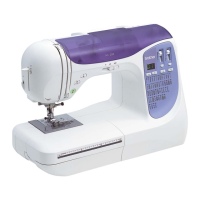
Names of Machine Parts
10
Q Embroidery unit
1 Embroidery frame holder (page 84)
2 Frame-securing lever (page 84)
3 Embroidery unit connection (page 80)
4 Carriage (page 80)
5 Release button (page 81)
Q Operation buttons
1 “Start/Stop” button
Press the “Start/Stop” button to start or stop sewing.
The button changes color according to the machine’s
operation mode.
2 Reverse stitch button
Press the reverse button to sew reverse or reinforcement
stitches depending on the selected stitch pattern. (page 34)
3 Reinforcement stitch button
Press the reinforcement button to sew a single stitch
repeatedly and tie-off. (page 34)
For character/decorative stitches, press this button to end with
a full stitch instead of at a mid-point.
The LED beside the button automatically lights up while the
stitch is being sewn and goes off when sewing is finished.
4 Needle position button
Press the needle position button to raise or lower the needle.
Pressing the button twice sews one stitch.
5 Thread cutter button
Press the thread cutter button after sewing is stopped to cut
both the upper and the bobbin threads.
6 Presser foot lifter button
Press this button to lower the presser foot and apply pressure
to the fabric. Press this button again to raise the presser foot.
7 Sewing speed controller
Slide the sewing speed controller to adjust the sewing speed.
Green: The machine is ready to sew or is sewing.
Red: The machine cannot sew.
Orange: The machine is winding the bobbin thread, or
the bobbin winder shaft is moved to the right
side.


 To Next Page
 Loading...