EasyManua.ls Logo

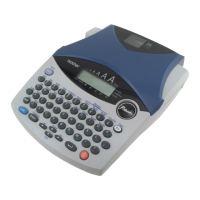
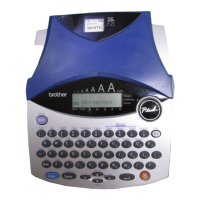
Brother P-touch 1900 - User Manual

Brother P-touch 1900
66 pages
Print Icon
To Next Page IconTo Next Page
Loading...
• Read this User’s Guide before you start using your P-touch.
• Keep this User’s Guide in a handy place for future reference.
USER’S GUIDE
1900

Questions and Answers

  • K
    kimberlyjonesJul 29, 2025
    Why does my Brother P-touch 1900 Label Maker not print properly or prints blurred characters?
    • B
      bgoodmanJul 29, 2025
      If your Brother Label Maker isn't printing correctly or the printed characters are blurred, first check that the tape cassette has been inserted properly. If the tape cassette is empty, replace it. Also, make sure the tape compartment cover is closed securely.
  • C
    Chase MckenzieAug 3, 2025
    Why are the printed characters not formed properly on my Brother P-touch 1900?
    • C
      Cynthia SanchezAug 3, 2025
      If the printed characters are not formed properly on your Brother Label Maker, the alkaline batteries you're using may be low. Try using the AC adapter or replace the batteries with new ones.
  • S
    Sarah JonesAug 8, 2025
    What to do if my Brother Label Maker display is blank?
    • J
      Julie BrownAug 8, 2025
      If the display remains blank after turning on your Brother Label Maker, ensure the AC adapter is correctly connected. If you're using alkaline batteries, verify they are properly inserted. If the batteries are low, replace them with new ones.
  • S
    Shane ClarkAug 13, 2025
    What to do if my Brother P-touch 1900 Label Maker has locked up?
    • J
      Jacqueline BellAug 13, 2025
      If your Brother Label Maker has locked up (nothing happens when a key is pressed), turn off the machine. Then, while holding down the 'c' and 'R' keys, turn the machine back on. Note that this will erase the text and formats in the display and all text files stored in the memory.
  • M
    Martin StoneAug 18, 2025
    Why does striped tape appear on my Brother Label Maker?
    • J
      John HughesAug 18, 2025
      Striped tape appears when you've reached the end of the tape. Replace the tape cassette with a new one in your Brother Label Maker.
  • B
    batespeterAug 23, 2025
    What to do if text files are missing from my Brother P-touch 1900 Label Maker?
    • M
      Melvin AndersonAug 23, 2025
      If the text files you stored in your Brother Label Maker's memory are missing, it may be due to low batteries. Replace the batteries with new ones.

Summary

Introduction and Setup

Introduction to P-Touch 1900

Overview of the P-touch 1900, its capabilities, and initial setup advice.

General Safety Precautions

Important safety warnings and handling guidelines for the P-touch 1900.

Powering the P-Touch

Details on using batteries and the optional AC adaptor for power.

Loading and Managing Tape Cassettes

Instructions on inserting, removing, and managing tape cassettes.

Operating the P-Touch 1900

Keyboard and LCD Display Overview

Explanation of the P-touch 1900's keyboard layout and LCD display elements.

Basic Key Operations

How to use power, cursor, space, and return keys for basic text entry and navigation.

Advanced Input Key Functions

Using Code, Alt, and Shift keys for special characters and functions.

Editing and Clearing Text

Procedures for deleting characters, lines, and clearing text/formats.

Inputting Special Characters and Symbols

Adding accented characters and symbols to labels.

Formatting and Printing

Label Formatting Options

How to use Auto Format, Font, Size, Style, Underline, Frame, Margin, and Alignment.

Printing and Cutting Labels

Instructions for printing labels, auto-cut, and manual feed & cut functions.

Advanced Printing Features

Using numbering and repeat printing for multiple labels.

Using Memory Functions

Storing, recalling, and deleting text files for reuse.

Troubleshooting and Specifications

Troubleshooting Common Issues

Common problems and their solutions for the P-touch 1900.

P-Touch Error Message Explanations

Explanations and remedies for various error messages.

Technical Specifications

Hardware and software specifications of the P-touch 1900.

Accessories and Support

Brother P-Touch Accessories

List of compatible tape cassettes and other accessories.

Manual Index

Alphabetical list of topics and their corresponding page numbers.

Accessory Order Form

Form for ordering accessories directly from Brother.

Brother P-touch 1900 Specifications

General IconGeneral
ModelP-touch 1900
TypeLabel Maker
Print MethodThermal Transfer
Print Resolution180 dpi
Print Speed10 mm/sec
Label Widths Supported3.5mm, 6mm, 9mm, 12mm
DisplayLCD
KeyboardQWERTY
CutterManual
Power Source6 AA batteries or AC adapter
StylesBold, Outline, Shadow

Related product manuals