EasyManua.ls Logo

Brother PC-8500 - User Manual

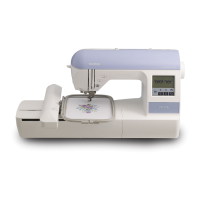
Brother PC-8500
196 pages
Print Icon
To Next Page IconTo Next Page
Loading...
®

Table of Contents

Other manuals for Brother PC-8500

Questions and Answers

  • E
    Erika CampbellAug 12, 2025
    Why does the upper thread keep breaking on my Brother Sewing Machine?
    • T
      Tiffany MartinezAug 12, 2025
      The upper thread may break due to several reasons: * Incorrect upper threading: Re-thread the upper thread. * Tangled upper thread: Remove thread ends from the race or shuttle. * Incorrectly set spool of thread: Set the spool of thread correctly. * Incorrect needle: Change to the proper needle. * Damaged shuttle: Contact a service center.
  • Y
    yangchristineAug 16, 2025
    What to do if my Brother Sewing Machine needle breaks?
    • C
      Corey HuntAug 16, 2025
      Your Brother Sewing Machine needle may break due to: * Incorrectly inserted needle: Set the needle properly. * Incorrect needle type: Change to the proper needle. * Incompatible fabric, thread, and needle combination: Check the "RELATED CHART OF SEWING FABRICS, THREAD AND NEEDLE". * Excessive pulling of fabric: Sew without pulling; simply guide the fabric.
  • R
    Rebecca LeeAug 20, 2025
    Why is my Brother PC-8500 fabric not feeding properly?
    • C
      Charles MarshallAug 20, 2025
      If the fabric isn't feeding correctly through your Brother Sewing Machine, it could be due to: * Stitch length set to no feeding: Adjust the stitch length properly. * Incorrect combination of selected stitch and presser foot: Change the presser foot to the correct one. * Incorrect needle: Use the correct needle. * Thread is entangled: Remove thread-ends in the race or inner shuttle.
  • P
    Patrick RileyAug 25, 2025
    What to do if my Brother PC-8500 Sewing Machine skips stitches?
    • T
      Theresa ClineAug 25, 2025
      Skipped stitches on your Brother Sewing Machine can occur if: * The needle isn't inserted correctly: Insert the needle properly. * The wrong needle is being used: Change to the proper needle. * The fabric, thread, and needle combination is incorrect: Check the “RELATED CHART OF SEWING FABRICS, THREAD AND NEEDLE”. * Dust is under the needle plate: Remove dust by cleaning with a brush. * The upper threading is incorrect: Re-thread the upper thread.
  • N
    newtonheidiAug 27, 2025
    What to do if my Brother PC-8500 won't start?
    • T
      tammy64Aug 27, 2025
      If your Brother Sewing Machine doesn't start, check the following: * Ensure the “START/STOP” button is pressed. * Verify the main power switch is turned on. * Make sure the presser foot is lowered.
  • C
    Christopher CollinsAug 31, 2025
    Why can't I thread the needle on my Brother PC-8500 Sewing Machine?
    • W
      Wendy CampbellAug 31, 2025
      If you're unable to thread the needle on your Brother Sewing Machine, it might be because: * The needle position is not correct: Set the needle at the proper position using the “NEEDLE POSITION” button. * The hook of the needle threader doesn't fit into the eye of the needle: Set the needle at the proper position using the “NEEDLE POSITION” button.
  • L
    laura29Sep 4, 2025
    Why does my Brother PC-8500 fabric pucker?
    • K
      Kimberly WilliamsSep 4, 2025
      Fabric puckering with your Brother Sewing Machine can be caused by: * Incorrect threading: Re-thread the upper and bobbin thread correctly. * Incorrect needle: Change to the proper needle. * Incorrect combination of fabric, thread, and needle: Check the “RELATED CHART OF SEWING FABRICS, THREAD AND NEEDLE”. * Thread tension not set correctly: Refer to “THREAD TENSION”.
  • B
    bowmandavidSep 8, 2025
    How to fix bobbin thread breaks on Brother PC-8500 Sewing Machine?
    • M
      Mark DelgadoSep 8, 2025
      Bobbin thread breaks on your Brother Sewing Machine can be caused by: * Tangled upper thread: Remove thread ends in the race or inner shuttle or from around spool pin. * Bobbin not threaded properly in the shuttle: Set bobbin properly and pull out the bobbin thread.

Summary

IMPORTANT SAFETY INSTRUCTIONS

DANGER - To reduce the risk of electric shock.

Instructions to reduce electric shock risk when using the machine.

WARNING - To reduce the risk of burns, fire, electric shock, or injury to persons.

Warnings to prevent burns, fire, electric shock, or injury during operation.

CHAPTER 1 SETTING UP

PRINCIPAL PARTS

Identification and description of the main components of the sewing machine.

BOBBIN WINDING; BOBBIN THREAD SETTING

Detailed steps for winding a bobbin and setting the bobbin thread correctly.

UPPER THREADING

Step-by-step guide for threading the upper thread through the machine.

CHAPTER 2 1. SEWING

BUTTONHOLE STITCHES

Detailed steps for sewing buttonholes, including different types and adjustments.

3. CHARACTERS AND DECORATIVE STITCHES

DECORATIVE STITCHES

Overview of various decorative stitches available for embellishment.

4. EMBROIDERING

PREPARATION BEFORE SEWING

Steps to prepare fabric and attach stabilizer before starting embroidery.

SELECTING AND SEWING PATTERNS

Guide to selecting and sewing various embroidery patterns.

7. MY CUSTOM STITCHTM (CREATE YOUR OWN STITCH DESIGNS)

MAINTENANCE

CLEANING

Instructions for cleaning various parts of the sewing machine.

ERROR MESSAGES

TROUBLESHOOTING

Trouble with threads and stitches

Common issues related to threads and stitches and their solutions.

Mechanical trouble

Troubleshooting steps for mechanical problems with the sewing machine.

Brother PC-8500 Specifications

General IconGeneral
Maximum Stitch Width7mm
Maximum Stitch Length5mm
DisplayLCD
Automatic Needle ThreaderYes
Drop FeedYes
Free ArmYes
Bobbin TypeDrop-in

Related product manuals