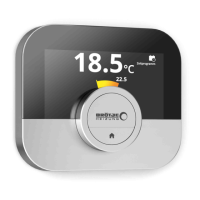
Appliance mode: Cooling
See
Switching to cooling mode, page 20
Main screen setting, page 23
Appliance mode: Auto
See
Switching to auto mode, page 20
Main screen setting, page 23
Tab.3 Zone icons
Basement
See
Changing the zone temperatures, page 17
Changing the name of a zone, page 25
Bedroom
See
Changing the zone temperatures, page 17
Changing the name of a zone, page 25
Kitchen
See
Changing the zone temperatures, page 17
Changing the name of a zone, page 25
Living room
See
Changing the zone temperatures, page 17
Changing the name of a zone, page 25
Study
See
Changing the zone temperatures, page 17
Changing the name of a zone, page 25
Swimming pool
See
Changing the zone temperatures, page 17
Changing the name of a zone, page 25
Generic
See
Changing the zone temperatures, page 17
Changing the name of a zone, page 25
Tab.4 Error icon
Error display: The appliance reports
an active error
See
Error messages overview, page 36
Troubleshooting, page 42
Error display: The IDA has no inter
net connection
See
IDA connections, page 26
2.6.2 Customising the main screen display
You can configure the main screen of the display by adding two
information boxes on the screen, one to the left and one to the right of the
rotary dial.
The information boxes can show:
Time and date
Detailed information about your system
You can also change the display of the temperature to show the current or
target temperature.
2 Introduction
7726708 - v.01 - 18012019 11


 To Next Page
 Loading...