
 Need help?
Do you have a question about the Browning BTC-2 and is the answer not in the manual?
Provides a step-by-step guide to quickly set up and use the trail camera.
Covers initial setup steps including package contents and SD card selection.
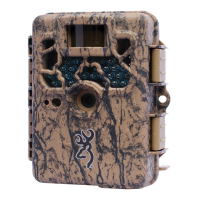
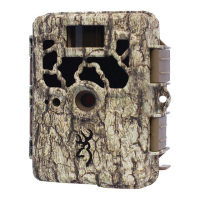
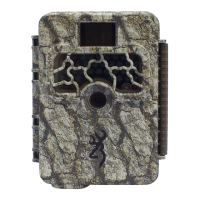
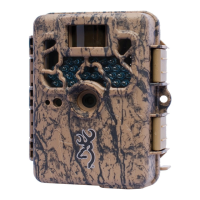
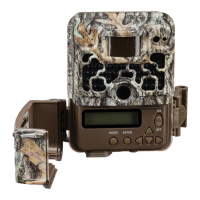
Visual identification of all external components and ports on the trail camera.
Detailed instructions on how to properly insert batteries into the camera.
Explanation of the camera's main display screen and its operational status indicators.
Procedure for configuring the camera's internal clock for accurate timestamping.
Selection of different camera operation modes like Trail, Timelapse, and Video.
Adjusts the resolution and detail level for still image captures.
Configures the time interval between consecutive photo captures.
Settings for capturing multiple images in sequence upon detection.
Configuration options for video recording quality and duration.
Sets the clarity and detail for video clips.
Determines the duration of each recorded video clip.
Allows assigning a custom name to the camera for identification.
Selects the unit of measurement for temperature displayed on photos.
Feature to help aim the camera by indicating motion detection.
Controls the display of metadata (date, time, temp) on captured images.
Configuration for time-lapse photography, including frequency and duration.
Sets the interval between captured images for time-lapse sequences.
Specifies the total hours per day for time-lapse image capture.
Resets camera settings to factory defaults.
Erases all data from the SD card and reformats it.
Configures the video output signal for TV connection.
Instructions for updating the camera's firmware.
Guide on how to access and view photos and videos from the camera's SD card.
Steps to install the software required to view timelapse videos.
Overview of the software used to review and manage timelapse footage.
Explanation of the controls and functions within the timelapse viewer software.
Guidance on securely mounting the trail camera in its operational environment.
Information regarding the product's warranty coverage and terms.
Details the conditions and exclusions that are not covered by the warranty.
Contact information and procedures for seeking warranty support or repairs.
Listing and description of optional accessories available for the camera.
Official statement detailing compliance with FCC regulations for radio frequency devices.
Technical details and performance specifications of the trail camera.
Table showing estimated storage capacity for photos, videos, and timelapse on various SD card sizes.
 General
| Trigger Speed | 0.6 seconds |
|---|---|
| Battery Type | AA |
| Storage | SD card up to 32GB |
| Power Supply | 8 AA batteries |
| Battery Quantity | 8 |
| Operating Temperature | -5°F to 140°F |
| Video Resolution | 720p |
| Flash Type | Infrared |
| Flash Range | 70 feet |



 To Next Page