36
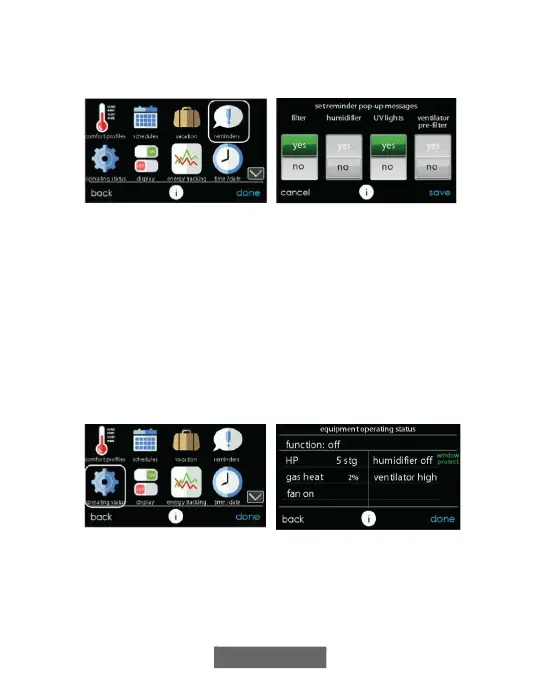
With the Evolution Connex Control, there are accessory messages to
remind you when it is time for maintenance. Select the REMINDERS
icon from the menu screen.
A12123
• You have the option of choosing a pop-up reminder for your air filter,
humidifier, UV lights, or ventilator pre-filter.
NOTE: This option my not be available with the ERVXXNVA ventilator
due to its simplified Control design.
• To enable a reminder, touch YES.
• After you have selected your desired reminders, touch SAVE.
9. Operating Status
The OPERATING STATUS menu gives a quick look at the status of
your Evolution Heating and Cooling System.
A12173
9.1. Equipment Operating Status
Within the operating status, you can view which function your system is
performing, and at which stage the heating or cooling equipment is


 To Next Page