55
14. Photo Upload for Series B
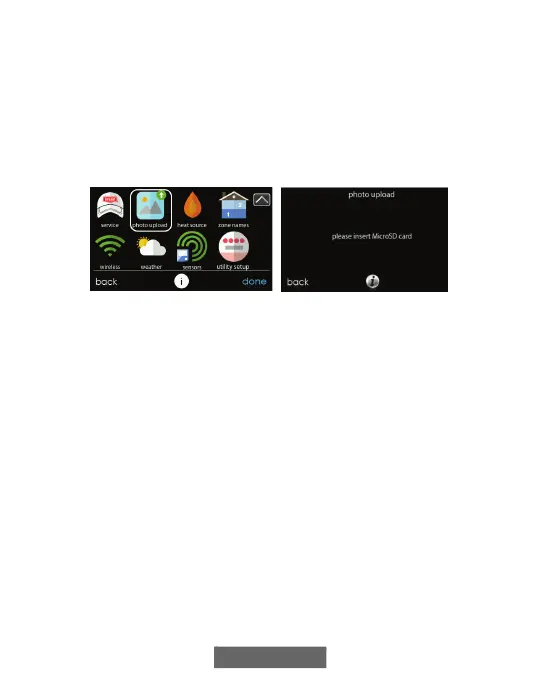
With the Evolution Connex Control, you can upload a personal photo to
act as a screen saver. Select the PHOTO UPDATE icon from the menu
screen.
NOTE: Use a 4GB to 32GB micro SD memory card. The card should be
formatted for FAT32 (rather than FAT64 or exFAT) in order to be read by
the control.
A170238B
• Use the PC application to upload the photo on the control and save it
to a standard micro SD card. Go to
https://www.MyEvolutionConnex.com and select the Evolution
Connex Control and click the downloads tab to download the
MyEvolution computer Desktop application for either PC or MAC.
Install the software on your computer, then go to the Menu and select
Photo Export. Follow the instructions on-screen in the PC application.
• Touch the upload photo icon on the menu screen on the Evolution
Connex Control.
• Place the micro SD card into the micro SD card port on the bottom of
the Evolution Connex Control when prompted.
• The Control will automatically upload the photo.
• Once complete, you will receive a confirmation that your photo is
loaded.
• After you have selected your desired reminders, touch SAVE.


 To Next Page