60
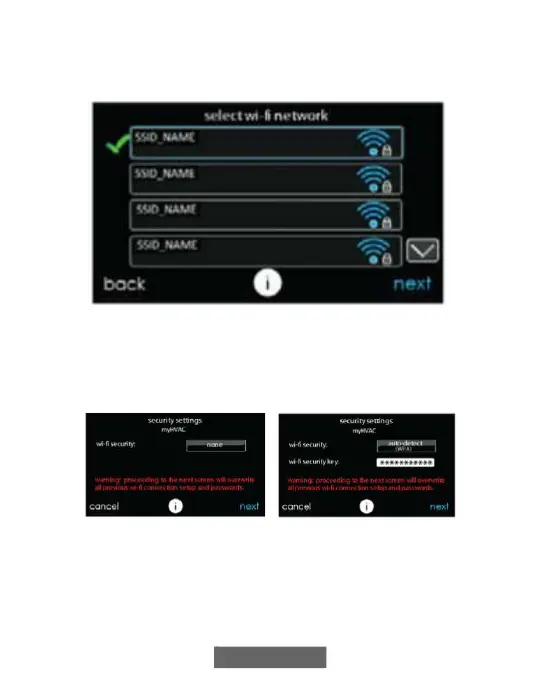
• On the next screen look for the SSID of the router/access point. After
being selected, it will be outlined in faint blue and will be indicated by
a checkmark. Then select NEXT.
A150175
• The selected network will show. Choose an appropriate Wi-Fi
security. Usually auto-detect will correctly identify the type of
security used. If the network has no security it will show as on the
left, but a secured network will prompt for the Wi-Fi security key.
A150191
• If a Wi-Fi security key is shown as on the right hand picture above
then select the white bar and enter the security key, then select NEXT.
• Touch in the security key area, and the keyboard will appear.


 To Next Page