Need help?
Do you have a question about the Bryton Aero 60 and is the answer not in the manual?
Button for menu entry, selection, recording start and lap marking.
Button for menu navigation, pausing, and stopping recordings.
Button to turn the device on and off.
Steps for initial setup: charging, language/unit selection, and GPS acquisition.
How to sync data between the device and Bryton App.
Instructions for securely mounting the device onto bicycle handlebars.
 General
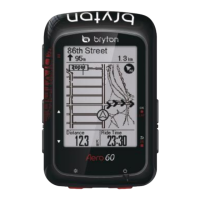
| Display Size | 2.3 inches |
|---|---|
| GPS | Yes |
| Connectivity | Bluetooth, ANT+ |
| Waterproof Rating | IPX7 |
| Dimensions | 53.7 x 83.9 x 18.2 mm |
| Navigation | Turn-by-turn navigation |
| Sensors Compatibility | Heart Rate, Cadence, Speed, Power |
| Battery Life | Up to 32 hours |
| Memory | Up to 300 hours of ride data |

 To Next Page