13 14
Pictures Slideshow
Enter [Picture] in upper-left part of homepage.
You will find [All], [Internal Storage], [SD Card], [USB], [Folder], [Favorites] and user list;
you can check all pictures of each playlist and operate in batch.
KEY FEATURES
• [All] is including pictures in internal storage and external device. The default playlist is
[All], you also can choose[Internal Storage] by tapping one picture of it to start
slideshow.
• [Internal Storage] is all of the pictures sending from app, email, copied from external
device.
• [SD Card]/[USB], shows the pictures in external drive like USB Drive, Micro SD or SD
card. To add pictures to [Internal Storage] from [SD Card]/[USB], you can click [┇] in
upper-right corner, choose the pictures you want to add to [Internal Storage] then click
[ ] and [OK] to confirm the process.
• [Folder], you can create folders and name them. Only pictures in [Internal Storage] can
be added.
• [Favorites], you can add favorite to your photos. Only pictures in [Internal Storage] can
be added favorites, you can tap [ ♡] on the bottom column while playing pictures to
add favorites to pictures.
instead of [ALL]; Or please remove external device while deleting to avoid deleting
files in your USB Drive/Card by mistake.
③ Not all models support external drive. Please take the actual product as the standard.
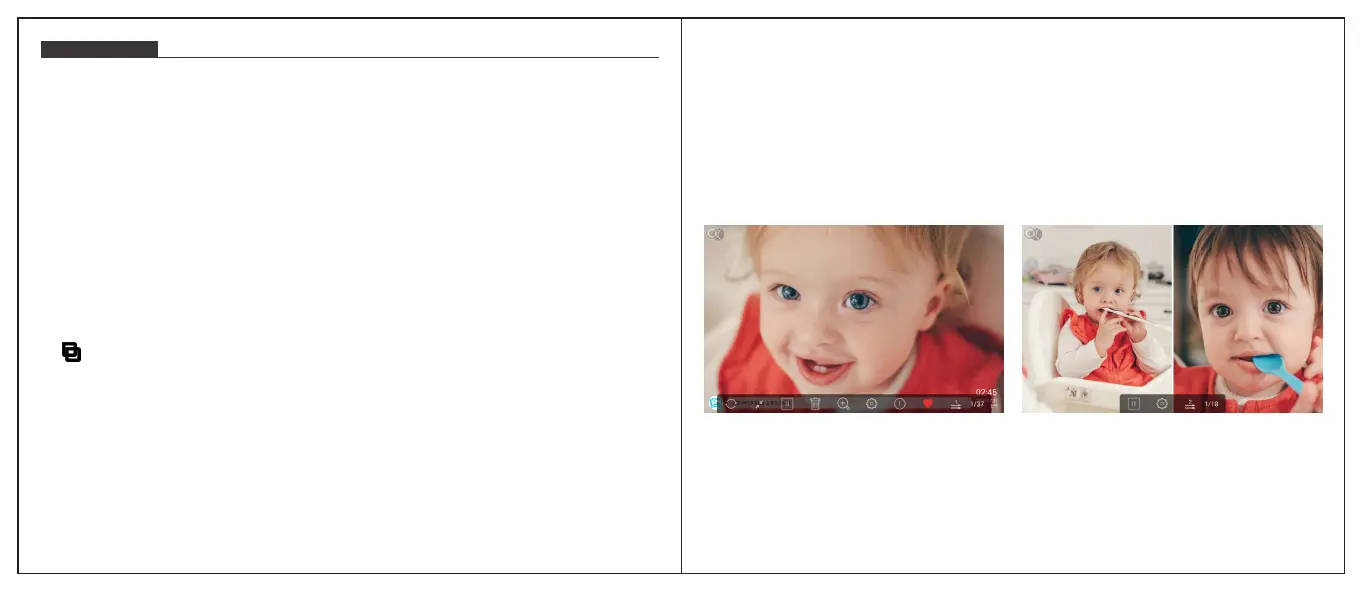
During the slideshow, you will have more tools to customize the slideshow just by
touching the screen.
You can tap [ ♡] to add the picture to you [Favorites] and set multi-display for fun.
Videos Slideshow
Choose [Video] in homepage, select the video you want to play.
Note: Video Clip shared from the app and email will show in the video library.
Note:
① Only pictures in [Internal Storage] can be added into folders and to favorite.
② To delete some pictures, we highly recommend to operate in [Internal Storage]


 To Next Page
 Loading...