
 Need help?
Do you have a question about the BSIMB BS-W15E and is the answer not in the manual?
Connect the photo frame to a power source and place it in the desired mode.
Configure essential settings like language, Wi-Fi, nickname, city, and timezone during the first startup.
Guide to connecting the frame to a wireless network by selecting a network and entering the password.
Instructions to download and install the VPhoto mobile application from app stores.
Steps to create a user account within the VPhoto app, including setting a username and profile picture.
Process for connecting the mobile app to the digital frame using a connection code or QR code.
Methods to transfer photos and videos from a phone to the frame via the VPhoto app.
Steps for friends and family to connect to the frame and share content.
Instructions on how to send photos and videos to the frame using an email address.
Guide for transferring media files from external storage devices like USB drives or SD cards.
Instructions for connecting the frame to a computer via USB to transfer large media files.
How to access and manage picture slideshows, including internal storage and external media.
Instructions on how to select and play video slideshows from the frame's library.
How to select and play music files on the digital photo frame.
Accessing and viewing weather information for multiple cities.
Customizing the clock display and skin on the frame.
Setting up, adjusting, and deleting alarm clocks on the frame.
Managing the frame's connection code, QR code, and connected user accounts.
Adjusting screen brightness, sound volume, touch sounds, assistive touch, language, and slideshow preferences.
Setting the current date and time according to user preference.
Configuring the frame's auto on/off times for energy saving or convenience.
Enabling and configuring the motion sensor to turn the frame off when the room is empty.
Automatically adjusting the picture orientation based on frame placement.
Choosing whether to receive notifications with or without sound.
Selecting and connecting to a Wi-Fi network for frame functionality.
Restoring the frame to its default settings, with options for user data.
Accessing product details such as version, frame ID, and serial number.
Guidance on whether the frame needs to remain plugged into a DC outlet.
Troubleshooting common problems with connecting the frame to a Wi-Fi network.
Checking volume settings and mute status to resolve sound issues.
Addressing questions about sharing content and viewing photos/videos separately.
Setting the frame to automatically turn on or off at specified times.
Resolving problems related to files not appearing after sharing or not playing.
Adjusting image transitions and displaying speed for slideshows.
 General
| Brand | BSIMB |
|---|---|
| Model | BS-W15E |
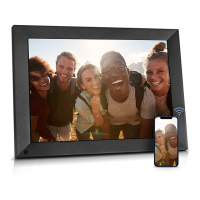
| Category | Digital Photo Frame |
| Language | English |

 To Next Page