Need help?
Do you have a question about the BSS Audio FCS-926 and is the answer not in the manual?
Instructions for unpacking the unit, inspecting for damage, and retaining packing materials.
Details on rack space requirements, ventilation, and mechanical dimensions for installation.
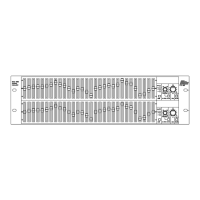
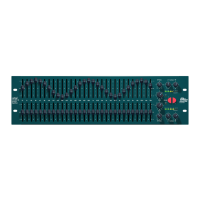
Summary of the FCS-926 front panel controls, buttons, and indicators.
Summary of the FCS-926 rear panel connectors, including power and audio I/O.
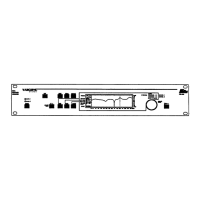
Summary of the FCS-920 front panel controls, display, and basic operations.
Summary of the FCS-920 rear panel connectors, detailing power and audio I/O.
Details on voltage selector switch operation, safety earthing, and AC power fusing.
Procedure for powering on the FCS-926/920, including internal tests and bypass relays.
Instructions for balanced and unbalanced audio wiring, including ground loop prevention.
Explanation of the icons used in the manual to illustrate operational steps and controls.
Details on the graphics screen layout, text window, and selecting dual/stereo linked modes.
Guide to selecting filters and adjusting their frequency, bandwidth, and boost/cut.
Explanation of the VIEW mode for safe parameter adjustment and cursor control.
Instructions for storing, recalling, and comparing EQ settings using program memories.
How to reset filters to flat and use the EQ bypass function for signal routing.
Explanation of the noise optimisation routine and its effect on filter reallocation.
How to access and navigate the utility menu for various device settings.
Adjusting input gain and setting program lock to protect memories.
Configuration of Peak Fix, crossfade time, viewing angle, and screen brightness.
Enabling mono 12-band mode and configuring MIDI channel and transmit settings.
Initiating MIDI memory dump and setting security lockout for panel controls.
How to access and navigate the RTA menu for analysis and display settings.
Setting RTA gain, display decay rate, and response type (Peak/RMS).
Selecting RTA input source and managing RTA spectrum analysis data in memories.
Using Auto EQ for room correction and Add Curve to combine EQ contours.
Converting RTA measurements into EQ contours for storage and Auto EQ reference.
Chart detailing MIDI functions, transmitted/recognized parameters, and remarks for control.
List of MIDI parameters, their numbers, ranges, and control laws for external operation.
Information on how to order spare parts, including BSS part numbers.
Details of the product warranty, coverage, and claim procedure.
Procedures for link removal, transient suppressor replacement, and voltage setting.
Instructions for replacing the internal battery and fitting optional balancing transformers.
 General
| Brand | BSS Audio |
|---|---|
| Model | FCS-926 |
| Category | Stereo Equalizer |
| Language | English |

 To Next Page