Your username and password details were sent to you by email or letter when you
ordered the service. Your username is usually , your
password should have been chosen by you.
To access your email, either use the BT Yahoo! Mail icon on your desktop or type
into your web browser. You’ll need your username and
your password (see above).
If you’ve a username but can’t remember your password, you can reset your
password. Go to and click ‘Forgot password?’ on the sign-in page.
> You don’t need your username or password to connect to BT Total Broadband,
but you do need them to access your email and BT Yahoo! Online features
> If you can’t nd these details, please call us on 0800 111 4567
These details were sent to you by email when you ordered the service.
To access your email, either use the BT Yahoo! Mail icon on your desktop or type
into your web browser.
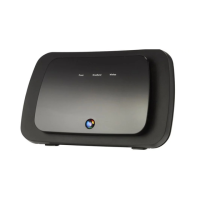
If your Hub’s Phone light is blue, you can also nd your BT Broadband Talk phone
number using Hub Manager.
To nd out how to access your Hub Manager, please see page 53. For your BT
Broadband Talk password please go to
and click on the forgotten password link.
If you can’t nd your BT Broadband Talk username and password by checking
your BT Yahoo! Mail account or Hub Manager please call us on 0800 111 4567.
Turn it off and unplug it from the mains. Then follow the leads and unplug them
from your computer and phone socket. If it’s connected to an ADSL lter, unplug it
from the lter. Follow the guide or the set-up instructions on page 11.



 To Next Page