EasyManua.ls Logo

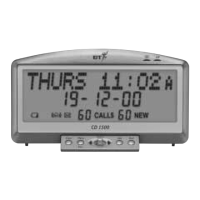
BT CD 1500 - Setting Time and Date

BT CD 1500
33 pages
Print Icon
To Next Page IconTo Next Page
To Previous Page IconTo Previous Page
Loading...
Caller Display 1500 Edition 3 23.1.01 3435
8
You can set the whole
time and date manually
if you wish to.
To choose between the
12 or 24 hour clock:
Press the Menu/Exit
button.
Use the
Left/Right
buttons to display the
current setting, either
12 HOUR
or
24 HOUR
.
Press the
Select button
to change the current
setting.
To set the time:
Press the Menu/Exit
button.
Use the
Left/Right
buttons to scroll to
SET TIME
.
Press the
Select button.
The display will flash
the hour.
Use the
Left/Right
buttons to set the
correct hour.
Press the
Select button
to confirm.
5 To set the time
and date
Menu
Exit
Select
Warning
Never install telephone wiring
during a lightning storm.
Always disconnect the telephone
cord from the wall socket before
changing or relocating your
telephone connections.
Please note
Press the Menu/Exit button to enter
the menu or to exit and return to the
idle screen.
The date and time will
be set automatically
when your Caller
Display 1500 receives
its first call, provided
you have subscribed to
a Caller Display service.
However, the service
does not set the year
(this will default to 00)
so you will have to set
this manually,
see below
for instructions.

Menu
Exit
Select
Select

Related product manuals