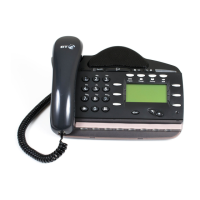
BT Versatility
Quick reference User Guide
6
Voicemail
Note: Voicemail services require the Voicemail Module to be installed.
Enter a personal greeting
Press *, and
Select Þ Voice messaging
Enter your Extension number or select Extension from the menu
Then enter your Voice Mailbox Password followed by #.
Select Þ
Greetings
Follow the text and voice prompts to enter and check your greeting.
Turn on your voicemail
Divert on ‘no answer’ to the Voicemail is automatically set when a voice
mailbox is allocated to your extension.
You may also select the other Divert options as required.
Press the Scroll Down Key (
î) until "Divert" is displayed.
Select Þ Divert
Select Þ Divert when busy or
Select Þ Divert all calls
Select "Divert to voicemail".
Retrieve messages from your voice mailbox
Select Þ New voice messages
Enter your Extension number. You will be prompted to
Enter your Voice Mailbox Password, followed by #.
Select Þ Play .
Change your Voice Mailbox Password
Press *, then
Select Þ Voice messaging and enter your Extension number.
Enter your existing password, (default is 1111), followed by #.
Press the Scroll Down Key (î)
Select Þ
Change password and
Enter your new password (up to 8 digits long - e.g. 12341234).
Select Þ
Confirm


 To Next Page