EasyManua.ls Logo

Bticino 322011 - User Manual

Bticino 322011
10 pages
Print Icon
To Next Page IconTo Next Page
Loading...
1
322011
4
A (mm) B (mm) C (mm)
125 325 44,5
1
2
3
5
6
7
9
10
12
11
8
A C
B
D45 System
Description
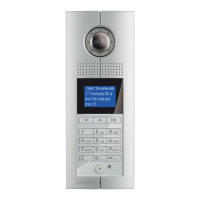
Digital colour entrance panel
with addresses list
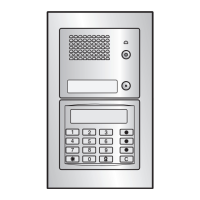
D45 System entrance panel with colour camera and backlighted alphanumeric keyboard
equipped with pushbutton to direct calls to the porter switchboard. Possibility to send
an alarm message to the switchboard when opening over two minutes of the associated
lock or when trying to remove the device. Setup parameters via device keyboard.
Configuration by device menu and keyboard or through the dedicated software
(supplied with the product). Residents can be called in 3 different ways :
- searching the name of the resident in the addresses list by using up & down arrow keys
- entering the resident surname by using the alphanumerical keyboard (same way as
for the mobile phone)
- direct call by typing the resident corresponding numerical code (you must know the
resident code).
Flush mounting installation with dedicated box - supplied with the product.
Related items
322012 Targa module
346250 Door lock relay
Technical data
Power supply: 30 Vdc
Stand by absorption: ≤ 25 mA @ 30 V
Max operating absorption: ≤ 245 mA@30 V
Camera sensor: 1/3”
Lens: F3.6 mm
Camera diagonal view angle: 85°
Camera distance up to clear picture: 16.4 cm
Camera resolution: 540 TV Lines (horizontal)
Camera minimum lux level visibility: 0.01 lux (compensation lamp OFF)
0 lux (compensation lamp ON)
Operating temperature: (-25) – (+55) °C
Protection index: IP54
Protection against mechanical impact: IK07
Dimensional data Legend
1. Compensation Lamp
2. Send call to the selected resident key
3. Door lock release key
4. External light sensor
5. Microphone
6. Direct call to the management center pushbutton
7. Delete & Return key
8. Alphanumerical pushbuttons
9. Navigation / search for the resident keys
10. Backlighted LCD display
11. Loudspeaker
12. Adjustable colour camera
Front view
BT00853-a-EN 03/09/2014
Question and Answer IconNeed help?

Do you have a question about the Bticino 322011 and is the answer not in the manual?

Summary

Product Description and Technical Specifications

Product Description

Detailed overview of the D45 System entrance panel, its features, and calling methods.

Technical Data

Lists key technical parameters including power supply, absorption, camera details, and environmental ratings.

Dimensional Data

Provides physical dimensions of the entrance panel and flush mounting box.

Configuration and Settings

Configuration Methods

Explains the two ways to configure the entrance panel: by device keyboard or SF2 software.

Accessing Configuration Menu

Details how to enter the configuration menu using the door lock key and default password.

Main Configuration Options

Lists primary configuration categories: Language, Panel settings, Address book, Phonic module, FW versions.

Password Management

Instructions for setting and changing the access password for configuration menus.

Panel Settings Submenu

Options within panel settings, including Device settings for brightness and contrast.

Home Page Customization

Function to set a customized welcome message and its display timeout on the home page.

Address Book Management

Menu for managing residents' data, including names, call codes, and lock codes.

Calling Mode Configuration

Settings for selecting call types, such as by name list or code, and recall function.

Contact Entry and Modification

Procedures for entering new residents and modifying existing contact details in the address book.

Contact Deletion

Functions to delete individual contacts or the entire address book.

Speaker Module Settings

Configuration for speaker module, including panel number, lock time, and switchboard address.

Advanced Configuration and Wiring

PC Configuration (WAY 2)

Enhanced configuration using SF2 software and a PC via a serial interface tool.

Video Gain Settings

Adjusting DIP switches for video compensation based on transmission distances.

Door Lock Relay Wiring

Diagram and notes for connecting the door lock relay, including cable specifications.

Summary

Product Description and Technical Specifications

Product Description

Detailed overview of the D45 System entrance panel, its features, and calling methods.

Technical Data

Lists key technical parameters including power supply, absorption, camera details, and environmental ratings.

Dimensional Data

Provides physical dimensions of the entrance panel and flush mounting box.

Configuration and Settings

Configuration Methods

Explains the two ways to configure the entrance panel: by device keyboard or SF2 software.

Accessing Configuration Menu

Details how to enter the configuration menu using the door lock key and default password.

Main Configuration Options

Lists primary configuration categories: Language, Panel settings, Address book, Phonic module, FW versions.

Password Management

Instructions for setting and changing the access password for configuration menus.

Panel Settings Submenu

Options within panel settings, including Device settings for brightness and contrast.

Home Page Customization

Function to set a customized welcome message and its display timeout on the home page.

Address Book Management

Menu for managing residents' data, including names, call codes, and lock codes.

Calling Mode Configuration

Settings for selecting call types, such as by name list or code, and recall function.

Contact Entry and Modification

Procedures for entering new residents and modifying existing contact details in the address book.

Contact Deletion

Functions to delete individual contacts or the entire address book.

Speaker Module Settings

Configuration for speaker module, including panel number, lock time, and switchboard address.

Advanced Configuration and Wiring

PC Configuration (WAY 2)

Enhanced configuration using SF2 software and a PC via a serial interface tool.

Video Gain Settings

Adjusting DIP switches for video compensation based on transmission distances.

Door Lock Relay Wiring

Diagram and notes for connecting the door lock relay, including cable specifications.

Bticino 322011 Specifications

General IconGeneral
CategoryIntercom System
Model322011
BrandBticino
Power Supply12V DC
ColorWhite
MountingSurface
Weight0.5 kg
MaterialPlastic
TypeAudio
InstallationWall-mounted

Related product manuals