EasyManua.ls Logo

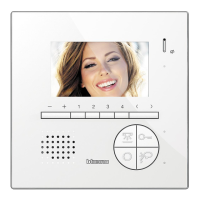
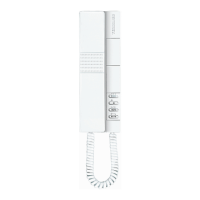
Bticino 344642 - User Manual

Bticino 344642
114 pages
Print Icon
To Next Page IconTo Next Page
Loading...
User manual
www.bticino.com
Classe 300X
344642 - 344643
RA00138AG-10/21-PC

Other manuals for Bticino 344642

Question and Answer IconNeed help?

Do you have a question about the Bticino 344642 and is the answer not in the manual?

Summary

Answer a call

Listen to the video door entry answering machine

Auto-switching on and camera scrolling

Disconnect a smartphone from the system

Dissociate a user from the system

General information

Function keys and status LEDs

Explains icons for door lock, favorites, auto-switching, connection, Wi-Fi, and memo LEDs.

Home page

Enabling functions

Call forward enabling to the smartphones

Block calls to all the smartphones

Functions

Cameras

Activate and display images from system cameras.

Cameras

NETATMO cameras

CCTV

Settings

Wi-Fi

Connect the device to your Wi-Fi network.

Associated accounts

Compatible devices

Device reset

Wi-Fi reset

Door Entry App

Account registration

Register and create an account for the DOOR ENTRY APP.

Authentication

Log in to the app using email and password, with recovery options.

Association of the device

Link your account to the Classe 300X via Wi-Fi for app functionality.

Open door locks

Receive a video door entry call

Welcome NETATMO camera

Menu

User Management

Invite a user

Settings and Firmware Update

Account Management

Delete the account

Warnings and consumer rights

Summary

Answer a call

Listen to the video door entry answering machine

Auto-switching on and camera scrolling

Disconnect a smartphone from the system

Dissociate a user from the system

General information

Function keys and status LEDs

Explains icons for door lock, favorites, auto-switching, connection, Wi-Fi, and memo LEDs.

Home page

Enabling functions

Call forward enabling to the smartphones

Block calls to all the smartphones

Functions

Cameras

Activate and display images from system cameras.

Cameras

NETATMO cameras

CCTV

Settings

Wi-Fi

Connect the device to your Wi-Fi network.

Associated accounts

Compatible devices

Device reset

Wi-Fi reset

Door Entry App

Account registration

Register and create an account for the DOOR ENTRY APP.

Authentication

Log in to the app using email and password, with recovery options.

Association of the device

Link your account to the Classe 300X via Wi-Fi for app functionality.

Open door locks

Receive a video door entry call

Welcome NETATMO camera

Menu

User Management

Invite a user

Settings and Firmware Update

Account Management

Delete the account

Warnings and consumer rights

Bticino 344642 Specifications

General IconGeneral
Model344642
BrandBticino
CategoryIntercom System
MountingWall-mounted
ColourWhite
Communication TypeWired
TypeVideo
DisplayLCD colour
Technology2-wire

Related product manuals