EasyManua.ls Logo

Bticino 344672 - User Manual

Bticino 344672
16 pages
Print Icon
To Next Page IconTo Next Page
Loading...
1
www.bticino.com
ST-00000467-
344672
B
A
C
A B C
164 mm 165 mm
20,5 mm
2
11
10
3
4*
6
5*
8
1
9
7
EN 08/07/2019
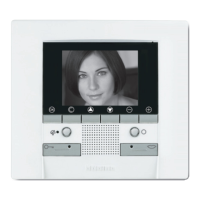
Classe100 V16E Handsfree video internal
unit with Inductive loop
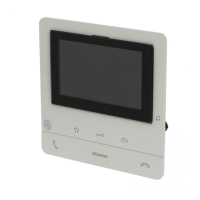
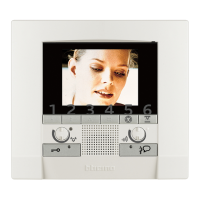
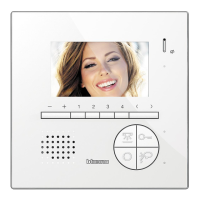
2 WIRES handsfree video internal unit with 5” colour LCD display.
It has 2 physical keys for the control of the main video door entry functions – answer
and end a call – and 3 capacitive keys that allow the door lock release, the entrance
panel activation/scrolling and the customisation of most frequently used quick
action – e.g. staircase light control, intercom, additional door lock activation, generic
activations.
The device has a side joystick to adjust: colour, brightness and display contrast, audio
and call tone volume.
There is a call exclusion notification LED.
The installation can be made to the wall using the bracket (supplied) or using table
support to be purchased separately.
Description
Dimensional data
Power supply: 18 – 27 Vdc
Stand by absorption: 10 mA
Max. absorption: 250 mA
Maximum cable section for each clamp: 2 x 1 mm2
Operating temperature: 5 – 40 °C
Technical data
344692 Tabletop support
Related items
Front view
Legend
When pressed, the keys light up and emit a “beep (that can be deactivated by
procedure).
1. Loudspeaker
2. 5” (16:9) display
3. Bell exclusion notification LED
Red LED flashing: bell excluded
4. Programmable touch keys *
5. Door lock release touch key *
White LED flashing: active Professional Studio (Office) function
6. Entrance panel / scrolling activation touch key
7. Tactile guides for the blinds
8. Communication disabling key
Red LED flashing: call in progre
9. Microphone
10. Staircase light touch key
11. Communication enabling key
Green LED flashing: incoming call
* If the LEDs flash white when pressed, the “safe door lock” function is active and
the key is deactivated.
Question and Answer IconNeed help?

Do you have a question about the Bticino 344672 and is the answer not in the manual?

Summary

Rear View and Configuration

Operating Modes and Functions (Part 1)

M=00 to M=80 Modes

Defines functions for M=00, M=20, M=40, M=80 configurations.

M=01 to M=81 Modes

Defines functions for M=01, M=21, M=41, M=81 configurations.

Operating Modes and Functions (Part 2)

M=02 to M=82 Modes

Defines functions for M=02, M=22, M=42, M=82 configurations.

Operating Modes and Functions (Part 3)

M=03 to M=83 Modes

Defines functions for M=03, M=23, M=43, M=83 configurations.

Operating Modes and Functions (Part 4)

M=04 to M=84 Modes

Defines functions for M=04, M=24, M=44, M=84 configurations.

M=05 to M=85 Modes

Defines functions for M=05, M=25, M=45, M=85 configurations.

Operating Modes and Functions (Part 5)

M=06 to M=86 Modes

Defines functions for M=06, M=26, M=46, M=86 configurations.

Operating Modes and Functions (Part 6)

Joystick Operation and Adjustments

Function Settings

Advanced Features

Summary

Rear View and Configuration

Operating Modes and Functions (Part 1)

M=00 to M=80 Modes

Defines functions for M=00, M=20, M=40, M=80 configurations.

M=01 to M=81 Modes

Defines functions for M=01, M=21, M=41, M=81 configurations.

Operating Modes and Functions (Part 2)

M=02 to M=82 Modes

Defines functions for M=02, M=22, M=42, M=82 configurations.

Operating Modes and Functions (Part 3)

M=03 to M=83 Modes

Defines functions for M=03, M=23, M=43, M=83 configurations.

Operating Modes and Functions (Part 4)

M=04 to M=84 Modes

Defines functions for M=04, M=24, M=44, M=84 configurations.

M=05 to M=85 Modes

Defines functions for M=05, M=25, M=45, M=85 configurations.

Operating Modes and Functions (Part 5)

M=06 to M=86 Modes

Defines functions for M=06, M=26, M=46, M=86 configurations.

Operating Modes and Functions (Part 6)

Joystick Operation and Adjustments

Function Settings

Advanced Features

Overview

Classe 100 V16E Handsfree Video Internal Unit with Inductive Loop

This document describes the Classe 100 V16E, a 2-WIRE handsfree video internal unit featuring a 5" color LCD display and an inductive loop for enhanced accessibility.

Function Description

The Classe 100 V16E is designed for video door entry systems, offering a comprehensive set of features for communication, access control, and customizable functions.

Core Functions:

  • Video Door Entry: Provides a 5" color LCD display for clear visual identification of visitors.
  • Handsfree Communication: Allows for two-way audio communication without needing to hold a handset.
  • Access Control: Includes a dedicated capacitive key for door lock release.
  • Entrance Panel Activation/Scrolling: A capacitive key allows for activating and scrolling through entrance panels.
  • Customizable Quick Actions: Three capacitive keys can be programmed for frequently used functions such as staircase light control, intercom calls, additional door lock activation, or other generic activations.
  • Call Management: Features physical keys for answering and ending calls.
  • Inductive Loop Function: Enables the device to be used by individuals wearing hearing aids with a (T) selector, ensuring clear audio coupling.

Intercom Functions (Configurable via M-modes): The device supports various intercom modes, allowing for communication within the apartment or among different apartments, depending on the system configuration and the presence of an apartment interface (346850).

  • Internal Intercom: Sends calls to all handsets with the same address.
  • Intercom inside the apartment: For systems with apartment interface 346850.
  • Intercom among apartments: For systems without apartment interface 346850.
  • General Intercom: Sends calls to all handsets in the system.
  • Preset Intercom: Allows sending intercom calls to a handset configured with N=1, and the indoor unit configured with N=1 can receive calls but not send them.

Door Lock Release Functions (Configurable via M-modes): The device offers multiple configurations for door lock release, linked to specific entrance panels (P+1, P+2, P+3, P+4) and actuator modules (346210, 346230-346260). These can be activated directly without a call or through specific actuators.

Professional Studio (Office) Function: When enabled, this function automatically activates the associated door lock upon receiving a call from the entrance panel, eliminating the need to press the door lock control key. This function requires specific configuration and cannot be activated simultaneously with the "Safe Door Lock" or "Door Status" functions.

Pager Function: Allows sending voice messages using the microphone of the Classe 100 through the speakers of the sound system. This function also requires specific configuration.

Door Status Function: Notifies the status of the door lock. If the door is open, the "LED Door lock" flashes; if closed, the LED stays off. This function requires accessory devices and cannot be activated with the Professional Studio (Office) function.

Safe Door Lock Function: When active, this function prevents the opening of the entrance panel door lock when the internal unit is in stand-by. Door lock opening is only permitted during voice communication between the entrance panel and the internal unit. This function disables all keys that activate a door lock and causes the white LED to flash when pressed. It cannot be activated with the Professional Studio (Office) function.

Important Technical Specifications

  • Power Supply: 18 - 27 Vdc
  • Stand-by Absorption: 10 mA
  • Max. Absorption: 250 mA
  • Maximum Cable Section (per clamp): 2 x 1 mm²
  • Operating Temperature: 5 - 40 °C
  • Display: 5" (16:9) color LCD
  • Dimensions (A x B x C): 164 mm x 165 mm x 20.5 mm

Usage Features

Adjustments and Settings: The device features a side joystick for various adjustments and settings.

  • Joystick Functions:
    • Press: Confirms or accesses the Adjustments mode.
    • Press and hold (> 8 sec): Accesses the Settings mode.
    • Move up (when released, returns to central position): Navigates to the previous page or increases a level.
    • Move down (when released, returns to central position): Navigates to the next page or decreases a level.

Adjustments Menu: Accessible from stand-by by pressing the joystick.

  • Professional Studio-Office Function: Activate/deactivate this function.
  • Ringtone Volume: Adjust the ringtone volume (levels 1-8). The minimum level corresponds to ringtone exclusion, indicated by a red flashing LED.
  • Exit: Exit the adjustments menu.

Settings Menu: Accessible from stand-by by pressing and holding the joystick for about 8 seconds.

  • Key Sound: Enable/disable the "beep" sound emitted when keys are pressed.
  • Ringtone Association: Associate different ringtones to various call events:
    • Main Entrance Panel (S=0)
    • Secondary Entrance Panel (S=1)
    • Floor Call
    • Intercom Call
    • External Intercom Call (interface 346850 only)
  • Exit: Exit the settings menu.

LED Indicators:

  • Bell Exclusion Notification LED: Flashes red when the bell is excluded.
  • Programmable Touch Keys LED: Flashes white when pressed if the "safe door lock" function is active and the key is deactivated.
  • Door Lock Release Touch Key LED: Flashes white when the Professional Studio (Office) function is active.
  • Communication Disabling Key LED: Flashes red when a call is in progress.
  • Communication Enabling Key LED: Flashes green when there is an incoming call.

Installation: The unit can be wall-mounted using the supplied bracket or placed on a table using a separately purchased table support (344692).

Maintenance Features

The manual does not explicitly detail maintenance features beyond the initial configuration and adjustments. However, the modular design and clear configuration options suggest ease of troubleshooting and system updates.

Configuration: The device is physically configured using configurators connected to specific sockets:

  • N (Internal Unit Number): Assigns an identification number to each video internal unit. Units with parallel connections use the same N configurator.
  • P (Entrance Panel Association): Identifies the associated entrance panel and the door lock activated when the pushbutton is pressed while the video internal unit is idle.
  • M (Operating Mode): Assigns operating modes to the 4 programmable keys and enables special functions.

Inductive Loop Usage: For optimal performance with hearing aids (T position), the acoustic device should be positioned in front of the unit at a distance of 25-35 cm. The presence of metal and background noise from electronic devices may compromise performance.

Bticino 344672 Specifications

General IconGeneral
CategoryIntercom System
Model344672
BrandBticino
ColourWhite
TypeVideo Intercom
DisplayLCD
MountingWall Mount

Related product manuals