2
322031
11
14
13
9
8 4
7
6
5
3
2
1
10
12
N
#I
N
#I
F F I I
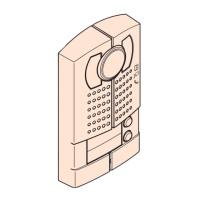
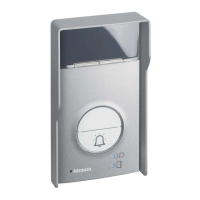
20 Pushbuttons colour video entrance panel
Rear view
Legend
1. Switch (ON - OFF) - enable/disable anti removal (tamper) function
2. SPK : loudspeaker volume adjust
3. MIC : microphone volume adjust
4. Status jumper socket
5. RJ45 system BUS connector
6. 4 poles connector (GND /DAS/LOCK-/LOCK+). GND/DAS = electrical door lock status
connector - LOCK-/LOCK+ = electrical door lock connector
7. RJ45 additional pushbuttons panel connector
8. Mode jumper socket
9. ISP : entrance panel software upgrade connector
10. Room number reset/door lock status setting pushbutton
11. Configurations socket
12. DIP-SWITCH for video gain setting - see specific section
13. Anti-thief switch
14. VIDEO-IN/GND/NC/+12V/LED : entrance panel camera and compensation lamp
connector
Two different configuration ways available:
Configuration by inserting phisical configurators - WAY 1
Configuration by using SF2 software and PC connection - WAY 2
Entrance panel have two status, one is work status, another is setting status.
In work status, entrance panel can call internal unit and work with internal unit. En-
trance panel usually is in this status.
In setting status, entrance panel can’t call and work with internal unit,but can set room
number or SCS address of corresponding pushbutton.
After finished set, exit setting status by jumper insertion (NA).
By inserting jumper (NA), entrance panel is in work status. By inserting jumper (CF),
entrance panel is in setting status.
Call mode
D45 system have two call modalities, one is room number mode, another is SCS ad-
dress mode (direct call mode). In room number mode, internal unit can be set according
to the room number; visitor type room number in entrance panel to call resident.
Factory default is in room number mode.
In SCS address mode (direct call mode),internal unit can be set according to SCS address.
Visitor just type SCS address to call resident, for example just type 1.
For pushbuttons entrance panel, must be defined each pushbutton math a room num-
ber or SCS address.
Configuration define in setting status as for below table:
Configuration define in work status as for below table:
ROOM NUMBER MODE SCS ADDRESS MODE
#I#I maximum apartment quantity per oor Don’t use
FF oor number of corresponding pushbutton SCS address high digit of corresponding
pushbutton
II apartment number corresponding
pushbutton
SCS address low digit of corresponding
pushbutton
DEFINE
NN Entrance panel number
FF Don’t use
II Don’t use
Entrance panel status setting
Configuration
BT00766-a-EN 03/06/2013



 To Next Page
 Loading...