20
8
9
10
1 3 4 65 72
S
E
P
/
P
RI
IU
SLAVE
MAST ER
AC IN
N
E
XT IU
4
3
2
1
4
3
2
14
3
2
1
SEP/C
CT
V
11 12 1413 15 16
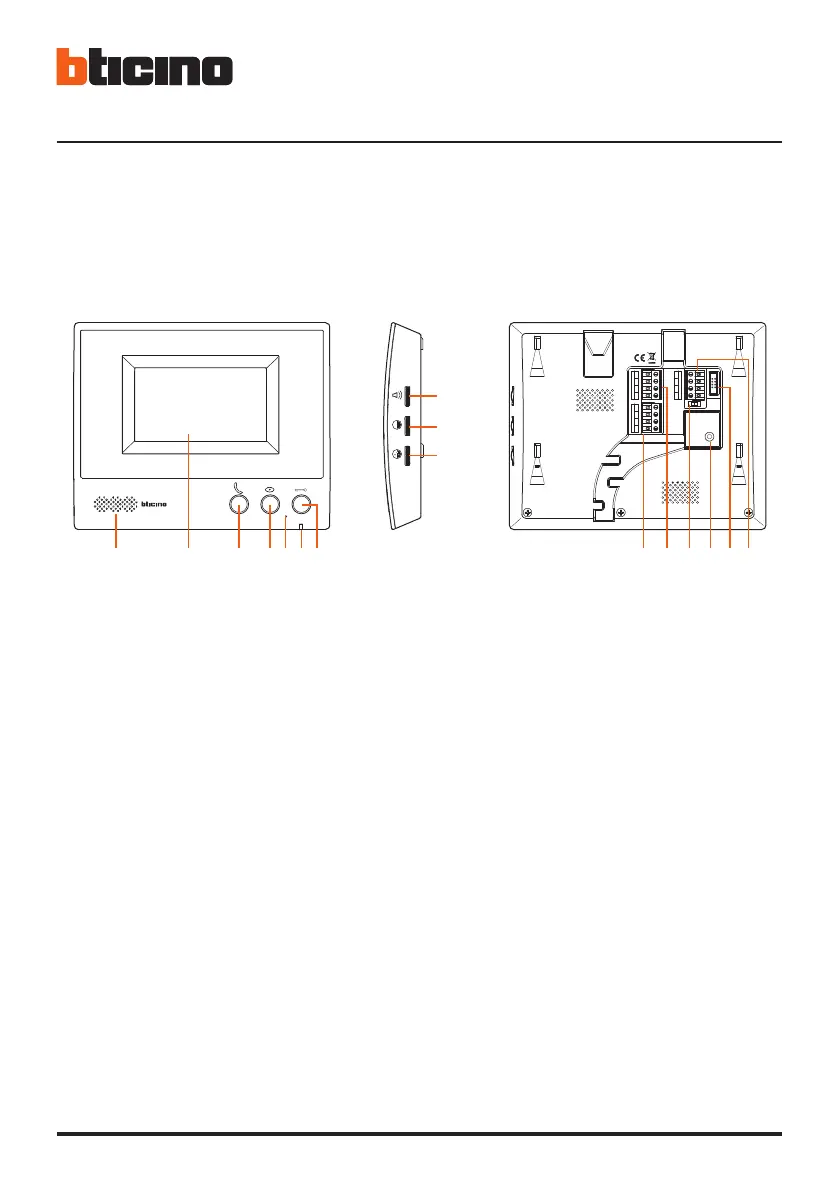
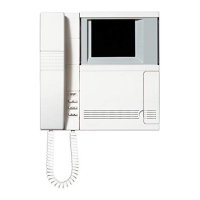
• Posto interno
• Internal unit
• Poste interne
• Hausstation
• Unidad interior
• Intern punt
• Unidade interna
• Εσωτερική θέση
•
• Dahl ünte
• Aparat wewnętrzny
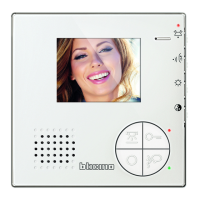
1 - Haut-parleur
2 - Écran
3 - Touche de réponse/Touche Intercom
4 - Touche Cyclage/Écran
5 - Micro
6 - Voyant communication
rouge = volume OFF
vert clignotant = arrivée d’un appel
vert fixe = communication activ
7 - Bouton serrure
8 - Réglage volume sonnerie
9 - Réglage luminosité
10 - Réglage couleur
11 - Connexion poste externe secondaire et/ou
caméra
12 - Connexion poste externe principal
13 - Commutateur Master/Slave
Master = poste interne principal d’appartement
Slave = poste interne supplémentaire
Note: éteindre et rallumer le dispositif pour
activer la fonction.
14 - Connexion au secteur d’alimentation électrique
15 - Non utilisé
16 - Connexion poste interne supplémentaire
1 - Lautsprecher
2 - Display
3 - Antwortetaste/Taste Intercom
4 - Taste der zyklischen Umschaltung / Bildschirm
5 - Mikrophon
6 - LED der Kommunikation
rot = Lautstärke OFF
grün blinkend = eintreffen eines Anrufs
grün fest leuchtend = Kommunikation aktiv
7 - Schlosstaste
8 - Einstellung der Lautstärke des Läutwerks
9 - Einstellung der Helligkeit
10 - Farbeneinstellung
11 - Anschluss an eine Nebentürstation und/oder
Kamera
12 - Anschluss an die Haupttürstation
13 - Dip-Schalter Master/Slave
Master = Haupthausstation der Wohnung
Slave = zusätzliche Hausstation
Anmerkung: die Vorrichtung aus- und wieder
einschalten, um die Funktion zu aktivieren.
14 - Anschluss an das Stromnetz
15 - Nicht verwendet
16 - Anschluss an die zusätzliche Hausstation




 To Next Page