Brief operating instructions
Button functions
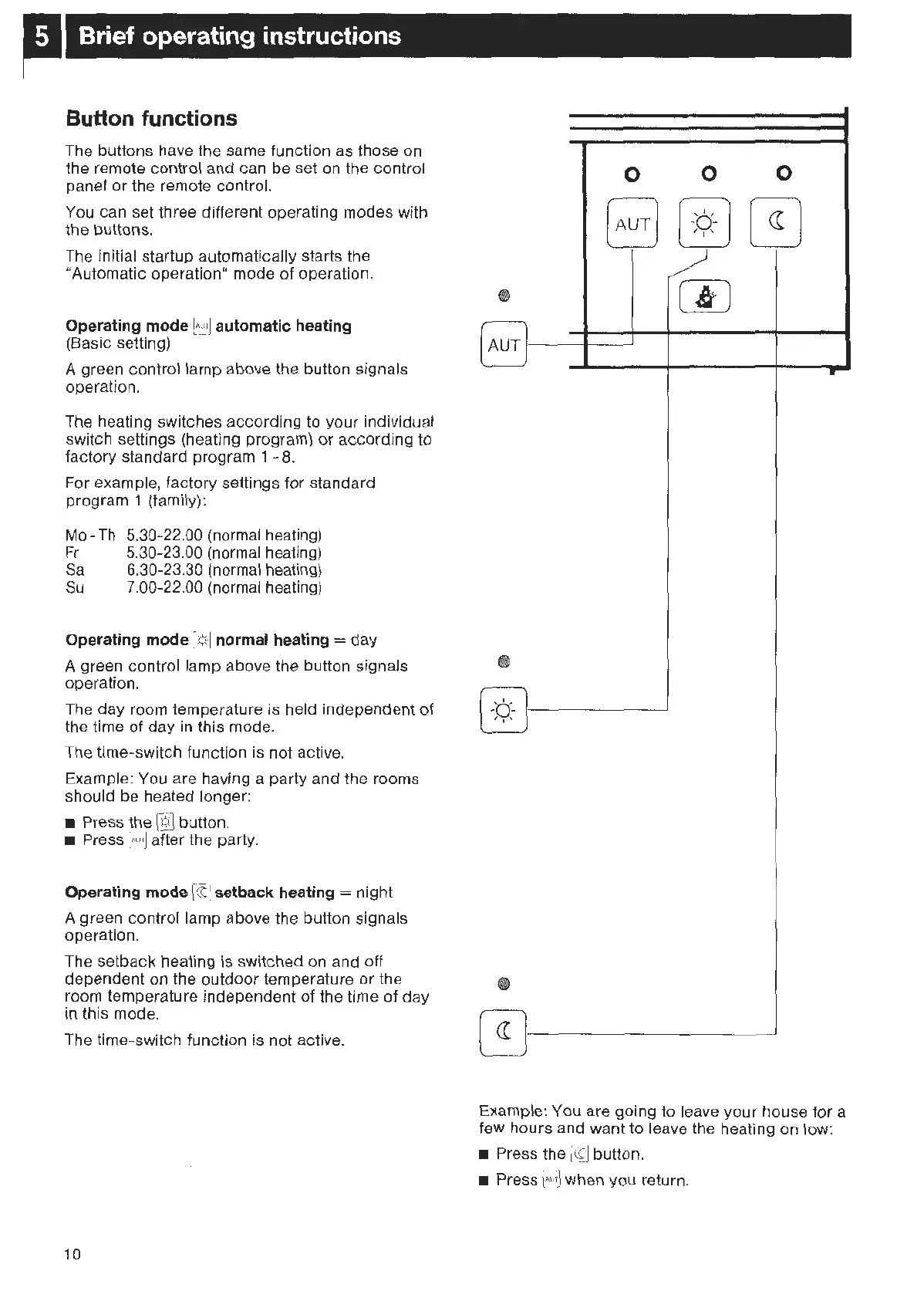
The buttons have the same function as those on
the re
mot
e
co
ntr
ol and can
be
set
on
the control
panel
or
the remote
contro
l.
You can set three different operating
modes
with
the buttons.
Th
e initial startup automatically starts the
"Automatic operation" mode
of
operation.
Operating mode
EJ
automatic heating
(Basic
set
ting)
A green
con
trol lamp
abo
ve the button signals
operat
ion.
The heating
sw
it
ches
acco
rding to
your
individual
switch settings (heating program)
or
according
to
f
acto
ry standard program 1 -
8.
For example,
factory
settings
for
standard
program 1 (family):
Mo
-
Th
Fr
Sa
Su
5.30-22.00 (normal heating)
5.30-23.00 (normal heating)
6.30-23.30 (normal heating)
7.00-22.00 (normal heating)
Operating mode
-¢
·J normal heating =
day
A green
con
trol
lamp
above the button signals
operation.
The day room temperature is held independent
of
the time
of
day in this mode.
The time-switch function is
not
act
ive.
Example: You are having a party and the rooms
shou
ld be heated longer:
• Press the
@]
button.
• Press
~~
afte
r
the party.
Operating mode
[(fl
se
tback heating = night
A
green
control lamp above the button signals
operation.
Th
e se
tback
heating is switched on and off
dependent on the o
utdoor
temperature
or
the
room temperature independent
of
the time
of
day
in this
mod
e.
The time-swit
ch
function is not active.
10
0
0 0
[Au
T]
@][I]
'
~
(I)
(AuT)
r
0
[
-b.-
)
' , ' J
-
*
Example: You are
going
to
leave
your
house
fo
r a
few
hour
s and want to leave the heating on
low
:
• Press
the
~
button.
•
Press
~
when you return.



 To Next Page