Brief operating instructions
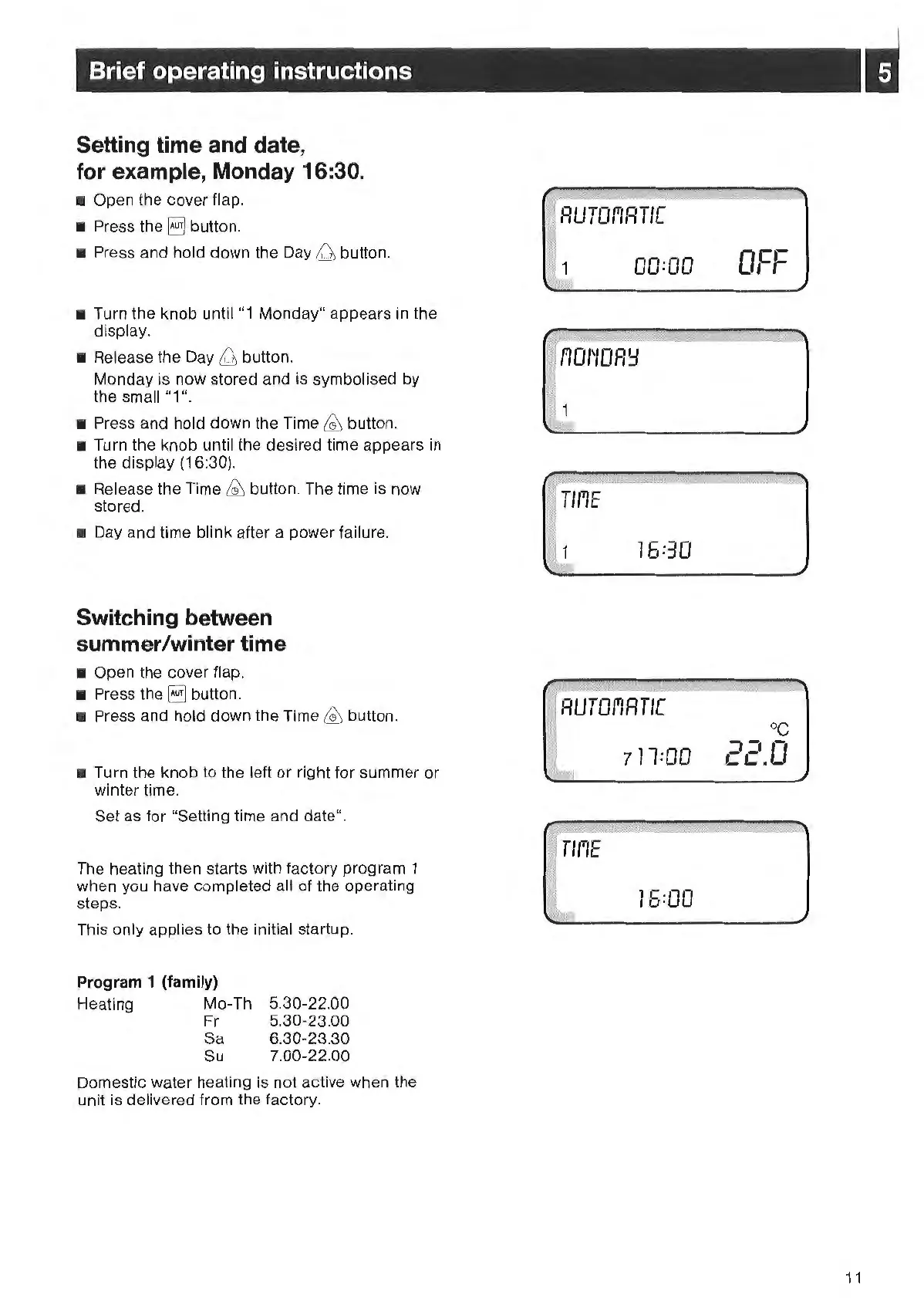
Setting time and date,
for example, Monday
16
:30.
•
Op
en the
co
ver flap.
• Press the
EJ
bu
tt
on.
• Press and hold down the Day
&b
button.
• Turn the knob until
"1
Monday" appears in the
display.
• Release the Day
&b
button.
Monday is
now
stored a
nd
is symbolised
by
the small
"1
''.
• Press and hold
down
the Time
~
but
ton.
• Turn the knob until the desired time appears in
the display (16:30).
• Release the Time
~
button. The time is
now
stored.
• Day and time blink aft
er
a power fail
ur
e.
Switching between
summer/winter time
• Open the cover flap.
• Press the
§]
button.
• Press and hold down the Time
~
button.
• Turn the knob to the left
or
right f
or
summ
er
or
wint
er
time.
Set
as
for "Setting time and date".
The heating then st
ar
ts with factory program 1
when
you
have
comp
let
ed
all
of
the operating
steps.
This only applies to the initial startup.
Program 1 (family)
Heating Mo-Th
Fr
Sa
Su
5.
30-22.00
5.30-23.00
6.30
-23
.30
7.00-22.00
Domestic water heating is not
act
ive when the
unit is delivered from the factory.
00:00
16:30
711:00
16
=00
-
t=
c
o,
-,
oc
-
.,
0
LC.
11



 To Next Page