EasyManua.ls Logo

Buderus Logamatic web KM200 - User Manual

Buderus Logamatic web KM200
85 pages
Go to English
Print Icon
To Next Page IconTo Next Page
Loading...
EMS plus
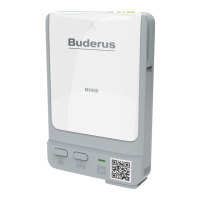
Logamatic web KM200
6 720 647 836-00.1O
[cs] Návod k instalaci 2
[da] Installationsvejledning 6
[de] Installationsanleitung 10
[en] Installation instructions 14
[et] Paigaldusjuhend 18
[fl] Installatiehandleiding 22
[fr] Notice d’installation 26
[it] Istruzioni d’installazione 30
[hr] Upute za instaliranje 34
[hu] Szerelési tudnivalók 38
[lt] Montavimo instrukcija 42
[lv] Uzstādīšanas instrukcija 46
[pl] Instrukcja instalacji 50
[ro] Instructiuni de instalare 54
[ru] Содержание 58
[sk] Návod na inštaláciu 62
[sl] Navodilo za montažo 66
[sr] Upupo za instalacijuLL 70
[tr] Montaj Kılavuzu 74
[uk] Інструкція з монтажу 78
6 720 805 486 (2013/01)

Questions and Answers

  • T
    Timothy JohnsonAug 18, 2025
    How to fix a constantly red light on my Buderus Boiler?
    • H
      Hannah GutierrezAug 18, 2025
      If your Buderus Boiler is constantly red, and you're commissioning or restoring factory settings, it could be because neither BUS nor LAN connection is available. To resolve this, disconnect the module from the power supply, make both BUS and LAN connections, and then recommission the module. If this occurs otherwise, it indicates an internal fault, and you should replace the module.
  • Z
    Zachary StewartAug 21, 2025
    Why is my Buderus Boiler flashing red?
    • T
      thansonAug 21, 2025
      If your Buderus Boiler is flashing red, it could be due to several reasons: * The LAN cable might not be connected, so ensure you make the LAN connection. * The router could be switched off; in this case, switch the router on. * DHCP might be disabled; enable DHCP at the router. * A manually set MAC filter might be preventing an IP address from being issued; set the MAC filter for the MAC address printed on the enclosure. * There might be no IP address available for the module; check the router configuration. * The LAN cable could be faulty; replace it if necessary.
  • A
    Alfred JonesAug 23, 2025
    What to do if my Buderus Boiler is constantly orange?
    • P
      pjimenezAug 23, 2025
      If your Buderus Boiler is constantly orange, it could be due to a LAN connection being established without access to the Buderus server via the internet. Try disconnecting the module from the power supply for 10 seconds and then recommission it. Also, ensure that there is an active internet connection and if the router's internet access is periodically blocked, remove the timeout. Finally, open ports 5222 and 5223.
  • B
    Bobby SuttonAug 26, 2025
    Why is my Buderus Boiler constantly off?
    • H
      herrerapaigeAug 26, 2025
      If your Buderus Boiler is constantly OFF, it may be due to a few potential issues: * The power supply might be interrupted; switch the power supply ON. * The power supply unit cable might not be connected to the module; make the connection. * The power supply unit could be faulty; replace the power supply unit.
  • C
    Christina TorresAug 27, 2025
    What does it mean when my Buderus Boiler is flashing green?
    • K
      Kenneth NicholsAug 28, 2025
      If your Buderus Boiler is flashing green, it might be because the heat source is switched off, so switch it on. Alternatively, the module might not be connected to the BUS system; in this case, make a BUS connection. Also, the maximum cable length for the BUS connection might be exceeded, try making a shorter BUS connection. Finally, there might be a short circuit or cable break in the BUS connection; check the BUS connection and repair it if required.
  • B
    benjamin05Aug 30, 2025
    What to do if my Buderus Boiler is alternating red and green?
    • C
      Cassandra MarquezAug 30, 2025
      If your Buderus Boiler is alternating red and green, it indicates that the BUS and LAN connection separated after commissioning. To resolve this, disconnect the module from the power supply, make BUS and LAN connections, and then recommission the module.
  • B
    Brian NixonSep 1, 2025
    Why is my Buderus Control Unit flashing red?
    • A
      Anthony BlanchardSep 1, 2025
      A flashing red light on your Buderus Control Unit could indicate several issues: the LAN cable isn't connected (make the LAN connection), the router is off (switch it on), DHCP is disabled (enable DHCP at the router), a manually set MAC filter is preventing an IP address from being issued (set the MAC filter for the printed MAC address), no IP address is available for the module (check the router configuration), or the LAN cable is faulty (replace the LAN cable).
  • S
    Sarah HowardSep 3, 2025
    What to do if my Buderus Control Unit is constantly off?
    • G
      gutierrezshaneSep 4, 2025
      If your Buderus Control Unit is constantly off, it could be due to a few reasons. First, check if the power supply is interrupted and switch it on. Second, ensure the connecting cable from the power supply unit is properly connected to the module; if not, make the connection. Finally, the power supply unit itself might be faulty, in which case you should replace it.
  • R
    Robert LopezSep 6, 2025
    Why is my Buderus Logamatic web KM200 constantly orange?
    • K
      Katie WilcoxSep 6, 2025
      A constant orange light on your Buderus Control Unit indicates that a LAN connection is established, but there is no access to the Buderus server via the internet. To resolve this, disconnect the module from the power supply for 10 seconds and then recommission it. Ensure that you have established an internet connection and if internet access for the router is periodically blocked, remove the timeout. Also, make sure that ports 5222 and 52231 are open.
  • A
    Adam RomanSep 8, 2025
    How to fix a flashing green light on my Buderus Logamatic web KM200 Control Unit?
    • S
      Susan GriffinSep 8, 2025
      A flashing green light on your Buderus Control Unit can indicate several issues. The heat source might be switched off, so switch it on. The BUS initialization may have been lost, requiring a reset of personal settings. The module might not be connected to the BUS system, so make the BUS connection. The maximum cable length for the BUS connection might be exceeded, requiring a shorter BUS connection. Finally, there could be a short circuit or cable break in the BUS connection, so check the BUS connection and repair if needed.

Summary

Key to symbols and safety instructions

Safety instructions

Essential safety precautions for installation and operation.

Product details

Specification

Technical specifications including dimensions, ratings, and interfaces.

Installation

Electrical and BUS Connections

Details on connecting power, EMS, and CAN BUS interfaces.

Commissioning

Buderus Logamatic web KM200 Specifications

General IconGeneral
ConnectivityLAN
Remote AccessYes
Power Supply230 V AC
LanguagesMultiple languages supported
CompatibilityBuderus heating systems
CommunicationEMS

Related product manuals