EasyManua.ls Logo

Buehler IsoMet 4000 - User Manual

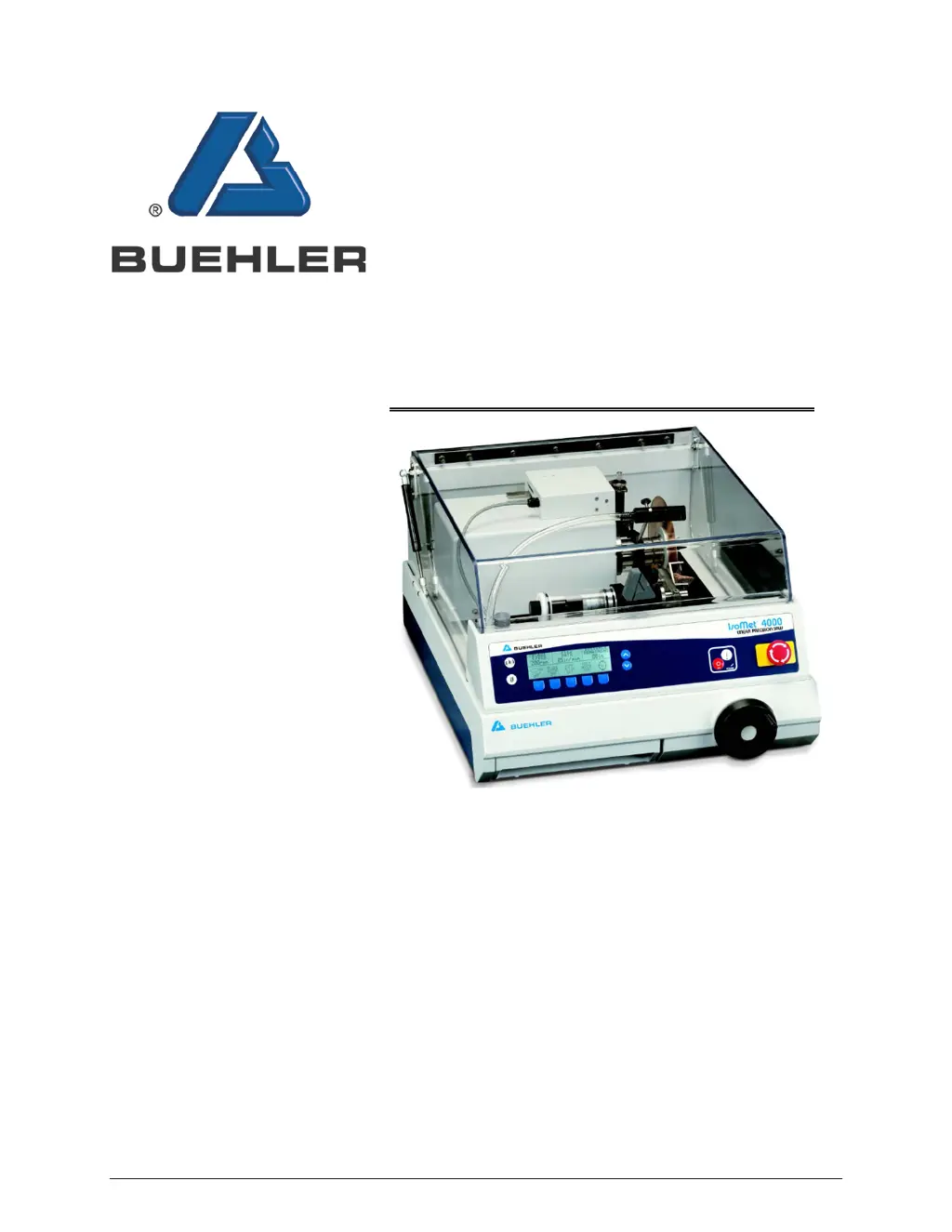
Buehler IsoMet 4000
66 pages
Print Icon
To Next Page IconTo Next Page
Loading...
MA112680_39.3 4/2014
www.buehler.com
IsoMet4000
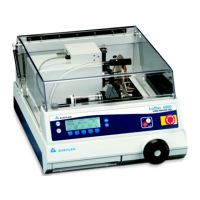
Linear Precision Saw

Table of Contents

Questions and Answers

  • J
    Joseph SmithAug 14, 2025
    How to troubleshoot Buehler Laboratory Equipment IsoMet that does not power on?
    • R
      Raven MorenoAug 14, 2025
      If your Buehler Laboratory Equipment IsoMet does not power on, there are a couple of things to check: * First, ensure that the power cord is securely connected. * Second, verify that the rear power switch is turned on.
  • S
    samanthaschwartzAug 17, 2025
    What to do if Buehler Laboratory Equipment pump has lost pressure?
    • J
      Jonathan ReedAug 17, 2025
      If the pump in your Buehler Laboratory Equipment has lost pressure, consider these potential causes and solutions: 1. The fluid level may be too low. Refill the fluid to the correct level. 2. The tank screen may need cleaning. Remove the screen and clean it. 3. The suction or flexible hoses could be clogged or blocked. Remove and inspect them for blockages, then clear any obstructions.
  • J
    Jennifer ArmstrongAug 20, 2025
    Why does the blade keep pinching on my Buehler IsoMet 4000 Laboratory Equipment?
    • A
      ahallAug 20, 2025
      If the blade keeps pinching on your Buehler Laboratory Equipment, here are several possible reasons and solutions: * The wrong blade may be in use for the material. Replace it with the correct blade. * The specimen fixture may be improper. Use the correct specimen fixture. * The blade may need dressing. Dress the blade. * The FEED RATE may be too slow. Increase the FEED RATE. * The BLADE SPEED may be too slow. Increase the BLADE SPEED.
  • D
    Daniel ChavezAug 25, 2025
    How to stop coolant leaks from Buehler IsoMet 4000 IsoMet?
    • D
      David SimpsonAug 25, 2025
      If coolant is leaking from your Buehler Laboratory Equipment IsoMet, consider these points: * The table or unit might not be level. Ensure the table is level. * The coolant level could be too high. Check the volume of cutting fluid.
  • M
    Melinda BranchAug 27, 2025
    What to do if Buehler IsoMet 4000 blade keeps stopping?
    • A
      Anthony AlvaradoAug 27, 2025
      If the blade keeps stopping on your Buehler Laboratory Equipment, consider these potential issues: * The CUTTING DISTANCE may have changed. Reset the CUTTING DISTANCE. * The DISTANCE REMAINING may be .00 or less. Increase the DISTANCE REMAINING. * The ARM LIMIT switch may be activated. Deactivate the ARM LIMIT switch.
  • M
    Mark RuizAug 30, 2025
    Why Blade Dressing does not work on Buehler IsoMet 4000?
    • B
      Brandon ShieldsAug 31, 2025
      If the blade dressing is not working on your Buehler Laboratory Equipment, examine the following: * Check the cable connection, as it may be disconnected. * Verify the dressing stick position and ensure it is clean.
  • L
    Leonard HuffmanSep 3, 2025
    What causes the Specimen Positioning System on Buehler IsoMet 4000 Laboratory Equipment not to move?
    • S
      Sonya PetersonSep 3, 2025
      If the Specimen Positioning System on your Buehler Laboratory Equipment does not move, the cable may be disconnected. Check the cable connection.
  • M
    Misty GuzmanSep 6, 2025
    What to check if Rotating Chuck does not work on Buehler IsoMet 4000 Laboratory Equipment?
    • B
      Barbara SchwartzSep 6, 2025
      If the Rotating Chuck is not working on your Buehler Laboratory Equipment, you should check the following: * Verify the cable connection, as it might be disconnected. * Ensure that the Rotating Chuck is turned on.
  • N
    nwilliamsSep 9, 2025
    What to do if Buehler Laboratory Equipment Blade Turret won’t advance for a second cut?
    • F
      Frank RuizSep 9, 2025
      If the Blade Turret on your Buehler Laboratory Equipment completes one cycle but won’t advance for a second cut, the IsoMet may be operating as if the Precision Table is still attached. Turn the unit off and then back on.

Summary

IsoMet 4000 Precision Saw Overview

Warranty Information

Details the warranty period, conditions, and service contact information for the IsoMet 4000.

Technical Specifications

Lists the physical, electrical, and performance specifications of the IsoMet 4000 machine.

Safety, Handling, and Installation

Safety Guidelines and Terms

Provides essential safety information, usage rules, and hazard definitions for operating the saw.

Unpacking and Machine Installation

Covers procedures for unpacking the saw and its initial setup, including electrical connections.

Blade and Cooling System Setup

Instructions for installing the cutting blade and setting up the cooling and lubrication system.

Machine Controls and Operation

Front Panel Controls Overview

Explains the buttons, display, and functions of the IsoMet 4000's front control panel.

Display Screens and Commands

Details the various display screens (L1, L2, L3) and their associated softkey commands.

Specimen Positioning Procedures

Guides on how to load and position specimens accurately for cutting, with or without known thickness.

Cutting Procedures

Step-by-step instructions for performing single cuts, manual cuts, and using the SMART CUT feature.

Advanced Operation, Maintenance, and Troubleshooting

Blade Dressing and SMART CUT

Procedures for dressing the cutting blade and understanding the SMART CUT feed rate adjustment.

Warning Messages and Error Handling

Lists potential warning messages displayed on the LCD and how to respond to them.

Routine Maintenance and Cleaning

Covers regular cleaning tasks, coolant management, and checking operational hours.

Troubleshooting Guide

Provides a chart of common problems, their possible causes, and recommended correction steps.

Reference and Support Information

Application Guide

Offers recommended parameters for cutting various specimen materials based on empirical data.

Technical Drawings and Parts List

Includes assembly diagrams and a comprehensive list of parts for the IsoMet 4000.

Company Contact Information

Lists contact details for Buehler offices worldwide for service and support inquiries.

Buehler IsoMet 4000 Specifications

General IconGeneral
BrandBuehler
ModelIsoMet 4000
CategoryLaboratory Equipment
LanguageEnglish

Related product manuals