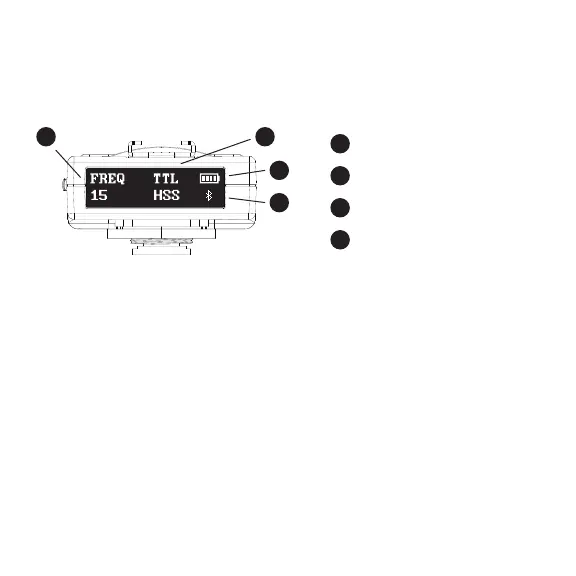
The FREQUENCY ranges from 1 - 16. To set the frequency turn the
ROTARY WHEEL until FREQUENCY appears on the display.
Press in on the ROTARY WHEEL to enter the FREQUENCY section.
Turn the ROTARY WHEEL until your desired frequency appears.
Press in on the ROTARY WHEEL to confirm your selection.
SETTING THE FREQUENCY
Press in on the rotary wheel, located on the left side of the HUB.
This will send a test fire to any flash units that are on the same frequency.
SENDING A TEST FIRE
To adjust the display brightness turn the ROTARY WHEEL
until BRIGHTNESS appears on the display.
Press in on the ROTARY WHEEL to enter the BRIGHTNESS section.
Turn the ROTARY WHEEL until your desired brightness appears.
ADJUSTING THE DISPLAY BRIGHTNESS
FREQUENCY
TTL/MAN and HSS
BATTERY INDICATOR
BLUETOOTH
8
9
10
11
8
10
11
9



 To Next Page