11Bualo Filter® VisiClear™ Operator’s Manual
During an open procedure in which a smoke plume evacuation hose will be utilized, please
select the Open Tubing Button. When using either an attachment to your electrosurgical
pencil or an integrated smoke plume evacuation pencil such as Bualo Filter’s PlumePen™,
please select the Electrosurgical/Diathermy Mode Button. Finally, when attaching to a surgical
cannula during laparoscopic procedures, please select the Laparoscopic Button.
At any point, when you would like to return to the previous menu on the VisiClear™ touch
screen, use the Back Button to return to the previous screen. See Figure 2.
Figure 2.
SUCTION ON & STANDBY
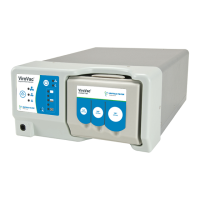
Once the mode is selected on the touch screen interface (See Figure 1), the mode you have
selected will appear on the le side of the touch screen. You can activate or deactivate the ow
of suction by pressing the button that appears like a fan blade on the unit’s touch screen. e fan
image will begin to rotate to indicate that the unit’s motor is running and the ow of suction has
begun. See Figure 3.
Figure 3.
SUCTION CONTROL
e amount of suction may be adjusted by pressing the suction control buttons located to the
right of the fan image. Each time the suction control up or down button is depressed, the motor
speed is increased or decreased by 10%. e suction speed will not loop. e suction control
should be set at the lowest practical setting to completely remove the surgical smoke from the
operative site. See Figure 4.


 To Next Page